
Description
Presswell Tracking Signal Relay captures attribution parameters and stores them with supported form submissions. It reads query parameters from the current URL, merges them with previously stored values, and keeps them available for later form views in the same session.
Supported Form Plugins
- Contact Form 7
- Fluent Forms
- Formidable Forms
- Forminator
- Gravity Forms
- WPForms (1.9.1 or later)
Features
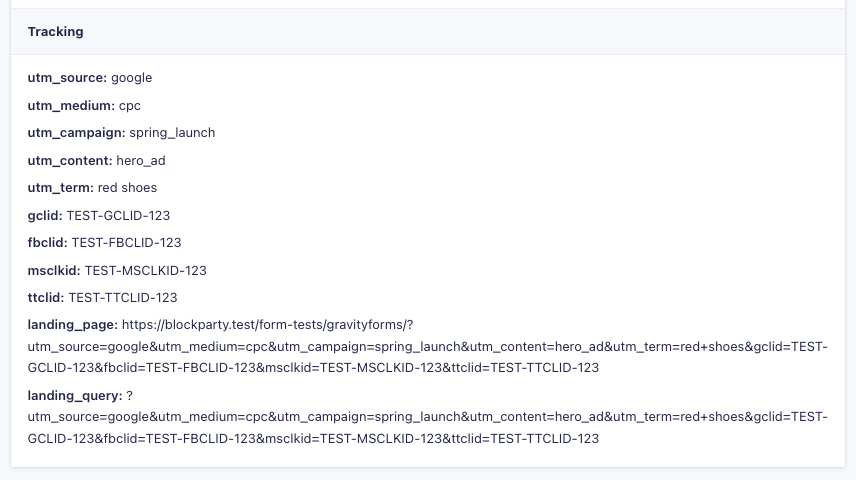
- Captures common attribution parameters and stores them with submissions
- Tracks
utm_source,utm_medium,utm_campaign,utm_content,utm_term,gclid,fbclid,msclkid,ttclid,landing_page,landing_query, andreferrer - Captures attribution on whichever page a visitor lands on, not just pages with forms
- Stores last-touch attribution, first-touch attribution, or both
- Persists values in browser localStorage, for 7 days without a page view by default, adjustable in settings
- Automatically populates hidden tracking fields when supported forms render
- Supports per-site custom parameters from plugin settings
Documentation
Attribution Model
Choose a model under Settings -> Tracking Signal Relay. The default, First and last, stores two sets of values with every submission:
- Last touch (
utm_source,referrer, …): replaced whenever the visitor arrives on a URL with any tracked parameter. Untagged visits, such as internal navigation, direct, or organic, keep the current values. - First touch (
first_utm_source,first_referrer, …): recorded from the first visit with a source and never replaced while the stored record lasts. A direct visit (no tracked parameters and no referrer from another site, such as a typed address or bookmark) holds the spot only until a tagged or referred visit arrives.
Last touch and First touch store the plain keys alone (utm_source, …), holding that model’s values.
Values share one record in browser localStorage. It expires once the Attribution Expiry passes with no page views (7 days by default, up to one year), and the next visit starts a new record. A longer expiry keeps first-touch attribution across more widely spaced visits; a shorter one makes last touch reset sooner.
Changing the model only affects new submissions. Existing entries keep the values they were saved with, so with a single model, a field such as utm_source can mean different things before and after the change.
landing_page, `landing_query`, and `referrer` always describe the visit itself and can't be set through the query string.
Capture Methods
- Contact Form 7: Hidden tracking inputs are appended during form render.
- Fluent Forms: Custom field type that users add from the builder.
- Formidable Forms: Custom field type that users add from the builder.
- Forminator: Hidden tracking inputs are appended during form render.
- Gravity Forms: Custom field type that users add from the builder.
- WPForms: Custom field type that users add from the builder.
pwtsr_tracking_keys( $keys, $context )
- $keys (array) (required) – Ordered list of tracking keys that should be captured and stored with each entry.
- $context (string) (required) – Adapter context (
core,contactform7,fluentforms,formidable,forminator,gravityforms, orwpforms). - Return an indexed array of string keys.
- These values are used to build hidden inputs and entry-detail output.
- The browser script captures the keys from the
corecontext and from every active form plugin’s context. - Return last-touch keys only; with the First and last model, a
first_copy of each key is added automatically.
Example:
add_filter( 'pwtsr_tracking_keys', function( $keys, $context ) {
  if ( 'gravityforms' !== $context ) {
    return $keys;
  }
  $keys[] = 'custom_param';
  $keys[] = 'utm_id';
  return $keys;
}, 10, 2 );
pwtsr_tracking_ttl( $ttl, $context )
- $ttl (int) (required) – Seconds without a page view before stored attribution is cleared. Defaults to the Attribution Expiry setting (7 days).
- $context (string) (required) – Always
core; one TTL applies to the whole page. - Return a positive integer. Invalid values automatically fall back to the default TTL.
Example:
add_filter( 'pwtsr_tracking_ttl', function( $ttl, $context ) {
  if ( 'core' !== $context ) {
    return $ttl;
  }
  return DAY_IN_SECONDS * 30;
}, 10, 2 );
pwtsr_storage_key( $storage_key, $context )
- $storage_key (string) (required) – Browser storage key used for the attribution payload.
- $context (string) (required) – Always
core; one storage key applies to the whole page. - Return a non-empty string.
pwtsr_enqueue_tracking_script( $enqueue )
- $enqueue (bool) (required) – Whether to load the tracking script on every front-end page. Default
truewhile a supported form plugin is active. - Return
falseto load it only on pages that render a form. Attribution from visitors who land on other pages is then lost.
pwtsr_attribution_model( $model, $context )
- $model (string) (required) –
both,last, orfirst. Defaults to the Attribution Model setting. - $context (string) (required) – Adapter context. The browser script uses the
corevalue. - Unknown values fall back to
both.
pwtsr_require_consent( $required )
- $required (bool) (required) – Whether the script waits for consent before storing anything. Defaults to the Visitor Consent setting.
pwtsr_consent_category( $category )
- $category (string) (required) – WP Consent API category to wait for. Default
marketing.
Consent
With Visitor Consent on, the script reads and stores nothing until the visitor consents. Consent plugins that support the WP Consent API work without setup. Other consent banners can use the JavaScript interface:
// After the visitor accepts, or on each page load once they have.
presswellSignalRelay.setConsent( true );

// When the visitor withdraws consent; the stored record is removed.
presswellSignalRelay.setConsent( false );

// Whether attribution is currently being stored.
presswellSignalRelay.hasConsent();
A script that runs before Tracking Signal Relay loads can set window.presswellSignalRelayConsent = true instead. Attribution on the page where consent is given is still captured, but parameters on pages viewed before consent are lost.
Default Tracking Keys
utm_sourceutm_mediumutm_campaignutm_contentutm_termgclidfbclidmsclkidttclidlanding_pagelanding_queryreferrer
With the First and last model, each is also stored as a first-touch copy prefixed with first_, such as first_utm_source.
Settings and Debug Display
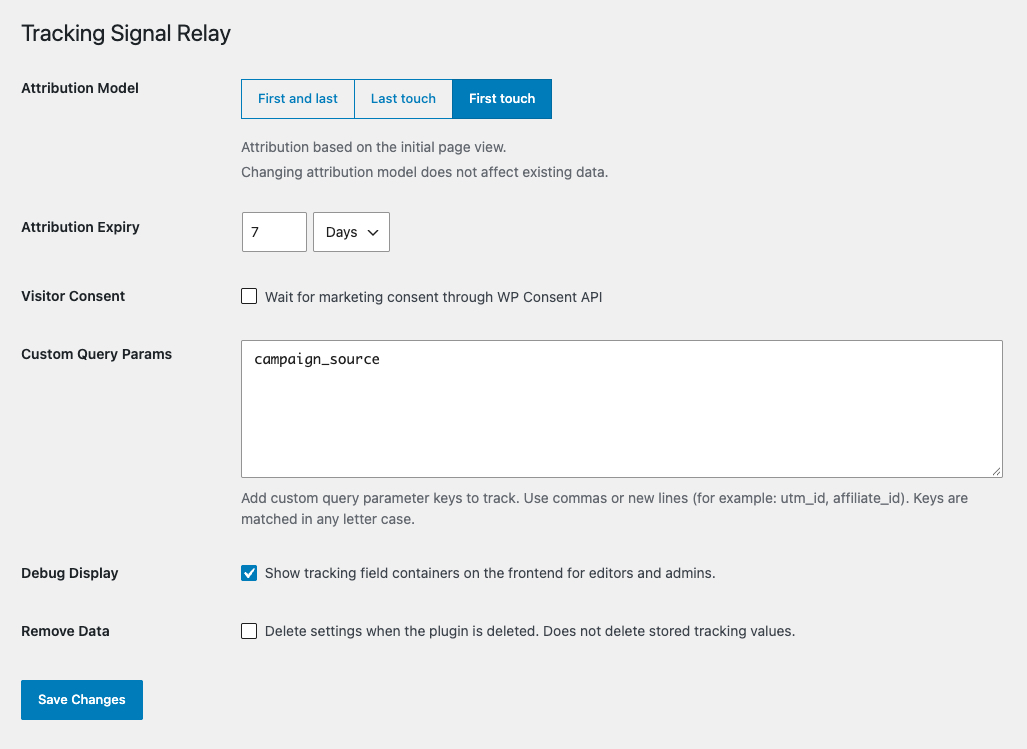
Use Settings -> Tracking Signal Relay to:
- Choose the attribution model: first and last touch, last touch, or first touch.
- Set how long attribution lasts without a page view.
- Wait for visitor consent before storing attribution.
- Add custom query parameter keys.
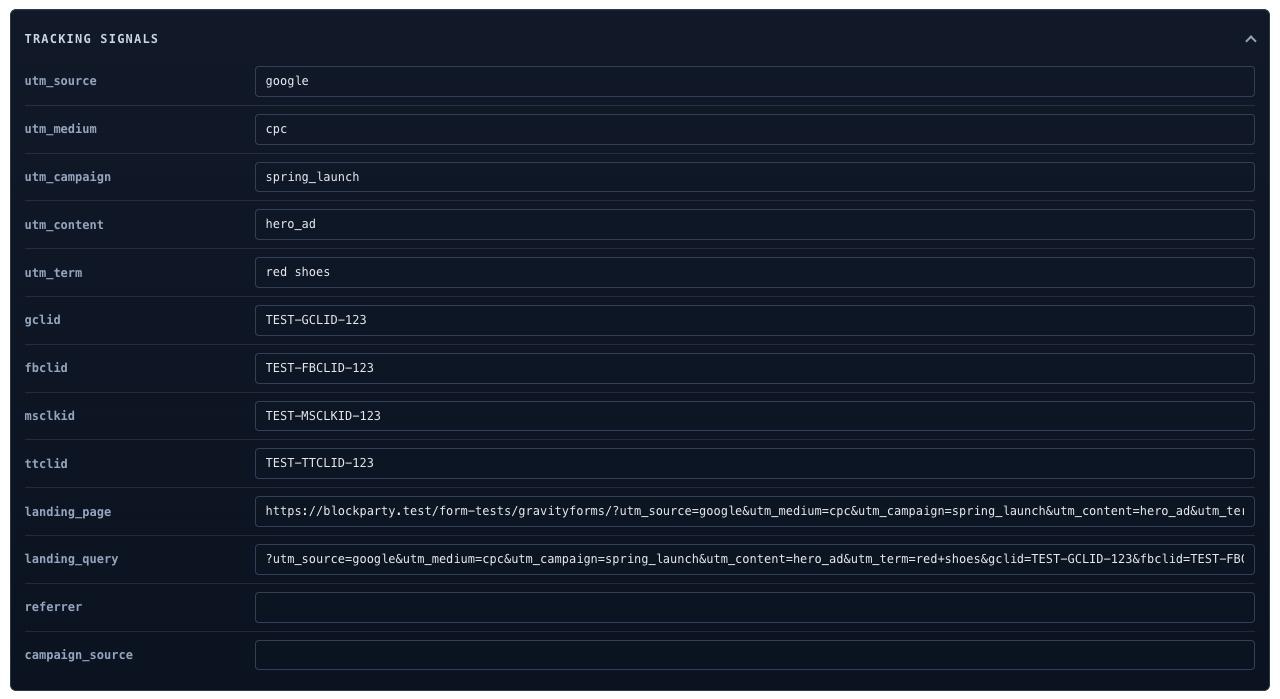
- Enable Debug Display for logged-in editors/admins.
- Inspect tracking field wrappers on the frontend while validating form output.
Privacy
Tracking values are stored in each visitor’s browser localStorage, not in cookies, and reach your site only when a supported form is submitted, where they are saved with the entry. The plugin sends nothing to third-party services.
Suggested text for your privacy policy is added under Settings -> Privacy.
In the EU and UK, storing data on a visitor’s device, including localStorage, generally needs consent unless it is strictly necessary. Turn on Visitor Consent to hold attribution until the visitor consents; see Consent below.
Screenshots
Installation
Install via the WordPress plugin installer, or manually upload the plugin directory to wp-content/plugins/.
Configuration
- Activate the plugin.
- If using Contact Form 7, publish any form (tracking inputs are injected automatically).
- If using Fluent Forms, edit a form and add the Tracking field.
- If using Formidable Forms, edit a form and add the Tracking field.
- If using Forminator, publish a custom form (tracking inputs are injected automatically).
- If using Gravity Forms, edit a form and add the Tracking field from Advanced Fields.
- If using WPForms, edit a form and add the Tracking field.
- Send traffic with UTM/click parameters.
FAQ
-
What parameters are tracked by default?
-
UTM parameters (
utm_source,utm_medium,utm_campaign,utm_content,utm_term), common ad click IDs (gclid,fbclid,msclkid,ttclid), pluslanding_page,landing_query, andreferrer. -
Does this require custom JavaScript in my theme?
-
No. The plugin injects and populates tracking inputs automatically when supported forms render.
-
How long is attribution data stored?
-
By default, until 7 days pass with no page views. Change it with Attribution Expiry in the settings, or the
pwtsr_tracking_ttlfilter. -
Which campaign gets credit?
-
By default, both the first and the most recent. Last-touch keys (
utm_source) hold the latest tagged visit; first-touch keys (first_utm_source) hold the visit that started the record. Pick one model instead in the settings. See Attribution Model above. -
Can I track additional custom parameters?
-
Yes. Use the
pwtsr_tracking_keysfilter or add custom parameters in Settings -> Tracking Signal Relay. -
Why isn’t my form plugin supported?
-
We plan to support additional form ecosystems, but each integration requires reliable extension points for hidden field rendering, submission lifecycle hooks, entry persistence, and token/merge-tag resolution. Some form plugins do not expose these capabilities consistently enough to deliver a production-ready adapter. We are also prioritizing support for plugins with transparent licensing, complete core functionality, and a respectful user experience.
Reviews
There are no reviews for this plugin.
Contributors & Developers
“Presswell Tracking Signal Relay” is open source software. The following people have contributed to this plugin.
Contributors

Translate “Presswell Tracking Signal Relay” into your language.
Interested in development?
Browse the code, check out the SVN repository, or subscribe to the development log by RSS.
Changelog
1.0.0
- First public release with Contact Form 7, Fluent Forms, Formidable Forms, Forminator, Gravity Forms, and WPForms support, first- and last-touch attribution, and custom parameters.