

Description
Image Preview for ACF Field is a WordPress plugin that enhances the Advanced Custom Fields (ACF) experience by adding visual help images and full galleries to your fields. When users click or hover on a help icon next to an ACF field, a modal popup appears showing a relevant help image or an interactive image slider!
Features
- Multiple Image Galleries – New in v2.0! Select “Gallery” as the media type and automatically generate a beautiful, lightweight image slider for your help documentation.
- Custom Animated GIF/Image Icons – New in v2.0! Use any custom image or animated GIF as the help icon next to your fields.
- Global Dashboard Settings – Control modal sizes, hover/click interactions, and default icons from a single, beautiful dashboard.
- Visual Help Images – Add preview images to ACF fields for visual guidance.
- Modal Popup & Tooltips – Clicking or hovering the help icon opens a clean, responsive popup.
- Easy Integration – Seamlessly integrates with the ACF UI.
- Universal Compatibility – Supports all ACF field types.
Usage
- Create or edit a field group in ACF.
- For any field, you’ll see a “Preview Image” option—enable it.
- Upload or select an image to be shown as a visual help.
- Save the field group.
- When editing a post or page, a small help icon will appear next to the field.
- Click the icon to view the help image in a popup.
Requirements
- WordPress 5.0 or higher
- Advanced Custom Fields (ACF) plugin
Privacy & Data Collection
Your Privacy Matters
This plugin respects your privacy and operates with full transparency:
- No Automatic Data Collection – The plugin does not collect or transmit any data without your explicit consent
- Opt-In Telemetry – You can optionally enable anonymous usage tracking from Settings > ACF WYSIWYG Limit to help improve the plugin
- Deactivation Feedback – When deactivating, you can choose to share feedback to help us improve. This is completely optional
- No Personal Content – We never collect your post content, user passwords, or sensitive information
- What We Collect (Only if you opt-in):
- Plugin version and settings
- WordPress and PHP versions
- Theme information
- Site language and multisite status
- Anonymous site URL (for duplicate detection only)
Deactivation Feedback
When you deactivate the plugin, a feedback modal appears asking for your reason. This helps us improve the plugin:
- Completely Optional – You can skip and deactivate immediately
- Contact Consent – Check the consent box only if you want us to follow up with support
- Your Choice – Your name and email are only sent if you check the consent checkbox
Screenshots
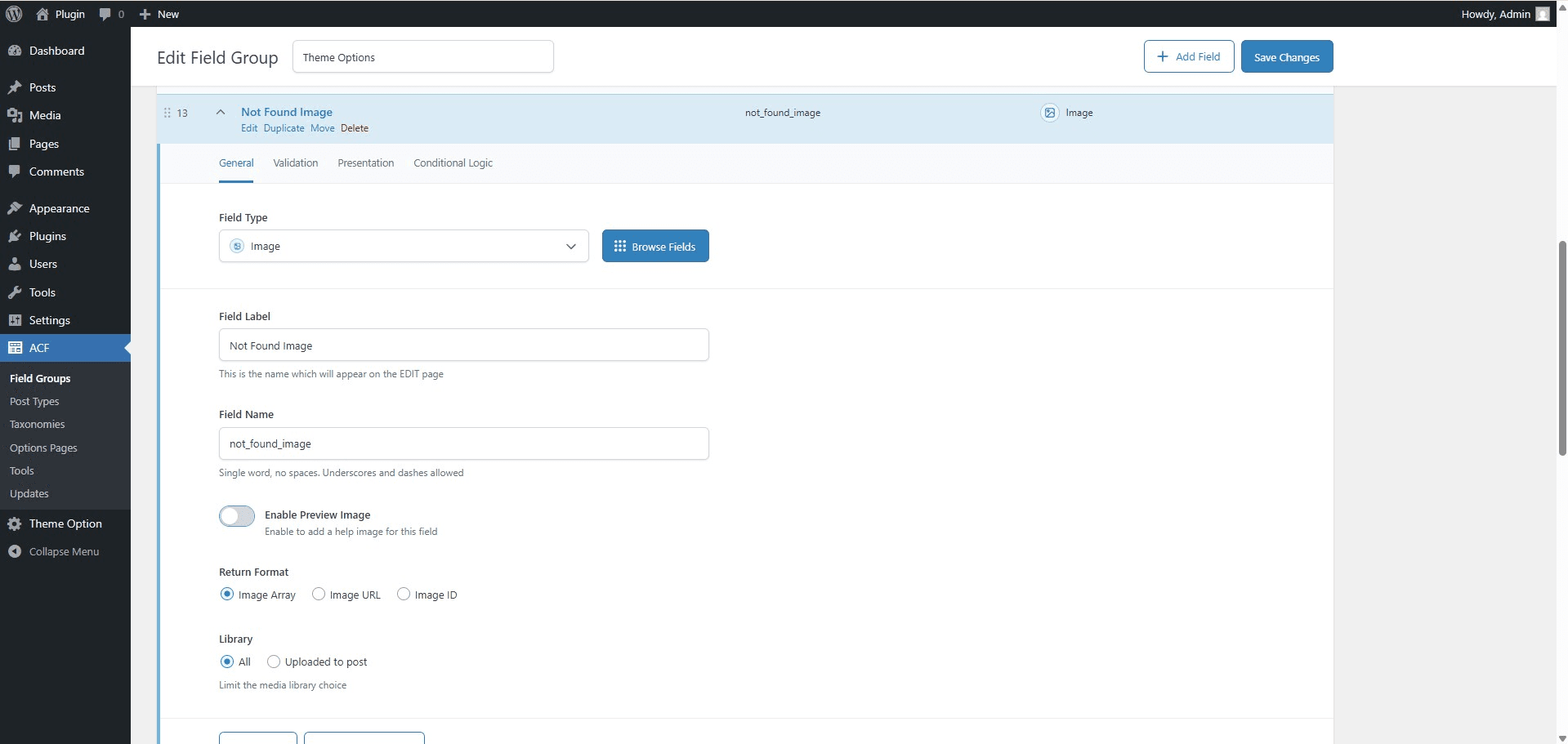
Enable Preview Image Option – In the ACF field settings, enable the “Preview Help Image” option to allow image-based assistance.
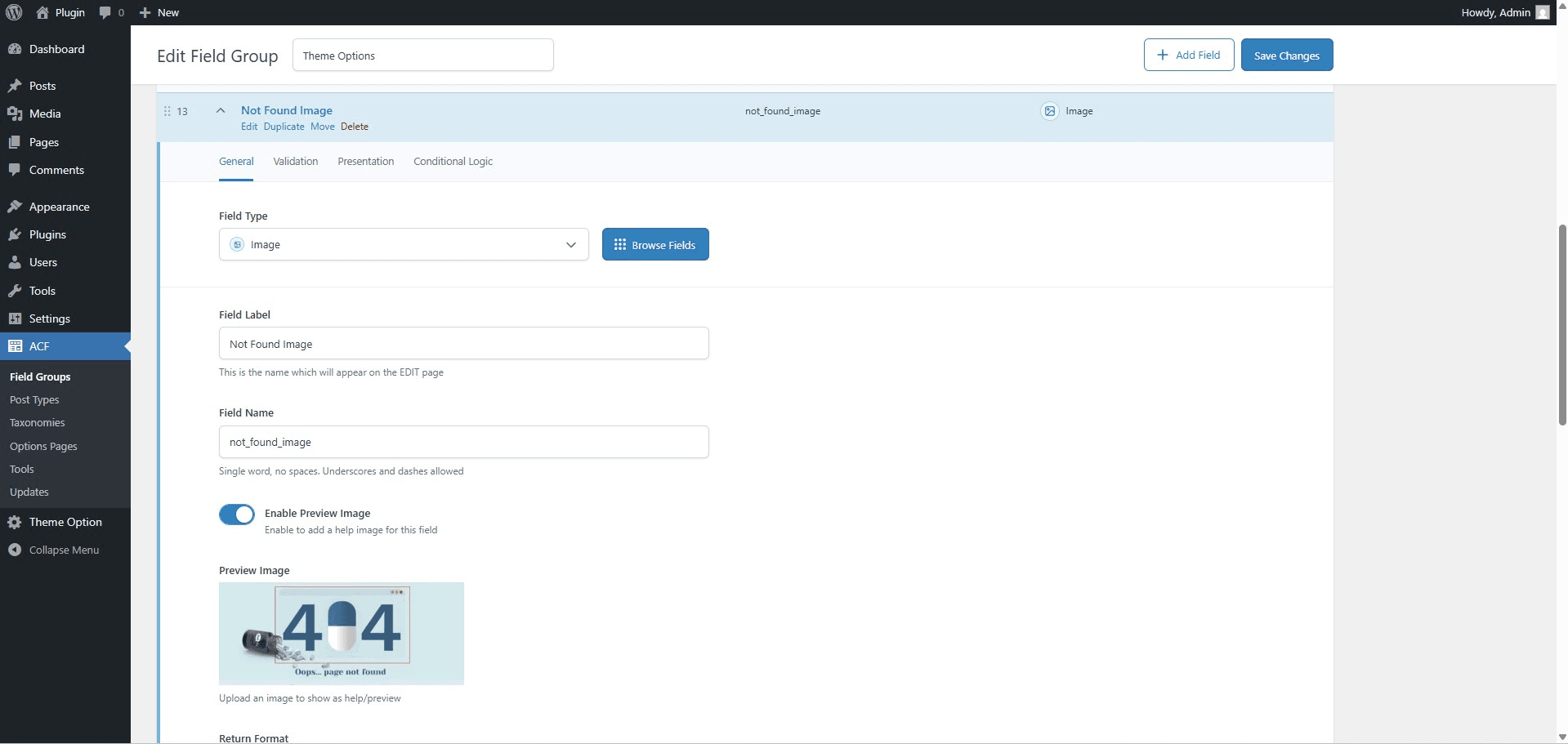
Upload Help Image – Upload a relevant help image for the selected ACF field using the new image upload field.
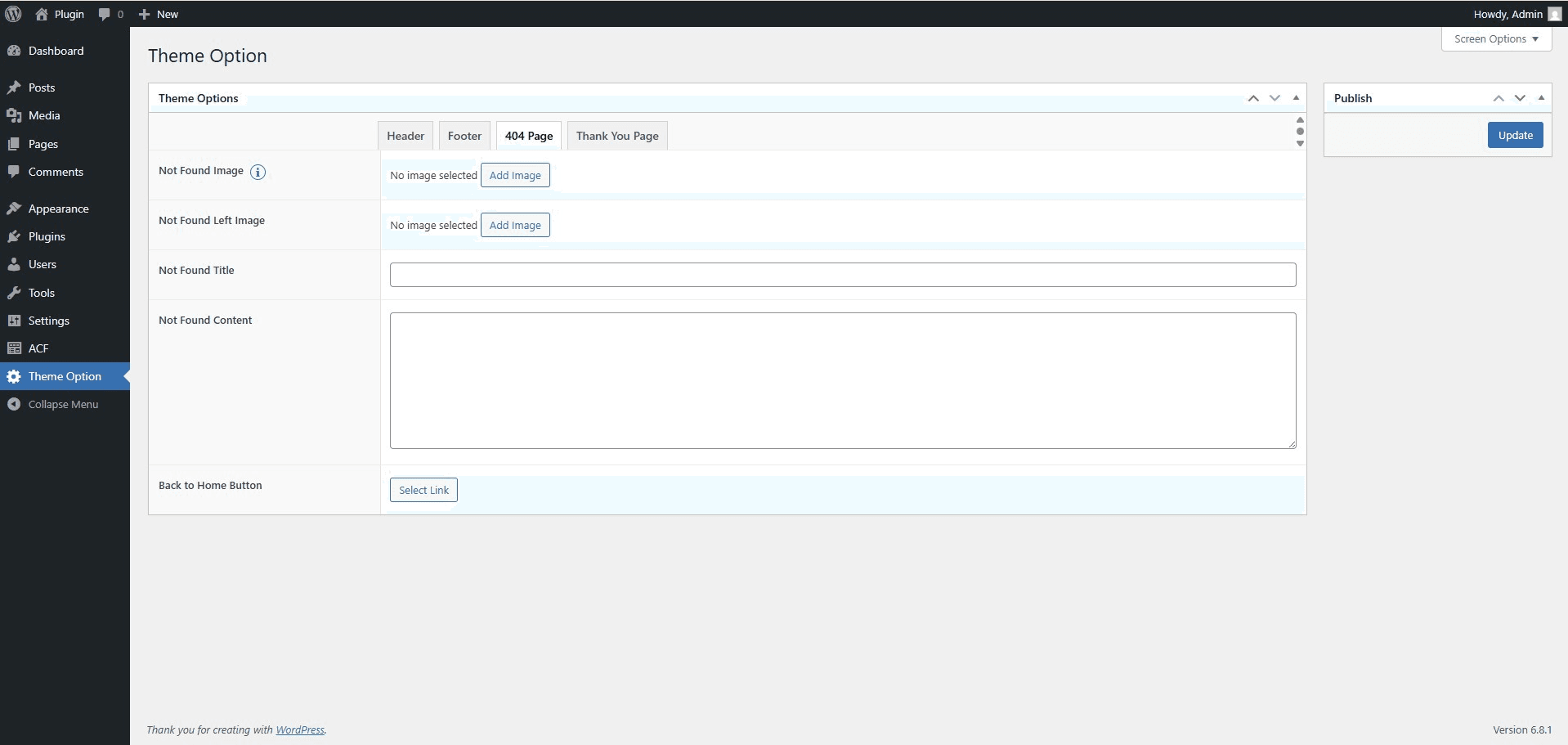
Help Icon Next to Field – A help icon appears next to the ACF field on the edit screen, indicating visual assistance is available.
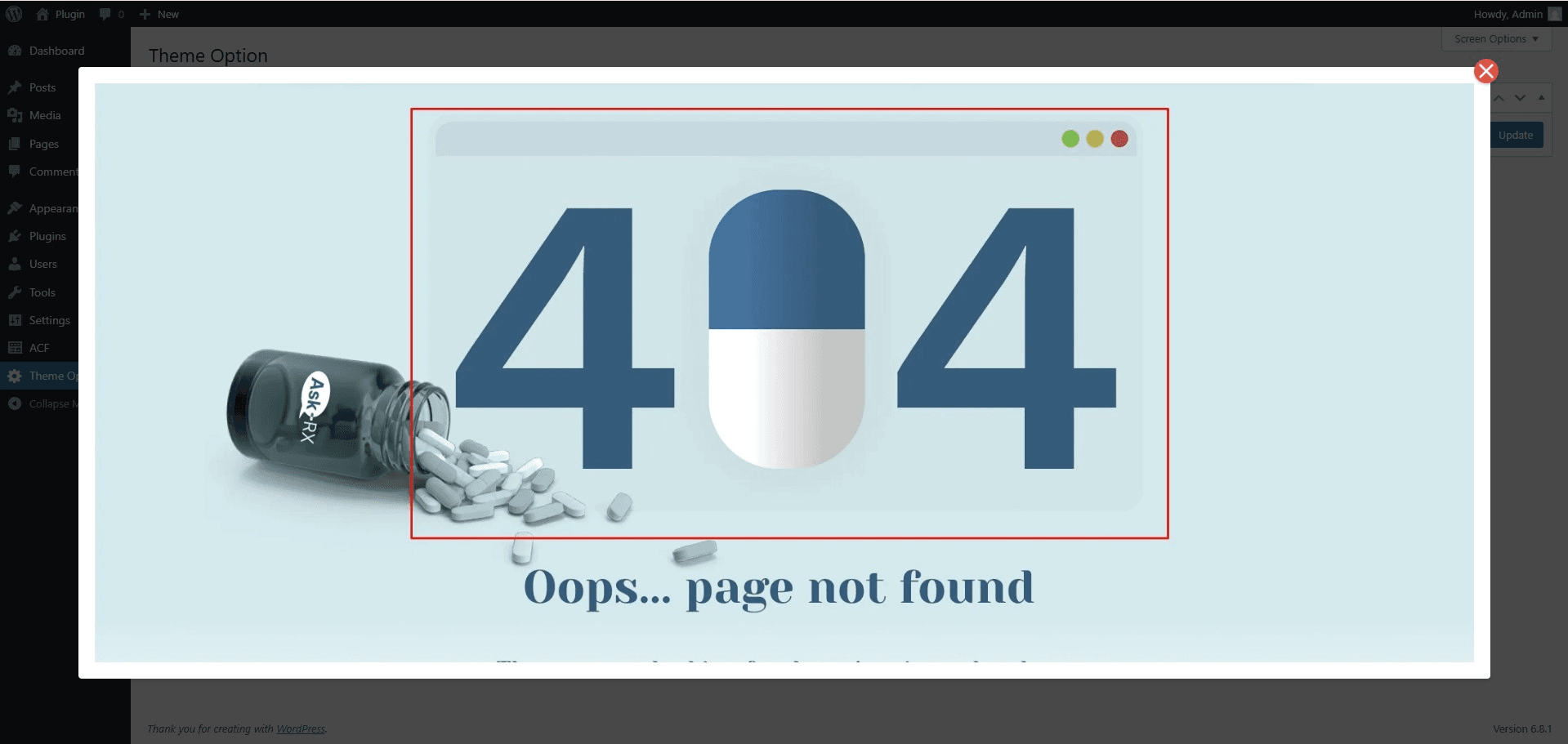
Popup Preview of Help Image – Clicking the help icon opens a responsive modal popup displaying the help image for quick guidance.
Installation
- Upload the
image-preview-for-acf-fieldfolder to the/wp-content/plugins/directory - Activate the plugin through the ‘Plugins’ menu in WordPress
- Make sure Advanced Custom Fields is installed and activated
- Configure your ACF fields to include help images
FAQ
-
Does this plugin work with all ACF field types?
-
Yes, this plugin works with all ACF field types.
-
Do I need to have Advanced Custom Fields installed?
-
Yes, this plugin requires Advanced Custom Fields to be installed and activated.
Reviews
There are no reviews for this plugin.
Contributors & Developers
“Image Preview for ACF Field” is open source software. The following people have contributed to this plugin.
Contributors


“Image Preview for ACF Field” has been translated into 2 locales. Thank you to the translators for their contributions.
Translate “Image Preview for ACF Field” into your language.
Interested in development?
Browse the code, check out the SVN repository, or subscribe to the development log by RSS.
Changelog
2.0.0
- Major Update: Added Multiple Image Gallery Support! You can now use ACF Gallery fields to create interactive help sliders.
- Major Update: Added Custom Image & Animated GIF support for help icons!
- Major Update: Complete redesign of the Settings Dashboard with a premium, modern aesthetic.
- Enhancement: Added global control for interaction type (Click vs Hover).
- Enhancement: Better icon customization options including custom text/emojis.
1.1.3
- Fix: Disabled forced tracking on activation and deactivation to improve privacy.
1.1.2
- Fix: Minor bug fixes and improvements.
1.1.1
- Fix: Minor bug fixes and performance improvements.
1.1.0
- New: Added Settings page for better plugin management.
- New: Added Tracking system to understand plugin usage (opt-in).
- New: Added Deactivation feedback popup to gather user feedback.
- Enhancement: Improved UI/UX for settings page.
- Fix: Minor bug fixes and improvements.
1.0.0
- Initial release