
Description
When a customer qualifies for free shipping, WooCommerce still lists your paid shipping methods next to it. Customers get confused, and some even choose a paid option by mistake.
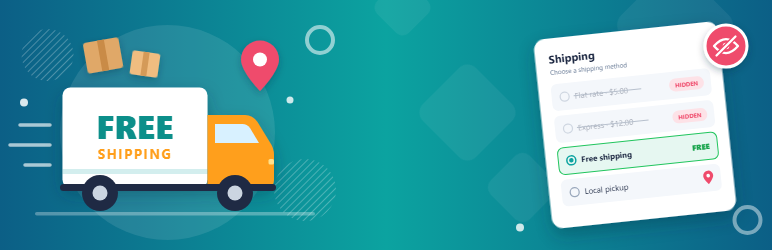
Hide Shipping Methods for WooCommerce fixes this. As soon as WooCommerce’s Free shipping method is available, all other shipping methods are hidden in the cart and at checkout. You can also keep Local Pickup visible next to free shipping.
Features
- Shows only Free shipping when it is available: flat rate, table rate and other paid methods are hidden.
- Option to keep Local Pickup alongside Free shipping, including the pickup locations of the block-based Checkout.
- Uses WooCommerce’s own Free shipping rules (minimum order amount, free shipping coupons) from your shipping zones.
- Works with the classic cart and checkout and with the Cart and Checkout blocks.
- Compatible with WooCommerce High-Performance Order Storage (HPOS).
- One setting and no slowdown: it only filters the shipping rates WooCommerce has already calculated.
How it works
- Set up Free shipping in a shipping zone (WooCommerce > Settings > Shipping), for example with a minimum order amount.
- Go to WooCommerce > Settings > Shipping > Shipping options and choose either:
- Hide all other shipping methods and only show “Free Shipping”, or
- Hide all other shipping methods and only show “Free Shipping” and “Local Pickup”.
- Save. When an order qualifies for free shipping, customers see only the methods you chose.
When an order doesn’t qualify for free shipping, all your shipping methods are shown as usual.
Like the plugin? Please consider leaving a review. It helps other store owners find it.
Screenshots


Installation
From your WordPress dashboard
- Go to Plugins > Add New and search for “Hide Shipping Methods for WooCommerce”.
- Install and activate the plugin. WooCommerce must be active.
- Choose your option under WooCommerce > Settings > Shipping > Shipping options.
Manual installation
- Upload the
hide-shipping-methods-in-woocommercefolder to/wp-content/plugins/. - Activate the plugin on the Plugins screen.
FAQ
-
Where is the setting?
-
WooCommerce > Settings > Shipping > Shipping options, in the “Hide shipping methods” section.
-
Which free shipping methods does it detect?
-
WooCommerce’s built-in Free shipping method, with whatever conditions you set for it (minimum order amount, coupon). Zero-cost rates from other shipping plugins are not treated as free shipping.
-
Does it work with the Cart and Checkout blocks?
-
Yes, with both the classic and the block-based cart and checkout. The “Local Pickup” option also keeps the block-based Checkout’s pickup locations.
-
Does it work with shipping zones?
-
Yes. Free shipping is set per shipping zone, and the plugin follows WooCommerce’s decision about whether it applies to the order.
-
Can I keep other methods next to free shipping?
-
In the “Free Shipping and Local Pickup” mode, developers can add other shipping method IDs with the
dew_hide_shipping_pickup_method_idsfilter. -
Where can I get help or suggest a feature?
-
Ask in the support forum.
Reviews
There are no reviews for this plugin.
Contributors & Developers
“Hide Shipping Methods for WooCommerce – Show Only Free Shipping” is open source software. The following people have contributed to this plugin.
Contributors

Translate “Hide Shipping Methods for WooCommerce – Show Only Free Shipping” into your language.
Interested in development?
Browse the code, check out the SVN repository, or subscribe to the development log by RSS.
Changelog
1.1.6
- Fix: The plugin name showed an unreadable character instead of the dash on WordPress.org and on the Plugins screen.
1.1.5
- Added: A short, dismissible review request on the Shipping settings (two weeks after first use) and a “Leave a review” link on the Plugins screen.
- Tweak: New name, “Hide Shipping Methods for WooCommerce – Show Only Free Shipping”, with a clearer description and FAQ.
1.1.4
- Fix: “Keep Local Pickup” now also keeps the pickup locations of the block-based Checkout, and keeps every pickup option instead of only the first one.
- Fix: Reactivating the plugin no longer resets your chosen option to “Hide all”.
- Fix: Works when WooCommerce is network-activated on multisite.
- Tweak: Declared compatibility with WooCommerce High-Performance Order Storage and the Cart and Checkout blocks.
- Tweak: The text domain now matches the plugin slug so WordPress.org translations load, and the option labels are translatable.
- Tested with WordPress 7.1 and WooCommerce 11.2.
1.1.3
- Added compatibility with WordPress version 7.0.0.
1.1.2
- Added compatibility with WordPress version 6.7.1.
1.1.1
- Added compatibility with WordPress version 6.0.2.
- Other minor bug fixes.
1.1.0
- Added compatibility with PHP version 8.0.
- Added compatibility with WordPress version 5.6.
- Other minor bug fixes.
1.0.0
- Initial release