

Description
Query Forge is a powerful visual query builder for Elementor that lets you create sophisticated WordPress queries without writing code. Using a node-based interface powered by React Flow, you can visually connect data sources, filters, sorting, and logic to build exactly the queries you need.
Key Features
- Visual Node-Based Interface – Drag and drop nodes to build queries visually
- Post Type Support – Query Posts, Pages, and all Custom Post Types
- Taxonomy Filtering – Filter by categories, tags, and custom taxonomies
- Basic Meta Filtering – Filter by custom fields with operators (=, !=, LIKE, NOT LIKE)
- Flexible Sorting – Sort by Date, Title, or ID
- Include/Exclude Posts – Fine-tune which posts appear in your results
- AND Logic – Combine multiple filters with AND logic
- Standard Pagination – Built-in pagination support
- Save & Import Queries – Save your query configurations for reuse
- Card Design Controls – Typography, colors, alignment, image ratio, border radius and shadow — no CSS required
- Elementor Integration – Seamlessly integrates with Elementor widgets and templates
Perfect For
- Building custom post grids and loops
- Creating related posts sections
- Filtering content by custom fields
- Displaying posts from multiple post types
- Creating dynamic content sections
Free vs Pro
Free Version Includes:
- One source node per query (Posts, Pages, all CPTs)
- Taxonomy filters — categories, tags, and custom taxonomies (Has any of, Does not have, Has all of)
- Meta filters (single key, =, !=, LIKE, NOT LIKE operators)
- AND-only logic
- Basic sorting (Date, Title, ID)
- Standard pagination
- Static literal values only
- 5 Canned Templates
- Card Design Controls
Pro Version Unlocks:
- Multiple source nodes per query
- Advanced data sources (Users, Comments, SQL Tables, REST APIs)
- Multiple meta keys and advanced operators (>, <, BETWEEN, IN, etc.)
- OR logic and nested logic groups
- Advanced sorting (Random, Menu Order, Meta Value)
- Dynamic data tags ({{ current_post_id }}, {{ current_user_id }}, etc.)
- SQL Joins
- AJAX pagination, Load More, and Infinite Scroll
- Related content logic
- Context-aware behavior
- Custom User Templates from Elementor.
- Preview Node — see live query results on the canvas as you build, before saving; click any post ID to copy it instantly
- Source Preview — browse and search raw source content inline on any Source node; copy post IDs directly for use in Include/Exclude
External services
This plugin does not connect to any third-party or external web services. All data is stored and processed within your own WordPress site.
Some fields in the visual builder may show example URLs such as https://api.example.com/endpoint. These are placeholder examples only to help you understand how to configure your own integrations. Query Forge itself does not send any data to those URLs or to any external API.
If you integrate Query Forge with your own APIs or services, please review the terms of service and privacy policies for those services as they will govern any data you choose to send.
Support
For support, feature requests, and documentation, please visit:
* Query Forge Website: https://queryforgeplugin.com
* Documentation: https://queryforgeplugin.com/documentation.html
Credits
Built with:
- React Flow (https://reactflow.dev) – Node-based UI framework
- Elementor (https://elementor.com) – Page builder integration
License
Query Forge is licensed under the GPL v2 or later.
Need more power? Upgrade to Query Forge Pro (https://queryforgeplugin.com) for advanced features like dynamic data, multiple data sources, SQL joins, and more.
Screenshots
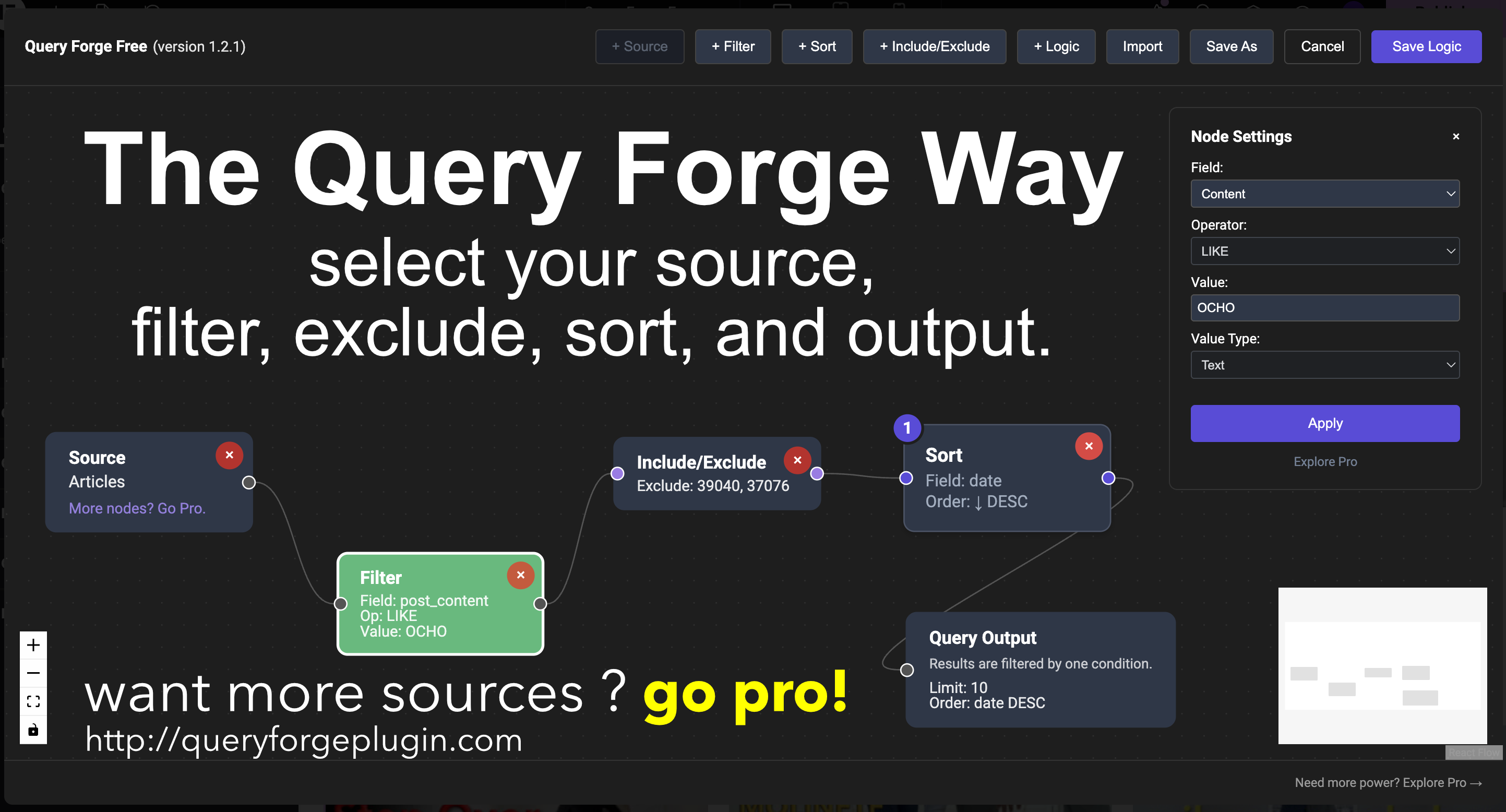
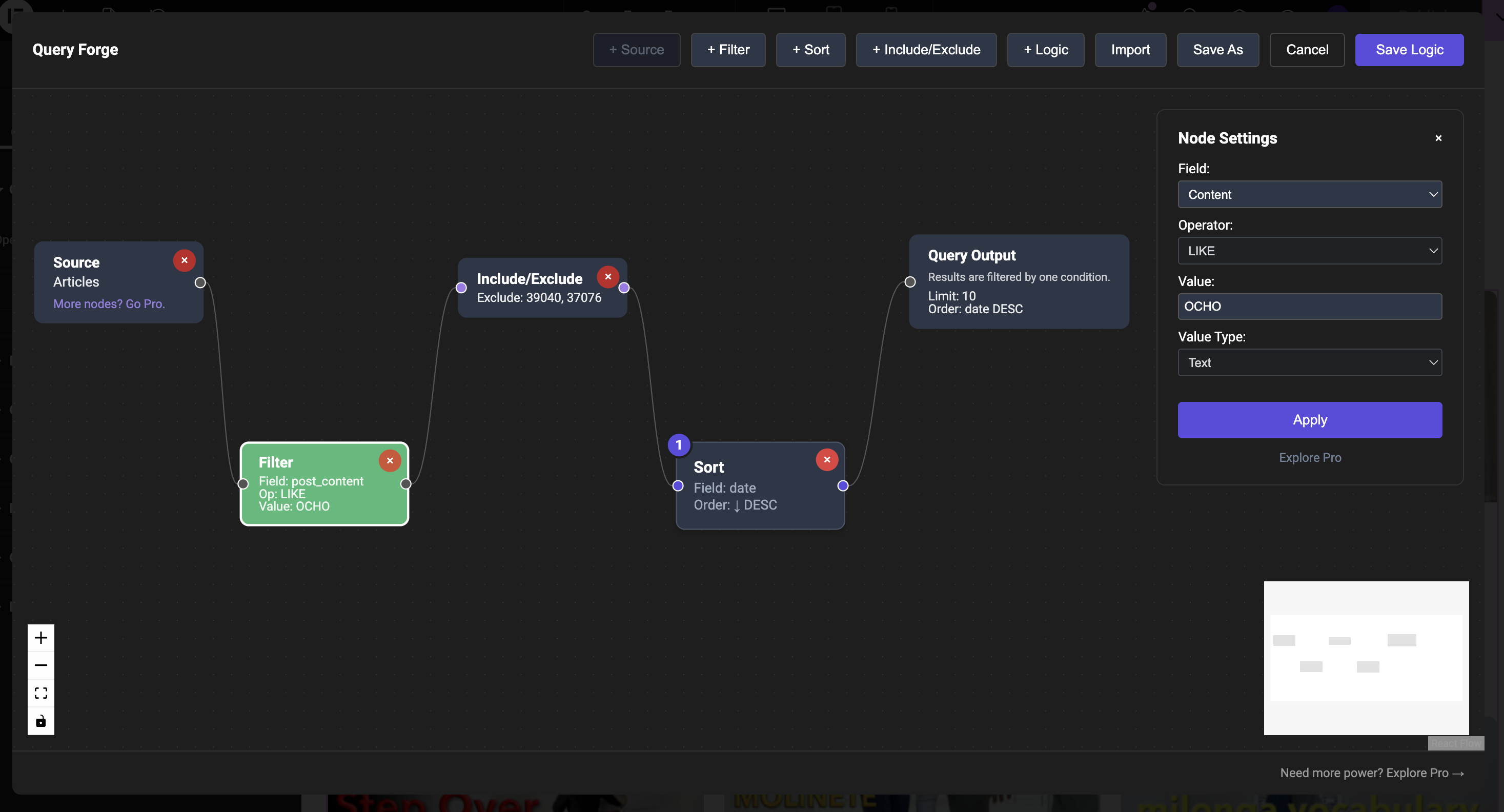
Visual node-based query builder interface 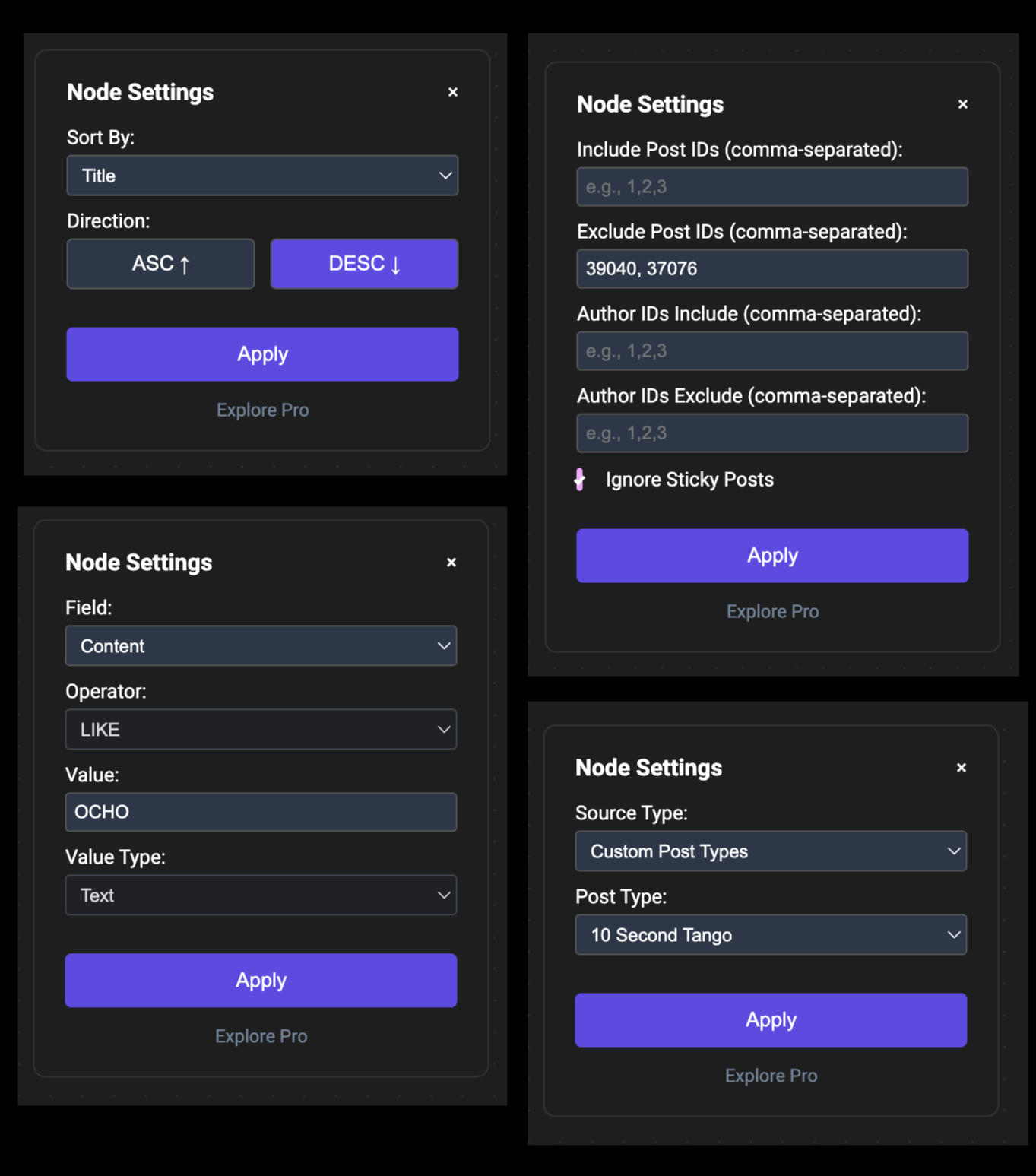
Source node configuration 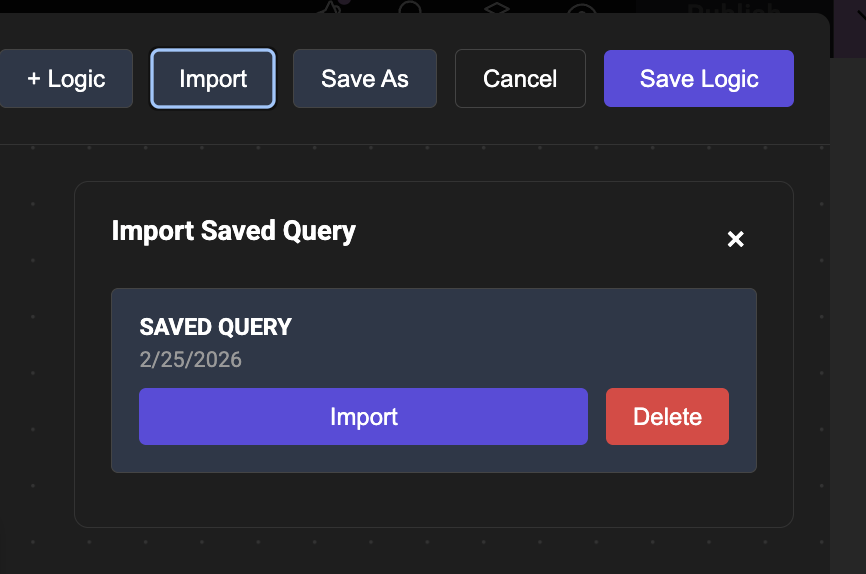
Filter node with taxonomy and meta options 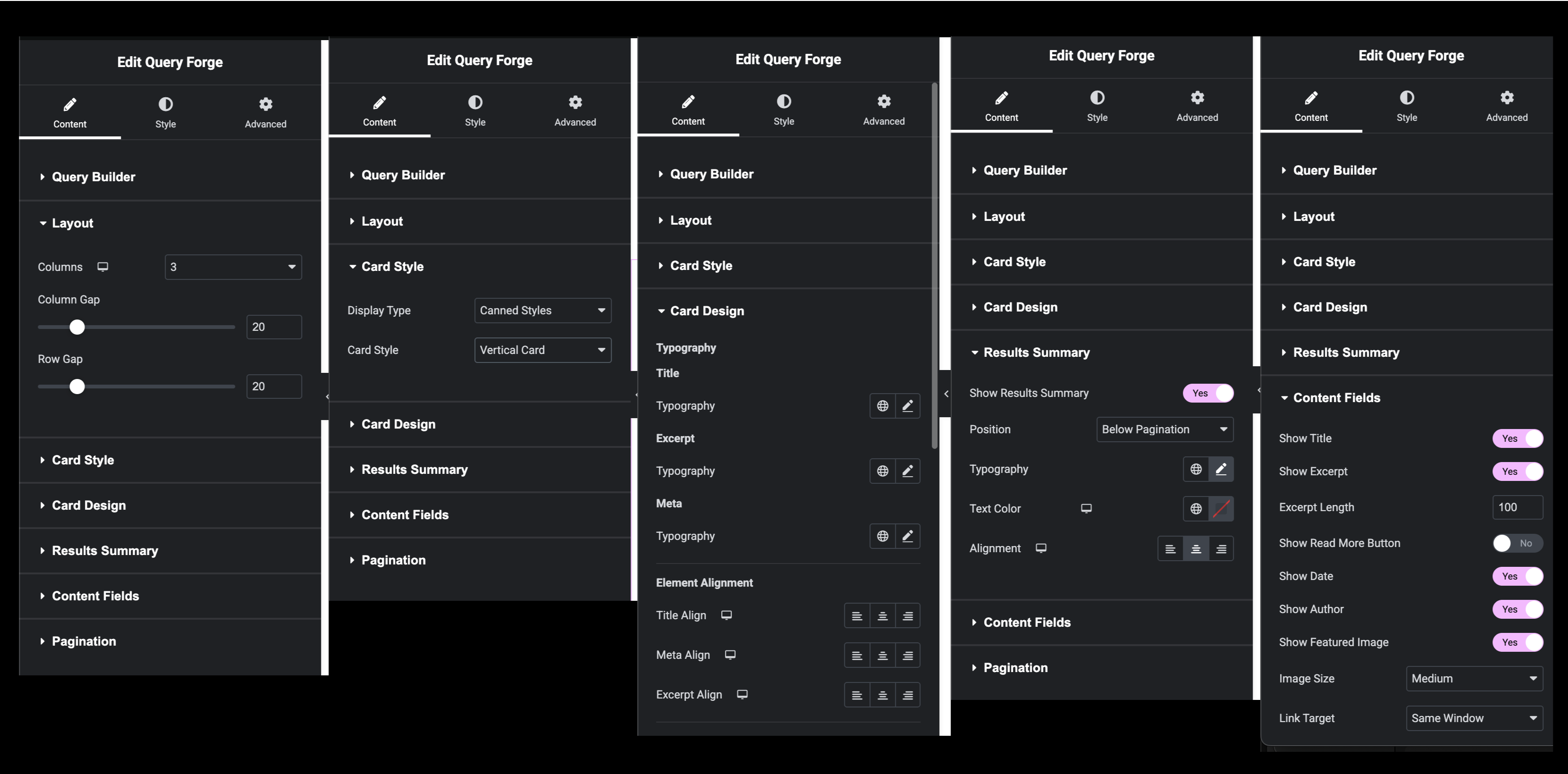
Sort and pagination settings
Installation
From WordPress.org
- Go to Plugins Add New
- Search for “Query Forge”
- Click Install Now
- Click Activate
Manual Installation
- Download the plugin zip file
- Go to Plugins Add New Upload Plugin
- Choose the zip file and click Install Now
- Click Activate
Requirements
- WordPress 5.8 or higher
- PHP 7.4 or higher
- Elementor 3.0.0 or higher (must be installed and activated)
Build Your Own
The plugin ships with a pre-built editor bundle (assets/js/qf-editor.bundle.js and assets/js/style-qf-editor.css). The human-readable source code for the editor is available at:
https://github.com/queryforgeplugin/Query-Forge
The source uses React (via WordPress wp-element), React Flow, and a standard JavaScript build toolchain (webpack).
To build the editor assets from source:
- Clone the repository:
git clone https://github.com/queryforgeplugin/Query-Forge.git - Install Node.js (v16 or higher recommended) and npm.
- In the plugin root directory, run:
npm install - Run the build script:
npm run build
The build process compiles the React components and utilities in src/ (including src/editor-app.js, src/components/, and src/utils/) into the bundled files used by the plugin.
FAQ
-
Does this work with Elementor Pro?
-
Yes! Query Forge works with both Elementor Free and Elementor Pro. Actually you don’t need the pro version of Elementor in order to use Query Forge!
-
Can I use this with Custom Post Types?
-
Yes! The Free version supports all Custom Post Types. Simply select your CPT in the Source node.
-
What’s the difference between Free and Pro version of Query Forge?
-
The Free version provides essential query building capabilities for standard WordPress content using our unique visual builder. Our Pro version unlocks advanced features like dynamic data, multiple sources nodes and data types, complex logic, and advanced pagination options. See the “Free vs Pro” section above for details.
-
Can I build entire query loops with any CPT ?
-
Yes! Absolutely. Query Forge works with any Custom Post Type created by ACF, JetEngine, or any other plugin. The Free version allows you to build powerful queries using one source node at a time—you can filter, sort, and combine data from any single CPT to create complex, dynamic content displays. If you need to combine data from multiple sources in a single query, the Pro version unlocks multiple source nodes.
-
Can I export my queries to another wordpress install?
-
No. That is planned for a later pro version.
-
Can I save my queries?
-
Yes! You can save query configurations and import them later for reuse across different widgets.
-
Does this work with page builders other than Elementor?
-
No, Query Forge is specifically designed for Elementor and requires Elementor to be installed and activated.
-
Is this plugin translation-ready?
-
Yes, Query Forge is translation-ready and includes a .pot file for translators.
-
Are there built in layouts that I can use ?
-
Yes, Query Forge and Query Forge Pro both have built in layouts/card designs that with user controls. However, the PRO version gives you access to elementor’s full loop engine if you have the pro version of Elementor Pro.
-
Can I see my queries BEFORE I save them ?
-
Yes! But only with the PRO version.
Reviews
There are no reviews for this plugin.
Contributors & Developers
“Query Forge” is open source software. The following people have contributed to this plugin.
Contributors
Translate “Query Forge” into your language.
Interested in development?
Browse the code, check out the SVN repository, or subscribe to the development log by RSS.
Changelog
1.2.1
- Added taxonomy filtering to the Filter node — filter by categories, tags, and any custom taxonomy registered to the selected post type
- Taxonomy fields appear in a dedicated Taxonomies optgroup in the filter field dropdown, populated dynamically for the selected source type
- Taxonomy operators: Has any of (IN), Does not have (NOT IN), Has all of (AND)
- Values entered as comma-separated term slugs or IDs — all-numeric values are treated as term IDs, any non-numeric value causes the entire list to be treated as slugs
- Live term search — type in the taxonomy value field to search and select terms by name; results appear as a dropdown with term name and slug
- Fixed: query results and counts now correctly include published posts only by default — draft, pending, future, and private posts are no longer included in front-end results unless explicitly filtered via a post_status filter node
- Added ‘FREE’ or ‘PRO’ type to title and version branding to header for UX clarity.
1.2.0
- Added post IDs to Preview node results — each result now shows the post ID to the left of the title; click any ID to copy it to the clipboard with a visual confirmation flash
- Added Search to Preview node — toggle inline search to filter results by title on demand
- Added Source Preview (Pro) — enable on any post-type Source node to browse and search its raw content inline on the canvas; paginate through results and copy post IDs for use in Include/Exclude
1.1.0
- Added Preview node (Pro) — place a Preview node on the canvas to see live post titles and total result count as you build; updates automatically on canvas changes without saving or reloading
- Added NOT LIKE operator to filter conditions for all fields
- Added UNION and UNION ALL relations to the Logic node — cycle through all four relations (AND, OR, UNION, UNION ALL) by clicking the node label on the canvas
- Added Card Design section — control typography, per-element alignment, colors, image ratio, border radius, and card shadow for canned card styles directly in the widget panel, no CSS required
- Added Read More button to canned card styles — toggle on/off with configurable position (top or bottom of card content)
- Fixed: canvas with no complete path from Source to Target now correctly returns no results instead of returning all posts
- Fixed: filtering by post title now searches title only, not title and excerpt together
- Fixed: filtering by post content and post excerpt now work as independent conditions
- Fixed: disconnected nodes (not on a complete path to Target) are now visually dimmed on the canvas so you can immediately see what is and isn’t part of your active query
- Fixed: custom Elementor template display type is now correctly restricted to Pro — Free version uses canned card styles only
- Improved: Logic node now shows all relation options with descriptions in the settings panel
- Improved: query execution model rebuilt for more reliable results across complex multi-filter canvases
1.0.0
- Initial release
- Visual node-based query builder
- Post type, taxonomy, and basic meta filtering
- Standard pagination support
- Save and import query functionality
- Elementor widget integration