
Description
Create Insta-style stories and video reels on your WordPress site with ReelsWP. Easily add fast, mobile-friendly vertical video grids and reels carousels to your landing page, blog posts, news articles, or product pages. Tag products inside videos, add custom call-to-action buttons, and keep customers shopping on your site without sending them to social media platforms. Turn your product videos and customer UGC into high converting reels that keep visitors engaged on your site. Showcase creator content to build stronger social proof and track engagement with built-in analytics for clicks and video views.
Plugin Demo | Documentation | Get Pro for Advanced Features
Boost engagement and conversions on your Woocommerce store with shoppable videos. Use the ReelsWP Vertical video player to create reels, stories, and short form video carousels that build powerful social proof.
The #1 Shoppable Video Plugin for WordPress & WooCommerce
Most video plugins just display videos. ReelsWP makes them sell. Tag WooCommerce products directly inside videos, add custom call-to-action buttons, and track clicks and views, all without the visitor ever leaving your page. Perfect for store owners looking to increase conversions using UGC and shoppable video content. Built to work globally with full RTL and multi-language support.
Short-form video is one of the most powerful ways to increase engagement and product discovery in ecommerce. ReelsWP brings this experience directly into WordPress and WooCommerce.
With ReelsWP you can:
- Turn product videos into interactive shoppable reels
- Display UGC videos and creator content on your store
- Increase trust with video-based social proof
- Add engaging vertical video carousels
- Track views and clicks from each video
Unlike traditional video plugins that simply embed videos, ReelsWP turns your video content into a conversion-focused shopping experience.
Key Features
- Grid layout to display videos in a clean, responsive grid
- Carousel layout to embed shoppable Instagram, Tiktok like Reels & Stories
- Marquee Reels layout (Pro) for infinite, auto-scrolling video playlists
- Stacked Reels layout (Pro) for interactive and shoppable video experience
- Reels Popup (Pro) to display floating sticky video reels anywhere on your website
- Full style customization including shape, colors, typography, size, and spacing
- Swipe-based preview video player with horizontal and vertical (Pro) support
- Video play control options including play on click, auto play (Pro), and play on hover (Pro)
- Drag and drop (Pro) reordering to easily rearrange Reels and keep content fresh
- Custom CTA links inside videos like Buy Now, Learn More, and Add to Cart
- Product tagging inside videos for instant shoppable experience
- Support for UGC videos with tagged products to boost conversions
- Flexible video hosting including self-hosted videos, Vimeo (Pro), Custom video URL support (Pro) to stream videos from dedicated video hosting platforms or personal media servers.
- Video view counter to show social proof on Reels and Stories
- Elementor page builder support with dedicated ReelsWP widget
- Gutenberg block editor support with built-in ReelsWP block
- Fully WooCommerce supported with direct product tagging from your store
- RTL and multi-language support for global websites
How to Create Reels with ReelsWP
- Upload your video Reels to your WordPress website using ReelsWP.
- Create a Reel widget and select the videos you want to display as a grid or carousel.
- Click Save and ReelsWP will automatically generate a shortcode.
- Paste the shortcode anywhere on your website to show shoppable videos.
- If you are using Gutenberg or Elementor, simply use the dedicated ReelsWP block or widget and select the playlist you want to display.
Performance Recommendations & Compatibility
For the best performance, we recommend compressing your videos before uploading and using modern video formats like WebM. The plugin is optimized for speed with lazy loading and smart caching, fully compatible with popular caching and CDN solutions, and built with a mobile-first, responsive design to ensure smooth performance across all devices.
If you are facing any issues or have suggestions or feedback, please share them on our support forum.
Screenshots
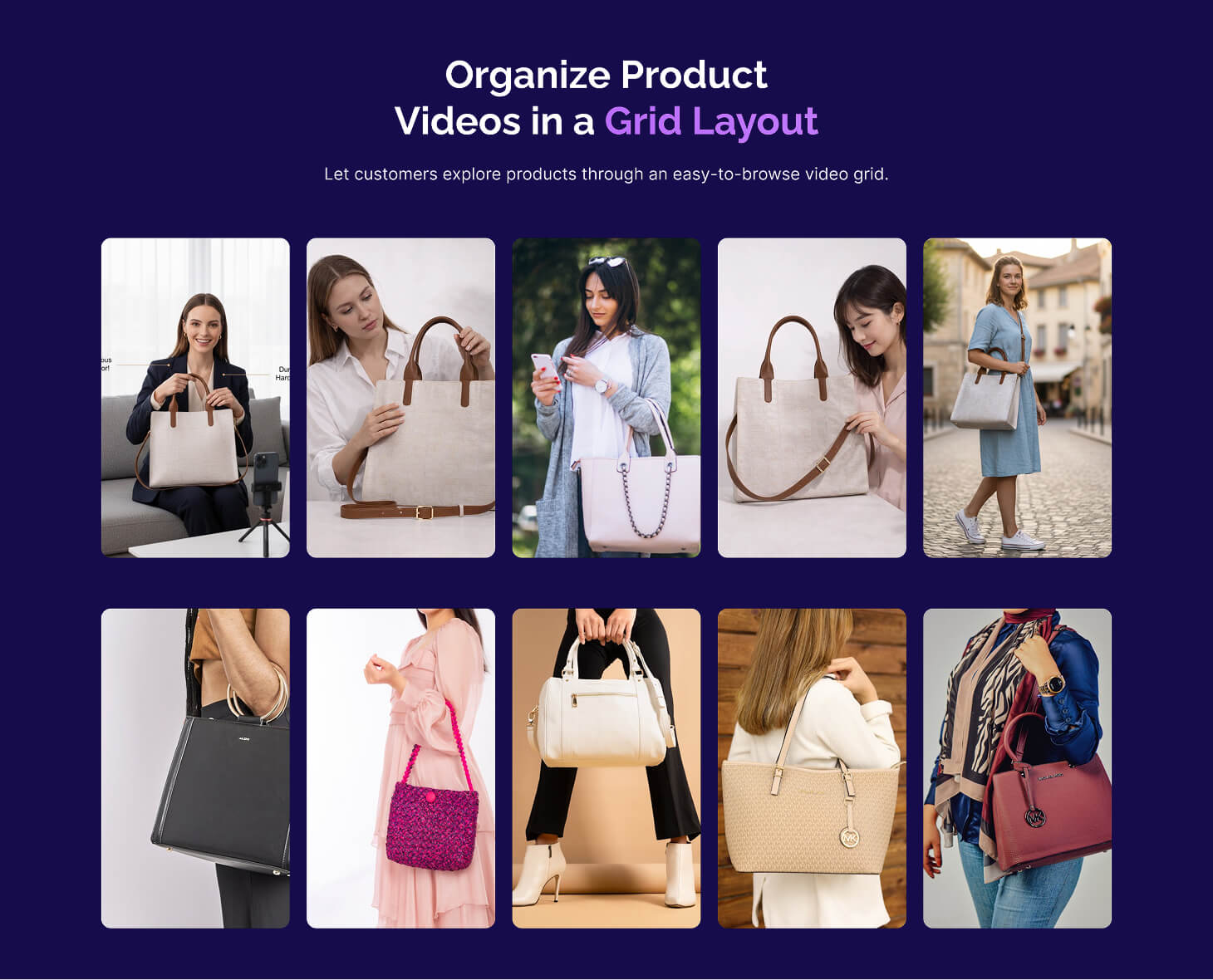
Grid Layout 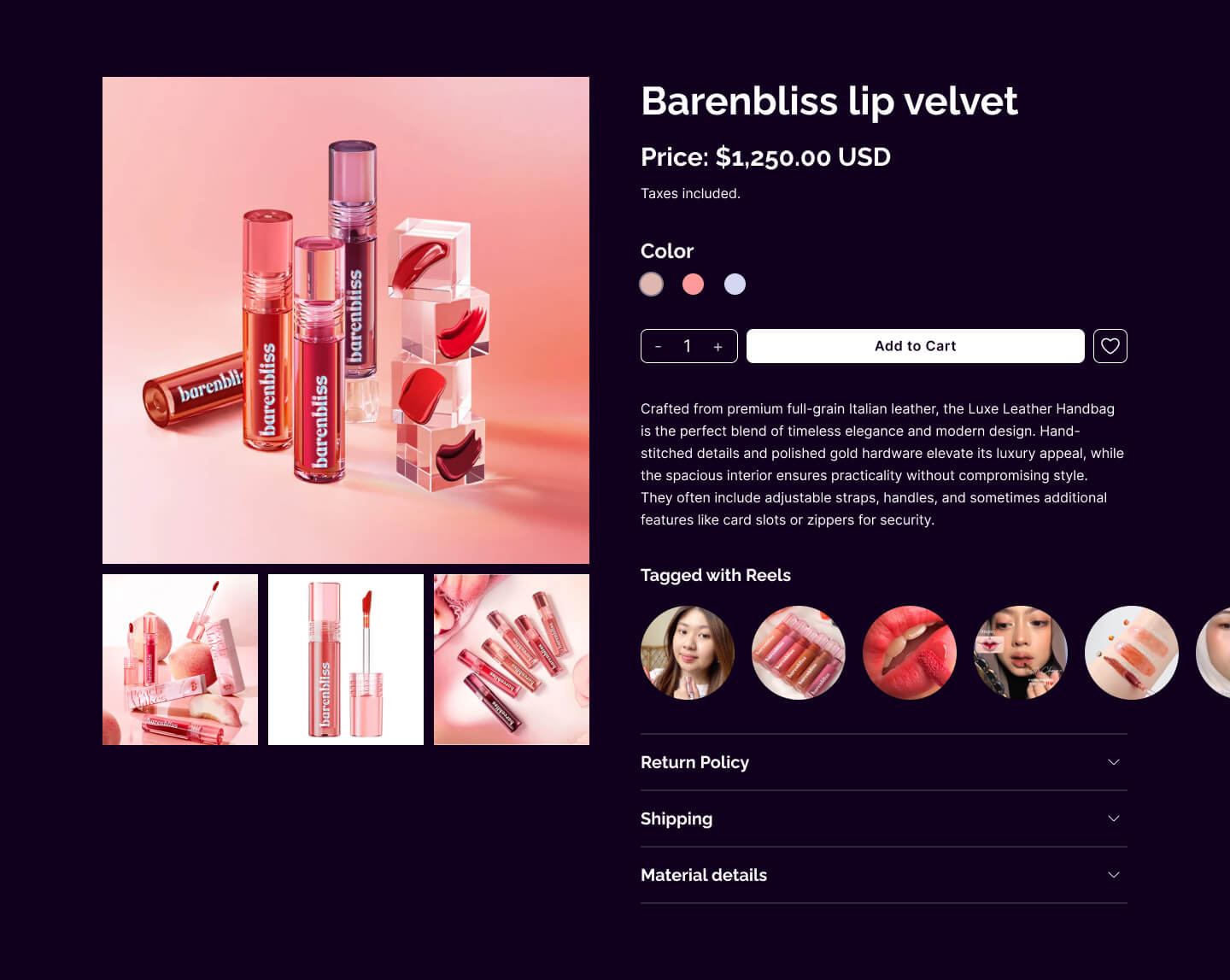
Product Page 
Group Category 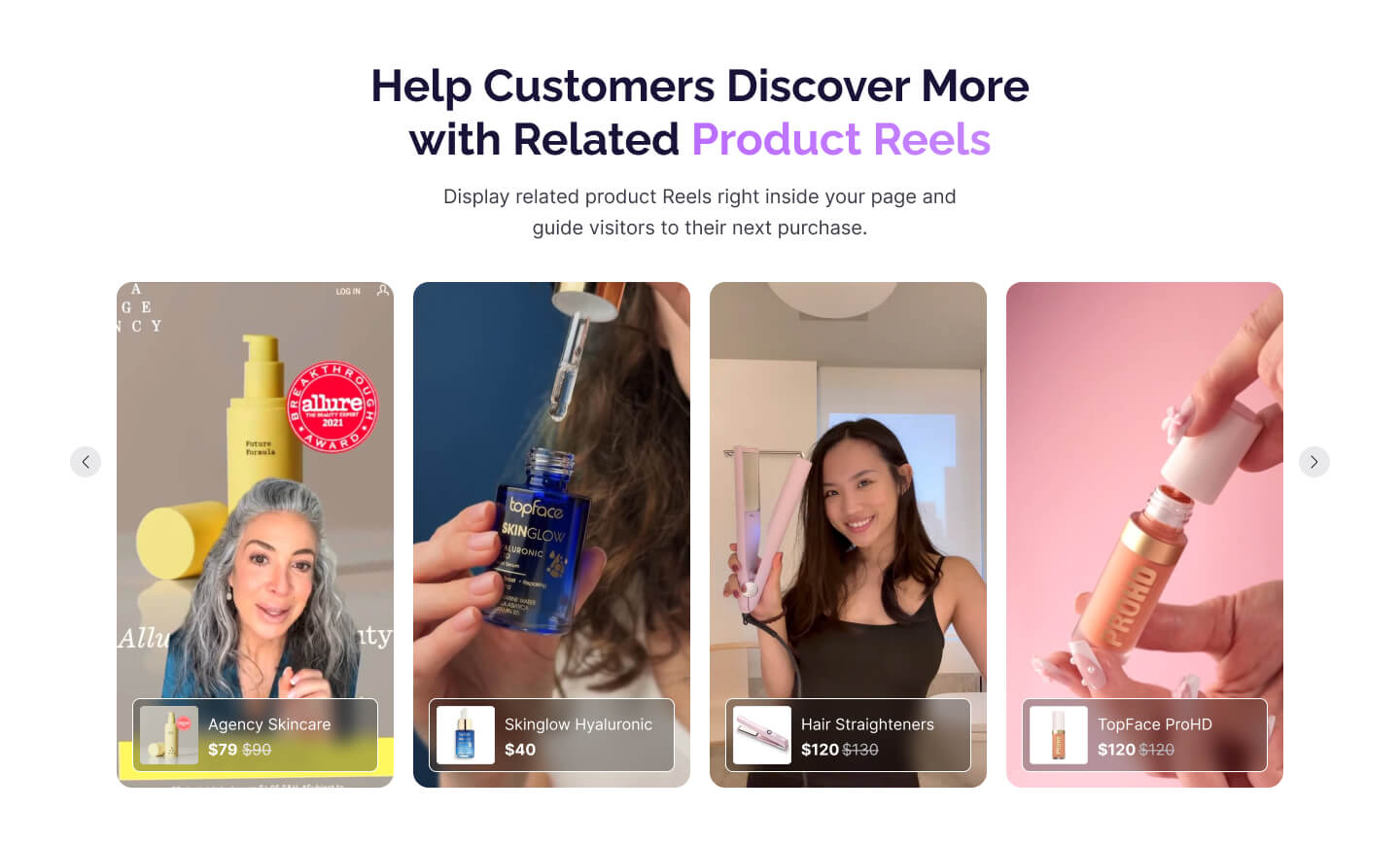
Product Reels 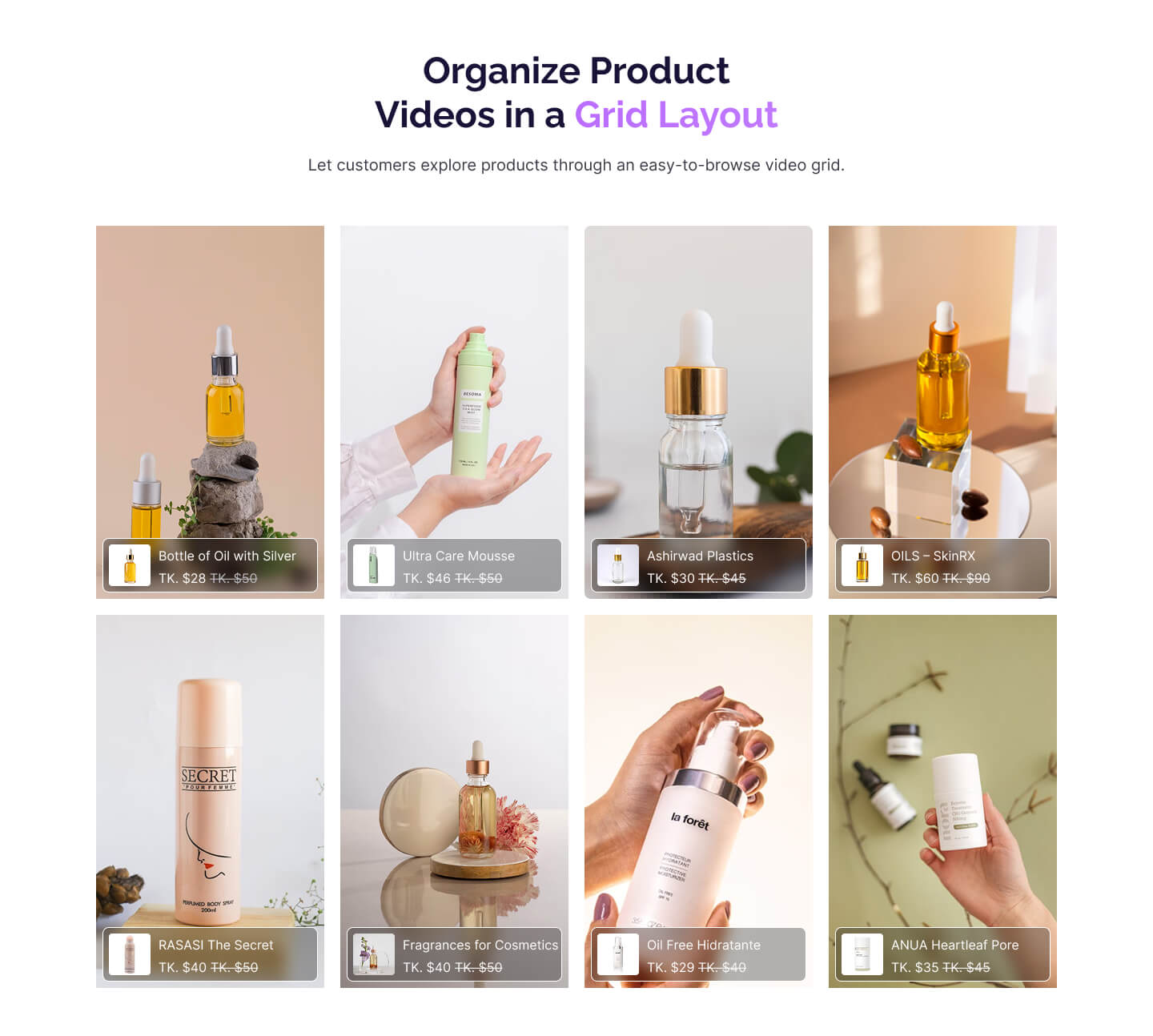
Grid Layout Light 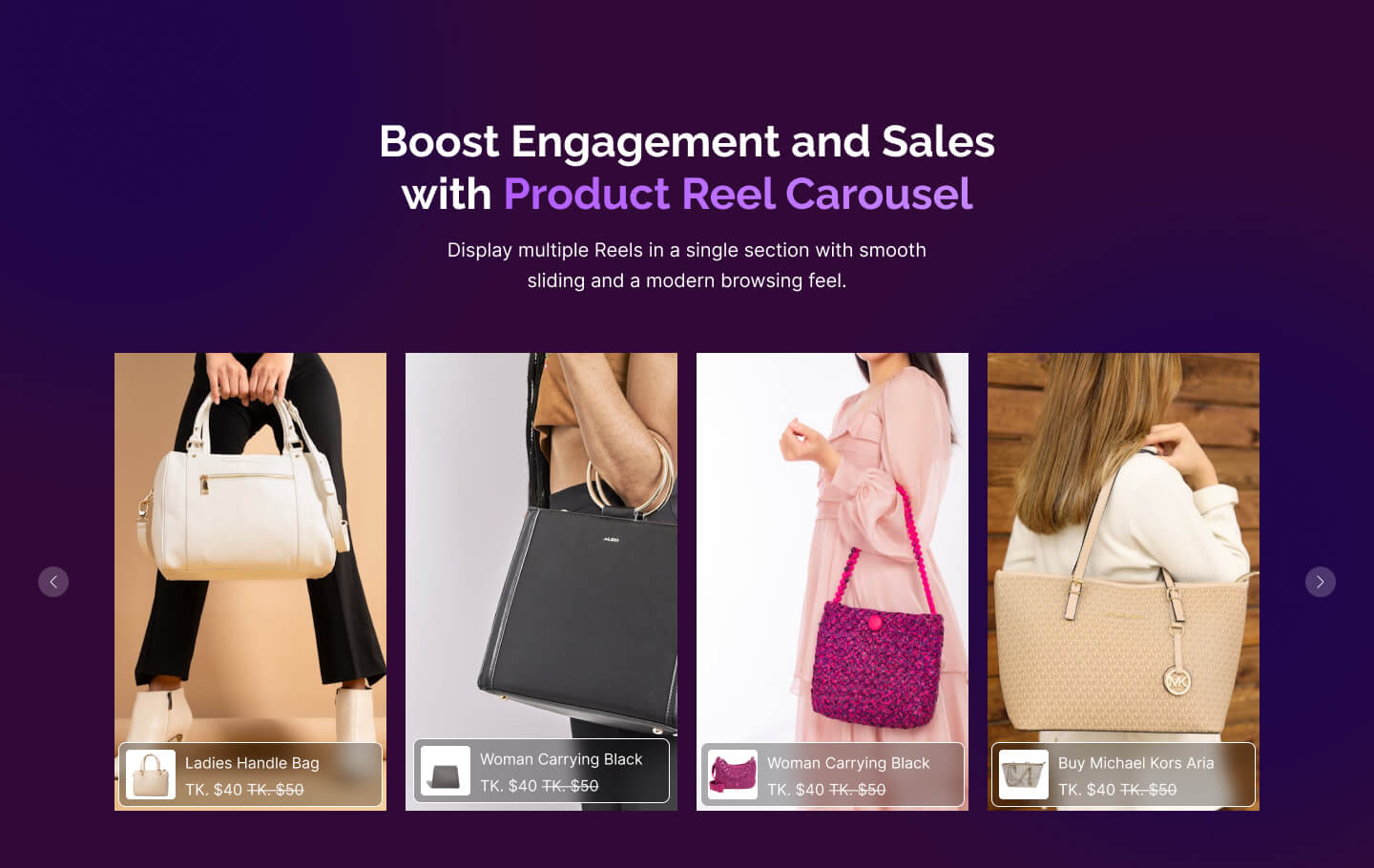
Product Reel Carousel 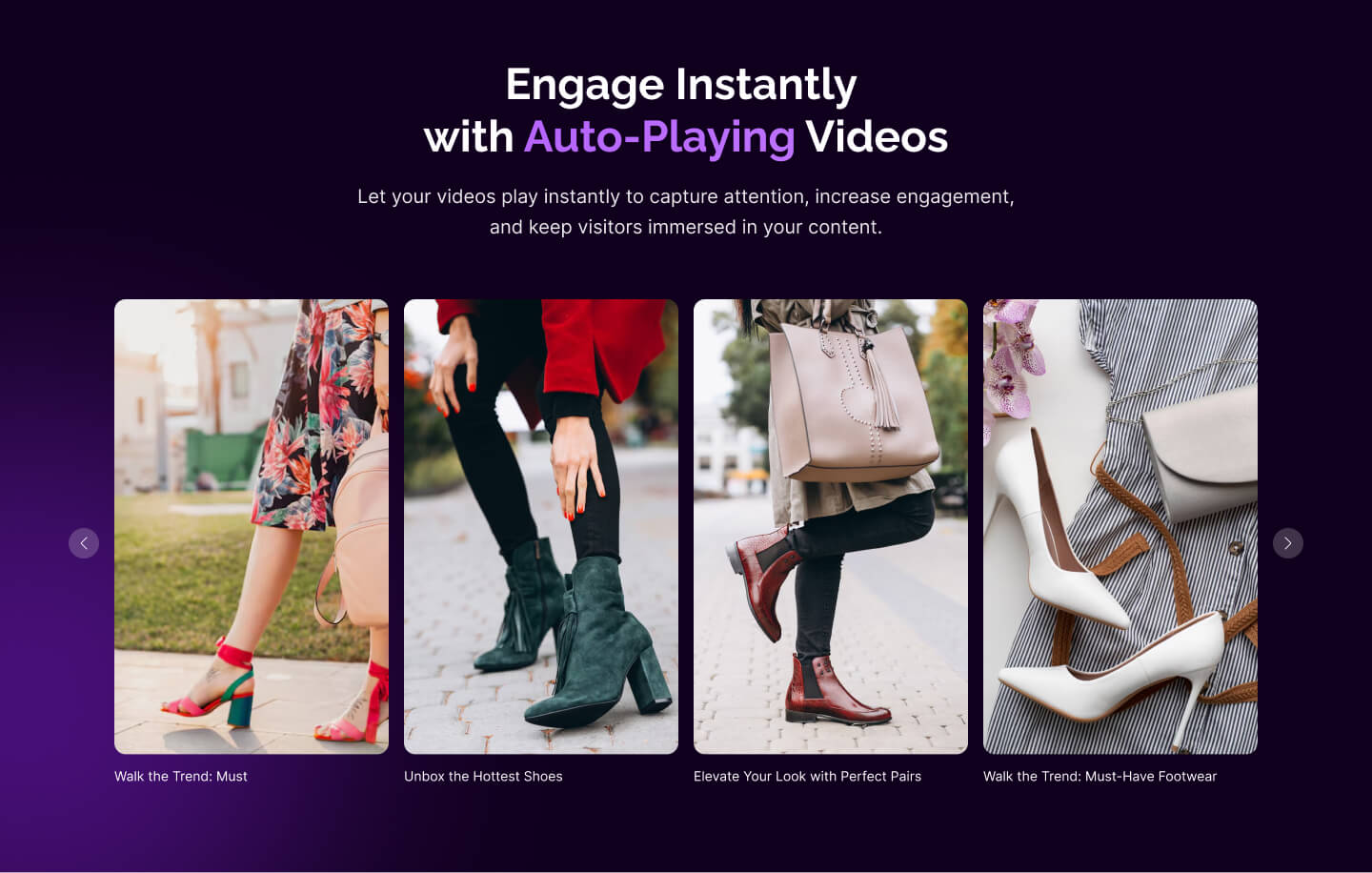
Autoplay Video
Installation
- Go to plugins in your dashboard and select “Add New”
- Search for “ReelsWP”, Install & Activate it
FAQ
-
Why Use the ReelsWP Plugin?
-
ReelsWP plugin lets you create interactive stories for your WordPress site using videos, images, text, buttons, and product links. Showcase user-generated content and let customers shop directly from your stories for an engaging experience.
-
Can I use the ReelsWP plugin with my existing WordPress theme?
-
Yes, the plugin is compatible with most WordPress themes and integrates seamlessly into your website.
-
Can I use the ReelsWP plugin for eCommerce purposes?
-
Absolutely! The plugin is perfect for eCommerce. You can upload user-generated content (UGC) like videos and images and add product links to your stories. Visitors can directly purchase products from the story.
-
How can I display the stories on my website?
-
You can display your stories anywhere on your website using a simple shortcode from the ReelsWP plugin. Just copy and paste the shortcode into any page, post, or widget, and your story will appear.
-
Does the plugin support mobile-friendly stories?
-
Yes, the stories are fully responsive and optimized for mobile devices to ensure the best viewing experience.
-
Can I track clicks on product links added to stories?
-
Yes, the ReelsWP plugin includes tracking functionality to help you monitor clicks on product links and measure user engagement.
-
How do I add reels or story features to my website?
-
To add reels or story videos to your website, you can use the WordPress plugin ReelsWP. This plugin allows you to directly upload and manage videos on your website effortlessly.
Reviews


Contributors & Developers
“ReelsWp – Shoppable Videos & Vertical Reels Carousels” is open source software. The following people have contributed to this plugin.
Contributors
Translate “ReelsWp – Shoppable Videos & Vertical Reels Carousels” into your language.
Interested in development?
Browse the code, check out the SVN repository, or subscribe to the development log by RSS.
Changelog
4.1.25 – 2026-04-02
- New: Add Turkish language support.
4.1.24 – 2026-03-30
- New: Add Italian language support.
4.1.23 – 2026-03-28
- New: Add Bulgarian language support.
4.1.22 – 2026-03-25
- Tweak: Improved RTL layout for admin search fields
4.1.21 – 2026-03-20
- New: Add Arabic language support.
- Tweak: Add Arabic locale alias support for translation loading.
4.1.20 – 2026-03-18
- New: Added multilingual support for the feedback modal.
4.1.19 – 2026-03-16
- New: Add Portuguese Language support.
4.1.18 – 2026-03-15
- New: Add Finnish Language support.
4.1.17 – 2026-03-14
- New: Add Russian Language support.
4.1.16 – 2026-03-12
- New: Add Danish Language support.
4.1.15 – 2026-03-11
- New: Add German (Deutsch) Language support.
4.1.14 – 2026-03-10
- New: Added a control to show or hide the Play icon.
- New: Added a control to change “add to Cart” button text (Pro).
- New: Added support for hosted videos (Pro).
- New: Added a “Popup” option in the thumbnail template to display reels in a popup view (Pro).
- New: Add Dutch Language support.
4.1.13 – 2026-03-09
- New: Add French Language support.
4.1.12 – 2026-03-08
- New: Add Spanish Language support.
- Tweak: Updated some icons and styles to improve UI consistency.
4.1.11 – 2026-03-04
- Fix: Prevented videos from playing when clicking on the product title.
4.1.10 – 2026-03-03
- New: Added a “Play Sound” Pro option placeholder with an upgrade prompt.
- Tweak: Updated the preview to play with sound enabled by default.
4.1.9 – 2026-02-28
- Fix: Implemented dynamic active menu updates based on the current route for smoother navigation.
4.1.8 – 2026-02-26
- New: Added a Rate Us link in the admin header.
4.1.7 – 2026-02-25
- Tweak: Updated Product Card border opacity and reduced the rating icon size for a cleaner look.
4.1.6 – 2026-02-23
- Tweak: Added helper text under the Show Ratings toggle in thumbnail controls.
4.1.5 – 2026-02-21
- Fix: Fixed an issue where the videos were muted by default in preview, now it is unmuted by default.
4.1.4 – 2026-02-19
- Tweak: Improved player control icon visibility on smaller devices.
- Tweak: Adjusted minor visual inconsistencies across different themes.
4.1.3 – 2026-02-18
- Fix: Fixed an issue where the product layout was broken in the admin preview.
- Fix: Fixed an issue where reels were not displaying on the homepage.
- Fix: Fixed a warning related to block registration being called incorrectly.
4.1.2 – 2026-02-17
- Fix: Fixed a scrolling issue on iPad when playing videos.
4.1.1 – 2026-02-16
- Fix: Fixed cross-browser issues affecting video rendering.
4.1.0 – 2026-02-15
- Fix: Fixed an issue where thumbnails were not being removed properly.
- New: Added Vimeo video support (Pro).
4.0.15 – 2026-02-10
- New: Added a tablet device option to responsive controls for managing size and spacing.
4.0.14 – 2026-02-09
- Fix: Fixed several UI inconsistencies across the app for a more consistent user experience.
4.0.13 – 2026-02-08
- New: Added a “None” option in the thumbnail and preview appearance settings.
- New: Added a fallback to display the reel title in the preview when no link is available.
4.0.12 – 2026-02-07
- Fix: improve admin create widget page responsive layout
4.0.11 – 2026-02-05
- New: Added multiple reel delete functionality for easier bulk management.
- New: Added responsive controls for adjusting size and spacing across desktop and mobile screen sizes.
4.0.10 – 2026-02-03
- New: Added a documentation link for easier access to setup and usage guides.
- Fix: Resolved a responsive issue in the navbar to improve behavior on different screen sizes.
4.0.9 – 2026-02-02
- Fix: Improved product card styling to ensure consistent layout and visual appearance.
4.0.8 – 2026-02-01
- Fix: Fixed button styling issues for improved consistency and appearance.
4.0.7 – 2026-01-31
- New: Added Product linking functionality to the reels.
4.0.6 – 2026-01-29
- New: Added an “Only Title” option in the Preview Appearance control.
4.0.5 – 2026-01-28
- New: Added functionality and customization controls to display the widget title on the frontend.
4.0.4 – 2026-01-27
- Fix: Fixed videos opening in the native iOS player unexpectedly.
4.0.3 – 2026-01-26
- New: Add a clear search button to the Search Widgets and Search Reels fields.
4.0.2 – 2026-01-25
- New: Add search functionality in the Reel Widgets table.
4.0.1 – 2026-01-24
- New: Add “Rate Us” banner.
4.0.0 – 2026-01-22
BREAKING CHANGE
- New: Removed support for image-based reels. Existing image-based reels will no longer render on the frontend. Admins can update these reels to use videos instead.
- New: Add thumbnail adding functionality to reel.
- New: Removed the ability to add sub-images and text in reels to simplify reel creation.
- New: Add thumbnail appearance control to choose predefined layout.
- New: Add Play on hover option as play behavior.
- New: Add player appearance control to choose from predefined layout.
- New: Add player slide direction control.
- Tweak: Updated the user interface for a fresh and improved experience.
3.4.0 – 2025-12-25
- New: Introduced an Elementor widget and a custom block that allow users to search and select reel groups directly.
3.3.8 – 2025-12-18
- New: Introduced text style options to customize reel text appearance.
3.3.7 – 2025-12-15
- Fix: Refined the “Upgrade to Pro” modal for better usability and behavior.
3.3.6 – 2025-12-14
- Tweak: Improved the “Add Text” user interface.
3.3.5 – 2025-12-09
- Tweak: Improved image handling by uploading cropped images to the WP Media Library and saving the media URL in the database.
3.3.4 – 2025-12-04
- Fix: Resolved an issue where files could not be selected.
3.3.3 – 2025-12-03
- New: Add new hover effect.
3.3.2 – 2025-12-02
- Fix: Fix Previous and next button style.
3.3.1 – 2025-11-30
- New: Add pro features placeholder.
3.3.0 – 2025-11-27
- New: Added reel preview functionality on the All Reels page, allowing admins to quickly view any reel.
- New: Introduced a card-style reel layout on the Update Group page, giving admins a clearer visual representation of the reels they are adding.
3.2.6 – 2025-11-26
- Fix: Correctly render links based on their assigned type.
3.2.5 – 2025-11-25
- Fix: Fix plugin files
3.2.2 – 2025-11-25
- Feat: Add search functionality in all reels page
3.2.1 – 2025-11-20
- Fix: Fix rtl issues
3.2.0 – 2025-11-19
- NEW: Added draggable resize handles for text elements
- NEW: Added drag-to-resize support for Action Button
3.1.4 – 2025-11-17
- NEW: Added tab-style layout for layout customization options.
- NEW: Added thumbnail layout selection option.
- NEW: Added control to hide/show the view count.
- FIX: Resolved issue where stories were not appearing on the frontend.
3.1.3 – 2025-11-16
- New: Add shortcode to Manage Group page
3.1.2 – 2025-11-15
- Fix: Fix navigation while removing reel from group
3.1.1 – 2025-11-11
- New: Add a separate page to show all reels
3.0.0 – 2025-11-05
- New: Make the story reusable
- Tweak: Update the UI
- Breaking Change: Please clear cache and review integrations after upgrading
2.0.0 – 2025-09-18
- New: Fully refactored codebase for improved performance and maintainability
- New: Enhanced backend to follow WordPress coding standards
- New: Completely redesigned UI for a modern experience
- Breaking Change: Please clear cache and review integrations after upgrading
1.3.2
Fix: Fix copy issue.
New: Add loading state in delete modal
1.3.1
Fix: Fix delete story functionality.
1.3.0
New: Add a navigation bar for all pages.
New: Add a breadcrumb.
Tweak: Update the customization panel UI.
1.2.2
Tweak: Ensured buttons on a single page have distinct colors.
New: Added warning before leaving the page without saving the story or styles.
Tweak: Updated story group table’s icons.
1.2.1
Tweak: Changed page names — “Dashboard” “All Reels”, “Add New Reels” “Add Reels”.
Tweak: Made the “Save Style” button full-width and updated text to “Update”.
New: Added label “Layout Customization” to the customization panel.
Tweak: Repositioned “Cancel Update” button next to “Save Story” and updated text to “Cancel”.
1.2.0
Tweak: Updated Story Group Table design.
New: Added Stats Page.
New: Added Side Panel in customization page for layout customization.
1.1.4
Fix: Resolved thumbnails responsiveness issues on user end.
New: Added button in customization page to quickly navigate to the dashboard.
1.1.3
Fix: Corrected image height/width handling for portrait vs. landscape images.
1.1.2
New: Added Prev/Next Button for easier navigation through media files.
New: Introduced Button Size Control with a slider (range: 0.5 to 3).
New: Added Font Size Control to adjust text appearance dynamically.
New: Enabled Text and Button Editing via double-click interaction.
Fix: Corrected image height/width handling for portrait vs. landscape images.
Fix: Corrected video height and width rendering to respect aspect ratio.
Fix: Resolved video auto-play issues across sessions.
Fix: Fixed play/pause toggle logic to behave consistently.
Tweak: Adjusted file indicator animation duration for better playback sync.
Tweak: Improved progress bar animation for smoother transitions.
1.0.1
Initial stable release.