
Description
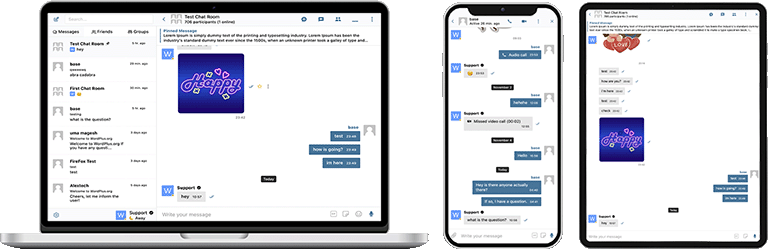
Better Messages – is the most feature-rich realtime private messaging system for WordPress, with native integrations for BuddyPress, BuddyBoss Platform, Ultimate Member, PeepSo and any other WordPress powered websites.
Transform your WordPress site into a powerful communication platform with private messaging, chat rooms, video and audio calls, group video chats, AI chat bots, and native mobile apps.
Whether you’re building a social network, online community, marketplace, or membership site – Better Messages provides enterprise-level messaging features with an easy-to-use interface.
“Better Messages” plugin is formerly called “BP Better Messages“.
More Info & Demo & Knowledge Base
Translate Better Messages to your language
Core Messaging Features:
- AJAX or WebSocket powered realtime conversations
- Private one-to-one conversations
- Group conversations with unlimited participants
- Chat Rooms with guest access support
- Messages for BuddyPress Groups, PeepSo Groups, Ultimate Member Groups, FluentCommunity Groups
- Subjects for conversations
- Search across all messages
- Mark messages as favorite
- Pin important messages to conversation top
- Pin favorite conversations to list top
- Filter conversations list to show only unread conversations
- Reply to specific messages
- Edit sent messages (with edit indicator)
- Delete messages
- Forward messages to other conversations
- Mute conversation notifications
- Message draft autosave with recovery
AI & Automation:
- AI Chat Bots powered by OpenAI, Anthropic (Claude) and Google Gemini
- AI Chat Bots in group conversations with mention-based responses
- Conversation summarization and scheduled digests with AI
- Token usage tracking with cost estimation
- Voice message transcription powered by Better Messages Cloud AI or OpenAI
- Web Search capability for AI bots
- File Search tool for AI bots
- Image generation with AI
- PDF file support for AI conversations
Media & Content:
- File sharing with resumable uploads and ability to protect files from direct access (images, videos, documents)
- Client-side image and video optimization for cross-browser compatibility and saving storage space (format conversion, quality control, metadata stripping)
- Voice Messages (available as addon)
- Embedded links with thumbnails and descriptions
- oEmbed support for YouTube, Vimeo, Spotify, SoundCloud, Flickr and 20+ services
- Emoji selector
- Stickers
- GIPHY integration
- Markdown text formatting support
Notifications:
- Email notifications for unread messages (customizable templates)
- Unsubscribe link support in emails
- Sound notifications for new messages
- On-site toast notifications anywhere on your website
Moderation & Security:
- AI Content Moderation with two providers:
- Better Messages Moderation AI — included with WebSocket license at no additional cost, no third-party API keys required. Powered by Better Messages Cloud with extended categories, custom rules, and conversation context awareness
- OpenAI Moderation API — free to use, requires an OpenAI API key
- Custom moderation rules — define your own rules in plain text
- Conversation context awareness — detect patterns split across multiple messages
- Choose between “Flag Only” (recommended) or “Hold for Review” moderation actions
- Pre-Moderated Messages – review messages before delivery
- Report messages feature
- Bad words filter with customizable blacklist
- Block user feature
- Role-based access control
- User whitelist/blacklist for moderation
Engagement Features:
- Reactions to messages
- Mentions (@username)
- Mass messaging from WP Admin with scheduling, file attachments, and background processing
- Suggested conversations for new users
Customization:
- Modern, fully customizable design
- Easy color customization via WP Customizer
- Custom notification sounds
- RTL layout support
- White label solution
- Fully translatable
- Auto-delete old messages option
Privacy & GDPR:
- Dedicated Privacy & GDPR settings page
- All message data stored on your own server
- AI moderation (when enabled) sends message content for analysis — Better Messages Cloud does not store any data; review OpenAI’s data policy if using OpenAI provider
- WordPress personal data export and erasure support (Tools Export/Erase Personal Data)
- Suggested privacy policy text that adapts based on enabled features
- Self-hosted emoji images option — no external CDN requests
- Privacy-friendly video embeds — YouTube, Vimeo load only after user clicks
- No cookies set, no analytics or tracking scripts
- Privacy & GDPR documentation
This is not a complete list of features – Better Messages has many more small features and options that are not listed here. We are constantly adding new features and improvements based on user feedback.
Compatible plugins:
- BuddyPress
- Ultimate Member
- PeepSo
- WP Job Manager
- ProfileGrid
- UsersWP
- Progressify PWA
- OneSignal
- Crocoblock JetEngine Profile Builder
- WP User Manager
- wpForo
- HivePress
- MultiVendorX
- Dokan Marketplace
- WC Vendors
- WCFM
- WooCommerce
- Verified Member for BuddyPress – verified badges for users
- AutomatorWP
- Uncanny Automator
- GamiPress – charge for messages & calls with per-role pricing and balance display
- MyCRED – charge for messages & calls with per-role pricing and balance display
- Block, Suspend, Report for BuddyPress – allow users block each other
- Youzer (Youzify)
- Paid Memberships Pro
Feel free to report any incompatibility or request more integrations, that is very important to help to improve Better Messages plugin!
WebSocket version:
WebSocket version is a paid option, you can get license key on our website.
We use our dedicated servers to implement WebSocket communications between your site and users. Our servers are completely private and do not store or track any private data – all messages remain in your database.
Performance & Reliability:
- Significantly reduces the load on your server (up to 200x less requests)
- Instant message delivery in realtime
- Works with any hosting including shared hosting
- No limits on concurrent connections or monthly active users
Video & Audio Calls:
- HD Video Calls (1-to-1)
- HD Audio Calls (1-to-1)
- Group Video Chats (up to 32 participants)
- Group Audio Chats (up to 50 participants)
- Screen Sharing in calls and group chats
Mobile Apps (Alpha):
- iOS Mobile App (build your own branded app) – Alpha
- Android Mobile App (build your own branded app) – Alpha
- Push notifications for calls and messages
- VoIP notifications for incoming calls
Note: Mobile apps are currently in alpha stage. Core functionality works, but some features may be limited or under development.
Realtime Features:
- Messages Delivery Status (sent, delivered, seen)
- Typing, voice recording and file uploading activity indicators
- Online/Offline presence indicator
- User statuses (Online, Away, Do Not Disturb)
- Mini Chats – chat windows anywhere on your site
- Mini Conversations widget
Better Messages Cloud AI:
- Automatic message translation in 1-to-1 conversations — 53 languages, auto-detection
- AI Content Moderation — 23 categories, custom rules, conversation context awareness
- Voice message transcription — 99+ languages with auto-detection
- No third-party API keys required — included with WebSocket license at no additional cost
Security & Encryption:
- Optional End-to-End Encryption (E2EE) — can be enabled at the website level and per conversation; messages and files encrypted in users’ browsers with AES-256-GCM, server never sees plaintext
- Local browser encryption (AES256) for offline message storage
- Web Push Notifications (works even when the browser is closed)
- All data encrypted in transit, so we can’t read it on our servers
Support:
- Priority email support
- Regular updates and new features
Why WebSockets are a game-changer?
Get WebSocket version license key | Terms of Use
RTL Layout built in to plugin.
You can translate plugin to your language with LocoTranslate or participate in plugin translation.
Screenshots
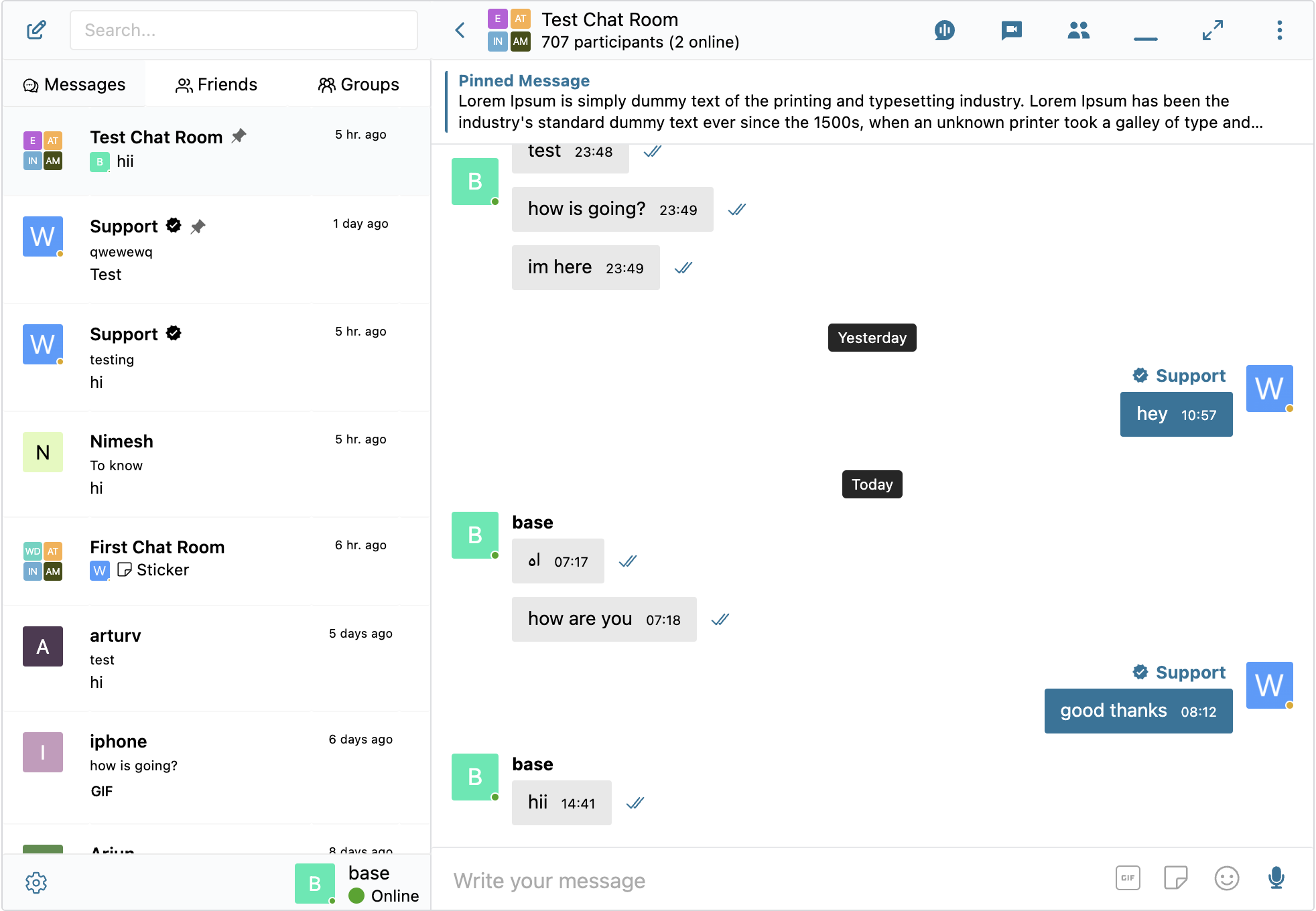
Thread screen 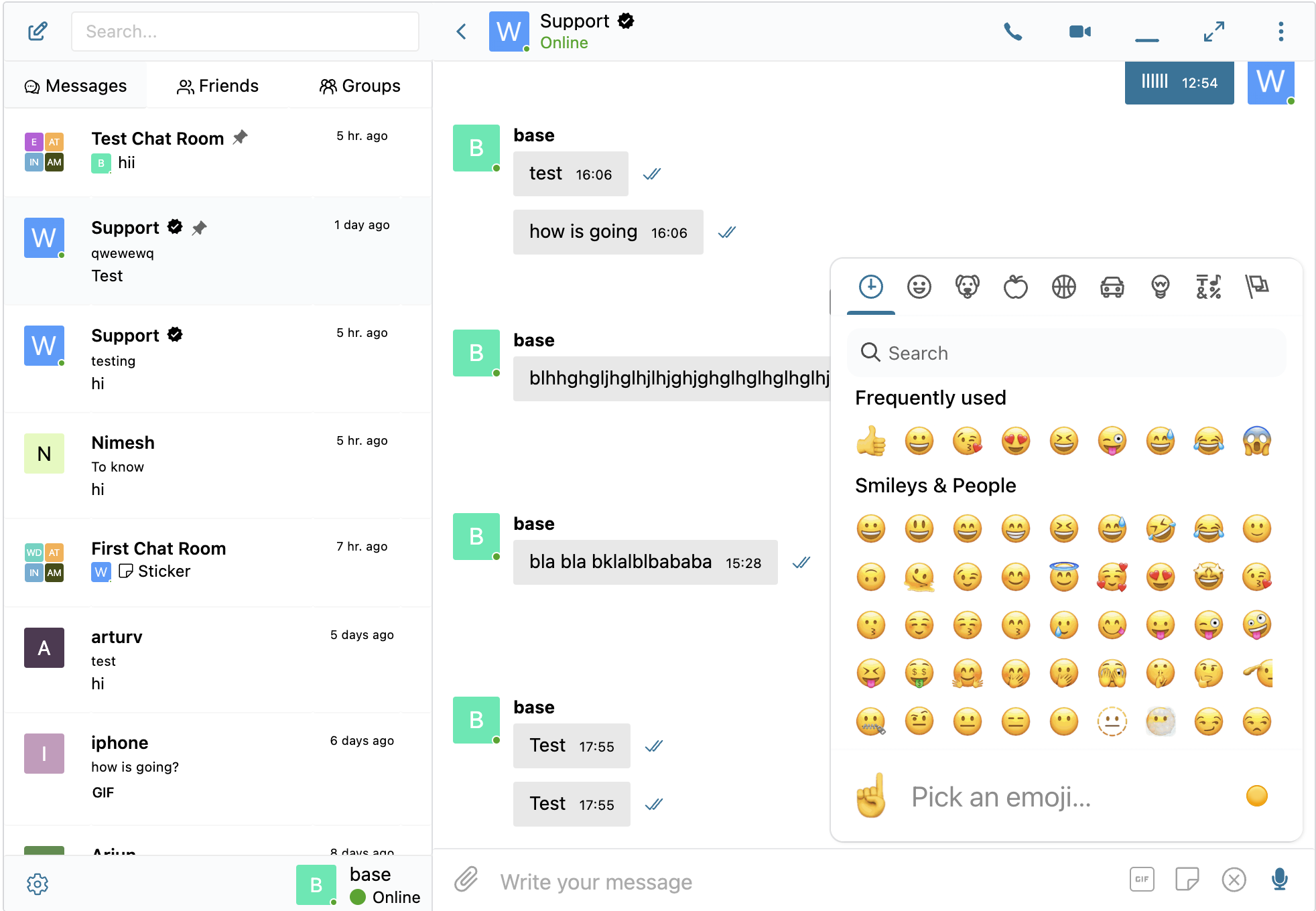
Embedded links 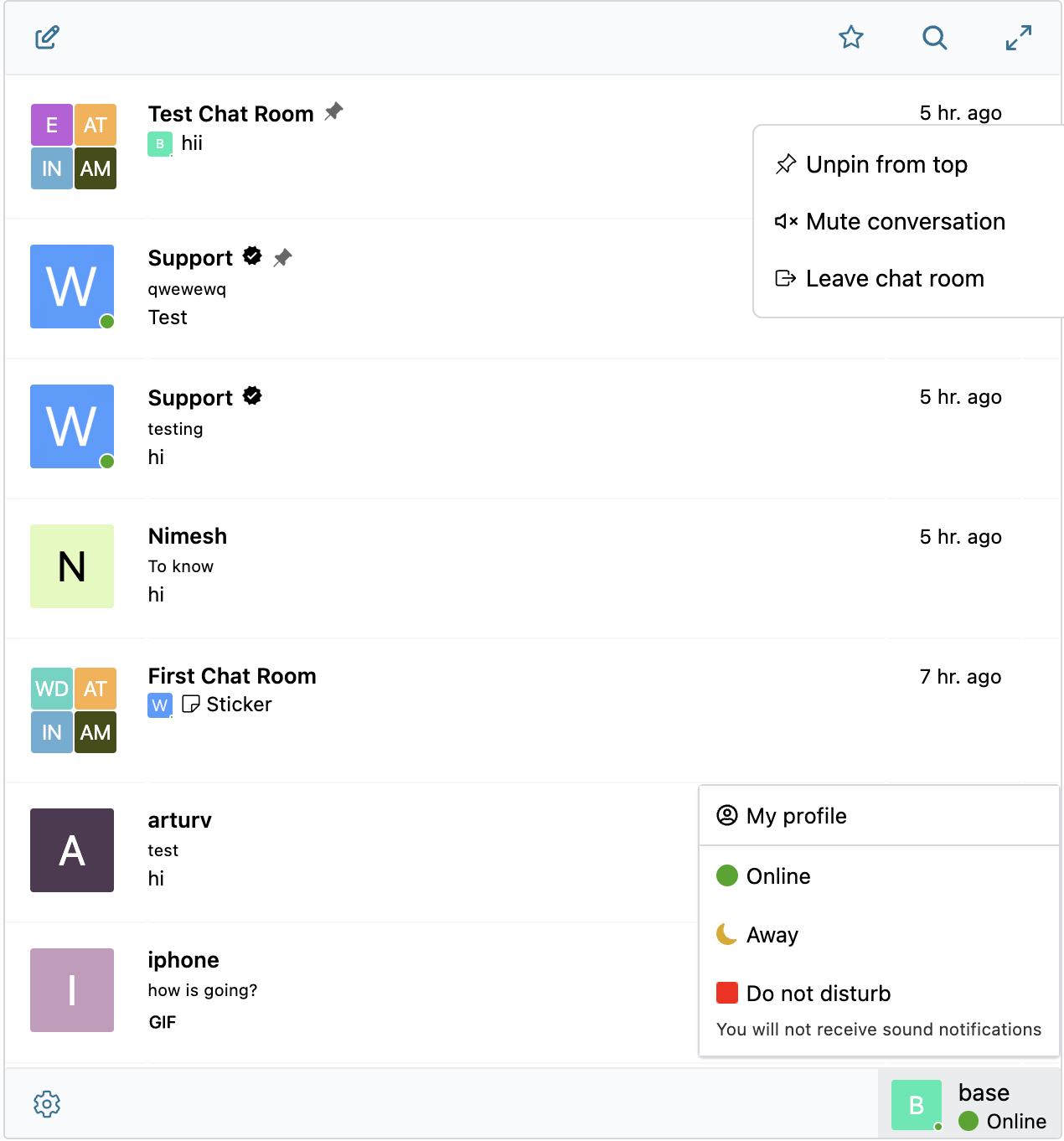
Thread list screen 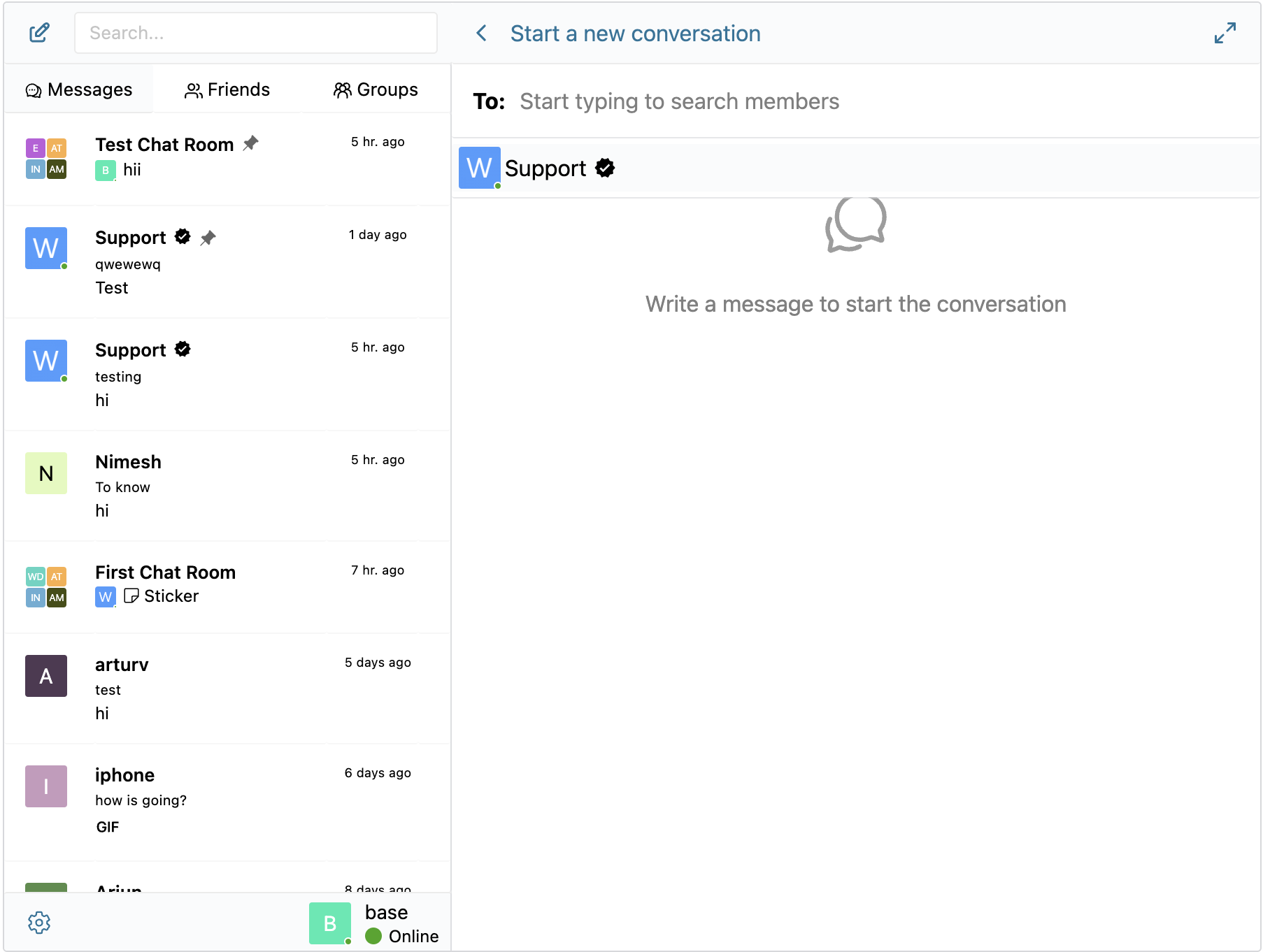
New Thread screen 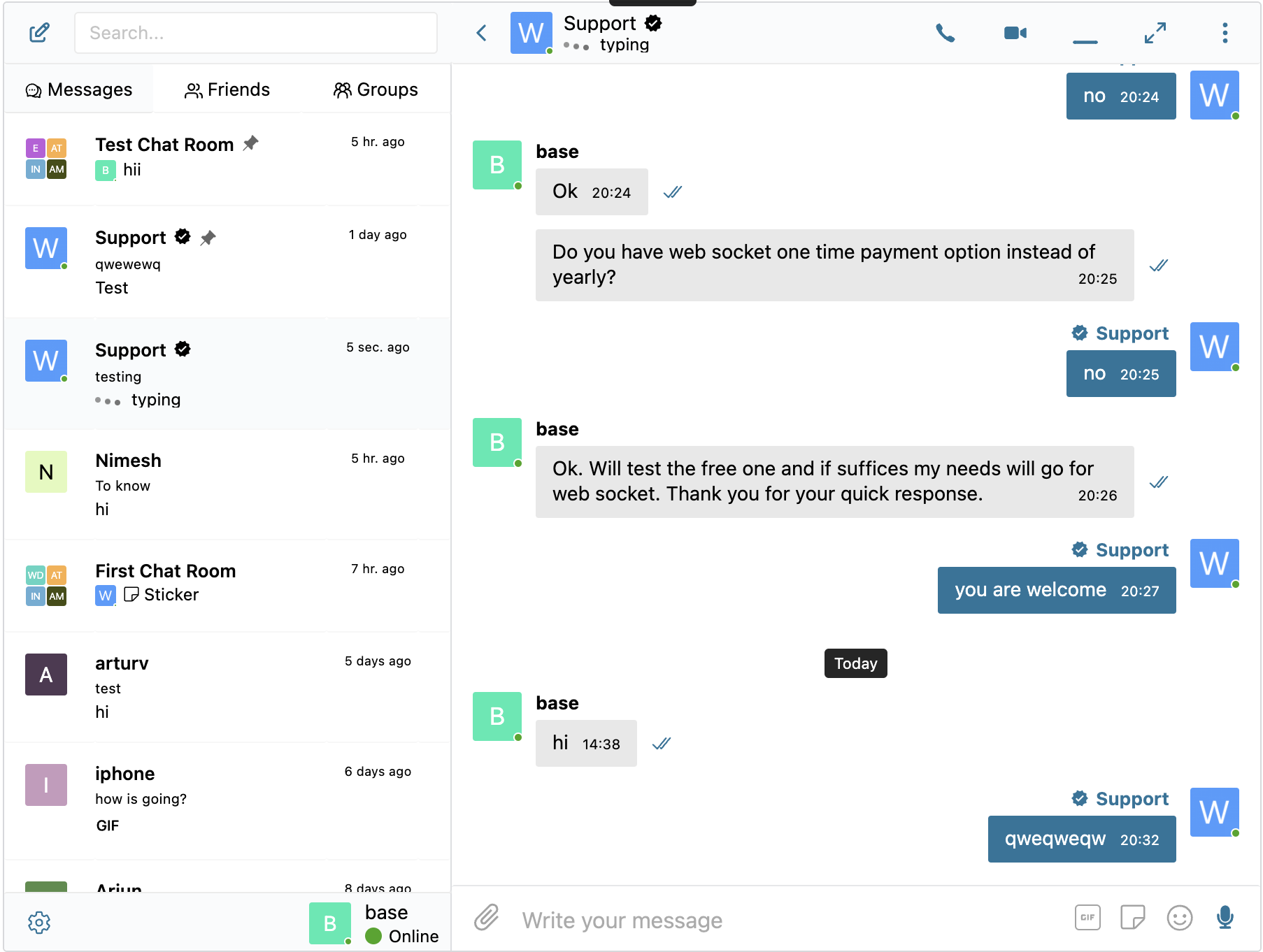
Writing notification 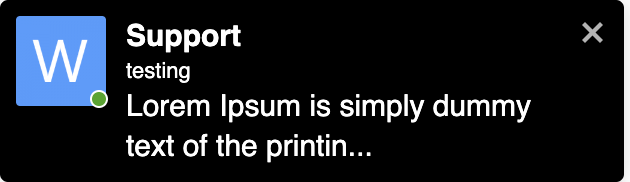
Onsite notifications
Blocks
This plugin provides 2 blocks.
- Chat Room Embed a Better Messages chat room
- User Inbox Personal user inbox, where user can access all conversations which he is participating in
Installation
- Upload the plugin files to the
/wp-content/plugins/bp-better-messagesdirectory, or install the plugin through the WordPress plugins screen directly. - Activate the plugin through the ‘Plugins’ screen in WordPress
- Use the Settings -> Better Messages to configure the plugin
FAQ
-
Please visit KnowledgeBase
Reviews


Contributors & Developers
“Better Messages – Live Chat, Chat Rooms, Real-Time Messaging & Private Messages” is open source software. The following people have contributed to this plugin.
Contributors
“Better Messages – Live Chat, Chat Rooms, Real-Time Messaging & Private Messages” has been translated into 30 locales. Thank you to the translators for their contributions.
Interested in development?
Browse the code, check out the SVN repository, or subscribe to the development log by RSS.
Changelog
2.14.11 – 2.14.12
- Added Better Messages Translation AI — automatic message translation for 1-to-1 conversations
- Added Better Messages Transcription AI — voice message transcriptions
- Added Test Callback URL button to the Settings page in the WebSocket version, which allows testing the callback URL for the Better Messages Cloud AI
- Initial integration with WordPress Abilities API, which allows using MCP and AI
- Fixed bug with AI Chat Bots not allowing to select model if no global api key setting
- Fixed bug with attachments being sent to previously opened conversation when using “Send now” button in the file uploader popup
- Fixed bug where disabling End-to-End Encryption would lock users out of previously encrypted conversations and prevent starting new ones with the same participants when the Single Conversation Per Recipient option is enabled
- Other minor bugfixes and improvements
2.14.8 – 2.14.10
- Initial release of Better Messages Cloud AI
- Added Better Messages Moderation AI — included with WebSocket license at no additional cost, no third-party API keys required.
- Cloud-powered content moderation with extended categories, custom rules, and conversation context awareness
- Added AI moderation provider selection: choose between OpenAI Moderation API and Better Messages Moderation AI
- Added custom moderation rules — define your own rules in plain text (e.g. block contact sharing, promotions)
- Added conversation context for AI moderation — detect patterns like phone numbers split across multiple messages
- Added 10 new moderation categories for Better Messages AI: spam, scam/phishing, minor safety, contact sharing, profanity, impersonation, doxxing, drugs/alcohol, threats, commercial promotion
- Translations now loaded as cacheable external file instead of inline scripts to make it more efficient
- Added ability to open and close chat rooms
- Added chat room management actions: duplicate, clear messages, remove all participants
- Fixed PeepSo Notifications Popup overlapping Better Messages Popup
- Fixed PeepSo Vip Icons displaying incorrectly in administration panel
- Reworked reactions selector displaying as they became a bit jumpy, especially on mobile devices
- Improved database reset detection and connection timeout for settings changes
- Added FluentCommunity Spaces integration for groups widgets (mini widgets, side panel tabs, mobile tabs)
- It’s now possible to find users by email in admin user search
- Fixed PHP warning for undefined ‘lang’ key in mobile device registration
- Improved SharedWorker reconnect, plugin updates no longer require page reload
- Updated Freemius SDK to latest version
- Other minor bugfixes and improvements
2.14.7
- Added new Privacy & GDPR settings page with compliance overview and privacy controls
- Added self-hosted emoji sprites option — download emoji images to your server instead of loading from external CDN
- Added Privacy-friendly oEmbeds — YouTube, Vimeo and other video embeds load only after user clicks
- Added WordPress personal data export and erasure support (Tools Export/Erase Personal Data)
- Added suggested privacy policy text that adapts based on enabled features (Settings Privacy)
- Added option to delete file attachments when user requests data erasure
- Added option to enable or disable Emoji Picker button
- Added option to enable or disable automatic text emoticon to emoji conversion
- Improved caching — scripts and resources that don’t change between updates are now cached independently by the browser
- Scripts and resources are now loaded on demand only when the feature is actually used
- Added filter hooks for custom AI provider registration
- AI Chat Bots will not be auto-removed from Group Conversations when members list syncing
- Show “Voice message” fallback text when voice messages addon is disabled
- Fixed mentions popup not closing when no matches found
- Fixed voice message uploads returning 404 when file attachments disabled
- Fixed E2E encrypted file uploads in new conversations
- Fixed group member sync running for groups with chat disabled
- Improved email template customization — preview now reflects all settings accurately
- Fixed custom HTML email template not saving properly
- Other minor bugfixes and improvements
2.14.2 – 2.14.6
- Added option to randomize filenames on upload to prevent Web Application Firewalls from blocking file uploads in some web hosts
- Added double confirmation for message auto deleting setting to prevent accidental data loss
- Improved integrations subtabs sorting — active plugins now appear first
- Improved AI Digests with better context awareness and error logging
- Improved video and image transcoding to prevent GIF animation loss
- Fixed chat room moderators not recognized in group video call permissions (join, start, admin controls)
- Fixed async chunk loading issues caused by browser caching after plugin updates
- Fixed reactions selector overflowing bottom of viewport
- Fixed image/video optimization output formats not saved to settings and not validated on upload
- Fixed stale E2E encryption status when sending messages after switching threads
- Fixed Ultimate Member directory message button missing target user ID
- Fixed Chat Room block “Create new” link pointing to old post editor
- Fixed messages location warning showing incorrectly for integration plugins
- Fixed mentions with HTML badges (e.g. PeepSo verified icons) rendering as raw HTML instead of images
- Fixed CSS issue for SVG icons in FluentCommunity Groups
- Fixed Fluent Community mobile bottom menu not returning after closing keyboard on Chrome iOS with native button
- Improved Fluent Community mobile bottom menu icon now navigating back to messages list when not at it
- Other minor bugfixes, improvements and optimizations
2.14.0 – 2.14.1
- Completely rebuilt Settings page in WP Admin to make it more compact and easier to navigate while adding new features
- Reworked GamiPress and myCRED addons into unified Points System with per-role pricing and balance display directly in Better Messages interface
- AI Chat Bots: Added support for adding chat bots to group conversations and ability to respond when they are mentioned
- AI Chat Bots: Added support for Anthropic (Claude) and Google Gemini providers alongside OpenAI
- AI Chat Bots: Added conversation summarization and scheduled digests features for Group Conversations
- AI Chat Bots: Added token usage tracking with cost estimation and ability to charge with MyCred or GamiPress points
- AI Chat Bots: Bots now appear as online users and show typing indicators while generating responses in WebSocket Version
- AI Chat Bots: Added dedicated admin page for bot management
- Added activity indicators for voice recording and file uploading in addition to typing indicator in WebSocket Version
- Added Voice Messages settings tab with max recording duration, auto-delete, voice transcription and role restrictions
- Added new Chat Rooms administration page in WP Admin
- Added ability to force notification for tagged users even if muted the conversation
- Added online users sidebar panel in Chat Rooms with toggle button
- Added ability mute and unmute participant microphones in group video calls
- Added ability to send voice messages when creating a new conversation
- Added ability to customize order of tabs in mini widgets, side panel and mobile view
- Added compatibility with the new Progressify plugin (wordpress.org version) alongside the legacy CodeCanyon version
- Tested with WordPress 7.0 Beta
2.13.0 – 2.13.1
- Added optional End-to-End Encryption (E2EE) for private and group conversations (WebSocket version only)
- Can be enabled at the website level and optionally per conversation
- Messages encrypted in user browsers — server never sees plaintext
- AES-256-GCM encryption for messages and file attachments
- Password-protected key backup for multi-device access
- Key recovery if the user forgets an encryption password
- Automatic key distribution for new conversation participants
- Added client-side image and video optimization for cross-browser compatibility and saving storage space
- Automatic image conversion to WebP, AVIF, or JPEG before upload
- Configurable image quality and max resolution
- Metadata stripping for privacy
- HEIC/HEIF automatic conversion for cross-browser compatibility
- Video format conversion to MP4 for universal playback
- Added Compact Mode for Side Conversations List with auto and always compact options
- Renamed “Combined View” to “Side Conversations List”
- Fixed “Enable PeepSo Header at Messages Page” was not working after some updates
- Other minor bugfixes, improvements and optimizations
2.12.9
- Added optional feature to enable messages forwarding
- Reworked bulk messaging
- Moved bulk messaging to a dedicated WP Admin screen
- Added ability to attach files to bulk messages
- Moved bulk messaging sending to a background process instead of frontend processing
- Added ability to schedule bulk messages for later
- Added ability to pause, resume and cancel bulk jobs
- Added follow-up messaging to send additional messages into existing bulk conversations
- Added activity filter to target users active within or inactive for a specified number of days
- Added ability to send bulk messages as another user
- Added ability to send bulk messages to specific users
- Added ability to send bulk messages to group members (BuddyPress, PeepSo, Ultimate Member)
- Added send rate (batch size) control
- Added test/preview for bulk messages before sending
- Added initial integration with SureDash
- Removed jQuery dependency from inline scripts
- Fixed empty chat rooms to be properly shown in user inbox when user auto added to it
- Added Thread ID indication and View in inbox button to Chat Rooms settings page in WP Admin
- Other minor bugfixes, improvements and optimizations
2.12.5 – 2.12.6
- Added option to filter conversations list to show only unread conversations
- Migrated WC Vendors and WCFM Add-ons to the core plugin. WCFM and WC Vendors Add-ons are now deprecated and will be removed, please deactivate them in your website if you are using them.
- Updated OneSignal Integration code to support the latest OneSignal API changes
- Mentions search now supports searching usernames with whitespace
- Other minor bugfixes, improvements and optimizations
2.12.2 – 2.12.4
- Completely reworked Voice Recorder Add-on UX
- Added Attachments browser feature which allows browsing all uploaded files in the conversation information panel
- Added message draft autosave feature — unsent messages are automatically saved and restored when returning to a conversation, with a draft indicator shown in the conversations list
- Added voice message transcription powered by OpenAI (requires OpenAI API key)
- Added protect files with proxy feature to protect uploaded files from direct access with support for X-Sendfile, X-Accel-Redirect and LiteSpeed optimized serving
- Added resumable file uploads for improved reliability on slow or unstable connections
- Added option to switch between file upload method (Standard POST Upload or TUS (Resumable Upload)) as some hosting blocks TUS uploads with WAF
- Improved upload directory structure with per-thread unique subfolders to improve security and keep original filenames
- Other minor bugfixes and improvements
2.12.0 – 2.12.1
- Added AI Content Moderation powered by OpenAI Moderation API
- Group Video & Audio Calls improvements:
- Added moderator controls: lock room, mute all participants, broadcast mode
- Added Promote to Speaker / Demote to Viewer controls in broadcast mode
- Added Raise Hand / Lower Hand feature for viewers in broadcast mode
- Added Lower All Hands button for moderators
- Added option to restrict who can start group calls (anyone or moderators only)
- Added default call mode setting (Participatory or Broadcast) in conversation settings
- Added group call settings section in conversation information panel
- Added visual speaker highlighting during group calls
- Improved microphone and camera device switching reliability
- Replaced browser database engine with new lightweight custom solution for better performance and stability
- Browser database and WebSocket connection is now shared across browser tabs via SharedWorker, improving performance and real-time sync
- AI Moderation supports two modes: Hold for Review (messages require admin approval) and Flag Only (messages are sent but marked for admin review)
- AI Moderation includes configurable sensitivity threshold, content category selection, and role-based bypass
- AI Moderation supports image moderation in addition to text content
- AI Flagged messages appear in the moderation panel alongside user-reported messages
- Improved moderation notification emails with detailed reason information (AI moderation, first-time sender, blacklisted user)
- AI Chat Bots: Added support for OpenAI reasoning models (o-series, GPT-5)
- AI Chat Bots: Added Temperature, Max Output Tokens, and Reasoning Effort settings
- Added Chat Room block for WordPress Block Editor (Gutenberg) with full screen auto-open option
- Added option to hide participants count in chat room header
- Improved rendering performance of the messages list, reducing unnecessary updates when receiving new messages
- Improved auto-recovery when browser database is unexpectedly deleted
- Fixed calls not starting in some cases
- Fixed group video call crash when container has zero dimensions during initialization
- Fixed AI Chat Bot error “You cannot send messages to this user”
- Fixed scrollbar thumb direction in some browsers
- Compatibility update for WordPress 6.2+ by replacing deprecated
get_page_by_title()usage during activation - Other minor bugfixes and improvements
2.11.0 – 2.11.1
- Added ability to customize the email template for unread messages notifications in WP Admin
- Added ability to add unsubscribe link to email notifications
- Added ability to send test email notifications message from plugin settings page
- Added Pre-Moderated Messages feature, which allows moderating messages before they are delivered to recipients
- Added ability to pre-moderate messages when the user did not have messages at website yet
- Added ability to enable moderation of new conversation by user role in plugin settings
- Added ability to enable moderation of new replies by user role in plugin settings
- Added ability to whitelist users from moderation in the administration screen
- Added ability to blacklist users, which enables force moderation of messages from them
- Added ability to set email list which will receive notifications about new messages for moderated or new message reports
- Added options for admins to bypass words blacklist
- Added initial support for new Dokan Vendor Dashboard UI
- Removed Customizations tab from settings page, settings from that page moved to Messaging tab
- Other minor bugfixes and improvements