

Description
Nina Systems creates blog drafts on your WordPress site for you to review and publish. Instead of copying API keys, you click Connect and WordPress creates an Application Password that links your site to Nina.
- One-click connect using WordPress’s built-in Application Passwords authorization. No manual keys.
- Nina only ever creates drafts. Nothing is published automatically. A human reviews and publishes every post.
- Nina never touches your products, users, themes, or settings.
- Disconnect anytime, which revokes the access you approved.
Nina is a service that generates SEO blog content for your brand. You need a Nina account/engagement to use this plugin.
External services
This plugin connects your site to Nina Systems, a service operated by Nina Systems (https://trynina.co), so Nina can create blog drafts for you via the WordPress REST API. This connection is required for the plugin to do anything.
When it runs: only when you click “Connect to Nina” on the plugin’s settings page, or approve on WordPress’s authorization screen if you choose that option instead. It never runs on its own, on activation, or on a schedule.
What is sent, and where: after you click Connect, your site sends your site URL, your site title, the approving administrator’s WordPress username, and the Application Password it just created to Nina’s connection endpoint at https://t9b.app.n8n.cloud/webhook/install-wp. That endpoint is Nina Systems’ automation backend, hosted for Nina on n8n Cloud (https://n8n.io). The site title is used only as the label for your account inside Nina; the Application Password is what lets Nina create drafts through your site’s REST API. This plugin does not send your post content, visitor data, or any other personal data.
Service terms and privacy for Nina Systems (the service this data goes to):
- Terms of Service: https://trynina.co/terms-of-use/
- Privacy Policy: https://trynina.co/privacy-policy/
To disconnect at any time, revoke the “Nina Systems” application password from Settings Nina Systems, or under Users Profile Application Passwords.
Screenshots

Installation
- Upload the plugin, or install it from the Plugins screen, and activate it.
- Go to Settings Nina Systems and click Connect to Nina.
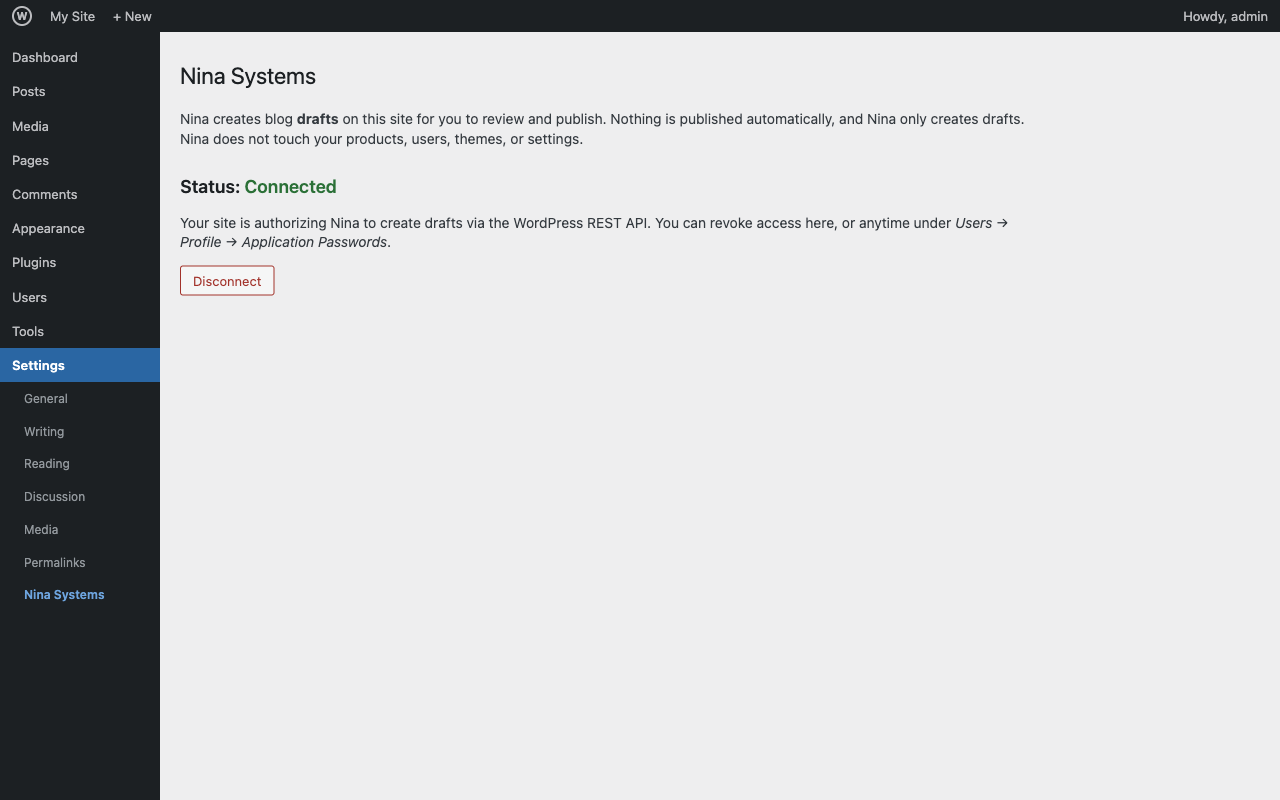
- Your site is now connected. The settings page names the account Nina connects as and states what is sent before you click.
- To disconnect: Settings Nina Systems Disconnect (this revokes the application password).
Requires HTTPS and WordPress Application Passwords (enabled by default on WordPress 5.6+ over HTTPS).
FAQ
-
Does this publish posts automatically?
-
No. Nina only creates drafts. A human reviews and publishes every post.
-
How does connecting work? What does it send?
-
You click Connect. The plugin asks WordPress to create an Application Password for your account using WordPress’s own Application Passwords API, then sends it, along with your site URL, site title, and username, to Nina’s connection endpoint. The plugin does not store the password itself; WordPress stores it, and you can revoke it at any time. You can also choose to approve on WordPress’s built-in “Authorize Application” screen instead, linked from the settings page. See the “External services” section for the exact endpoint and links to Nina’s Terms and Privacy Policy.
-
How do I disconnect?
-
Settings Nina Systems Disconnect. This revokes the “Nina Systems” application password. You can also revoke it under Users Profile Application Passwords.
-
Does Nina change my products, users, or theme?
-
No. Nina only creates blog drafts via the REST API.
Reviews
There are no reviews for this plugin.
Contributors & Developers
“Nina Systems” is open source software. The following people have contributed to this plugin.
Contributors
Translate “Nina Systems” into your language.
Interested in development?
Browse the code, check out the SVN repository, or subscribe to the development log by RSS.
Changelog
0.3.8
- Connecting now talks to Nina’s own service instead of a workflow tool. Nothing changes in what you see or in what is sent (site address, your username, the application password WordPress creates, and the site title). Existing connections keep working.
0.3.7
- Connecting now works on sites whose security plugin or firewall blocks WordPress’s authorization screen. Those sites previously showed an error with no message and had no way to finish connecting. Connect is now a single button that creates the application password through WordPress’s standard API; the authorization screen remains available as an option.
- The settings page now states which account Nina will connect as, since that account authors the drafts, and spells out exactly what is sent to Nina when you connect.
- Connecting revokes any previous Nina Systems application password before creating the new one, so reconnecting no longer leaves older credentials active on the site.
0.3.4
- Fixed: the status no longer reads “Connected” when a connect was only half-finished (WordPress created the application password but Nina never confirmed the link). Status now reflects a confirmed connection, so the Connect button stays available until the link actually completes.
0.3.3
- readme: documented that the site title is included in what is sent on connect (used only as the label for your account inside Nina). No code change.
0.3.2
- On connect, the site title is now also sent so a new account shows a readable name instead of a placeholder. See the “External services” section for the full list of what is sent.
0.3.1
- Connection status and Disconnect now track the application password by its UUID (recorded when you connect), so renaming the application password no longer affects the plugin.
- Added a “Connect to Nina” / “Settings” link on the Plugins list, and a dismissible reminder to connect until the site is connected.
0.3.0
- Connect now uses WordPress’s built-in Application Passwords authorization flow (authorize-application.php). You explicitly approve access on WordPress’s own screen; the plugin no longer creates the application password in code, and no longer connects silently on activation.
- Settings page reflects connection status from the “Nina Systems” application password itself; Disconnect revokes it.
- readme: clarified the external service, the exact endpoint, and links to Nina’s Terms and Privacy Policy.
0.2.2
- Renamed the plugin slug/folder/zip to nina-systems (client-facing).
0.2.1
- Renamed the plugin to “Nina Systems” (client-facing name).
0.2.0
- Connect on activation (and disconnect on deactivation), so it works on managed hosts that restrict wp-admin pages. Settings page kept as a status/reconnect fallback.
0.1.0
- Initial release: connect/disconnect via a settings page, Application Password provisioning, delivery to the Nina connection endpoint.