

Description
Most people who visit your shop are not ready to buy today.
They find something they like. They are busy, or waiting for payday, or still thinking about it. So they close the tab. And you never hear from them again.
Some of them drop the item in the cart just to remember it. Your reports then call it an abandoned cart, and your reminder email goes to someone who was never trying to pay.
NeoWish gives those shoppers a place to save what they like, and gives you a reason to bring them back.
Why this matters for your sales
Research by the Baymard Institute, based on 50 separate studies, found that about 70% of carts are left behind. It also found that 42% of those shoppers were only browsing or saving items for later.
Those people did not say no. They were not finished.
Right now that interest disappears when they close the tab. With a wishlist, it stays — as a list of products your customers told you they want.
What NeoWish does
- No sign-up needed. A visitor saves a product straight away. No account, no login. You do not lose them at the exact moment they liked something.
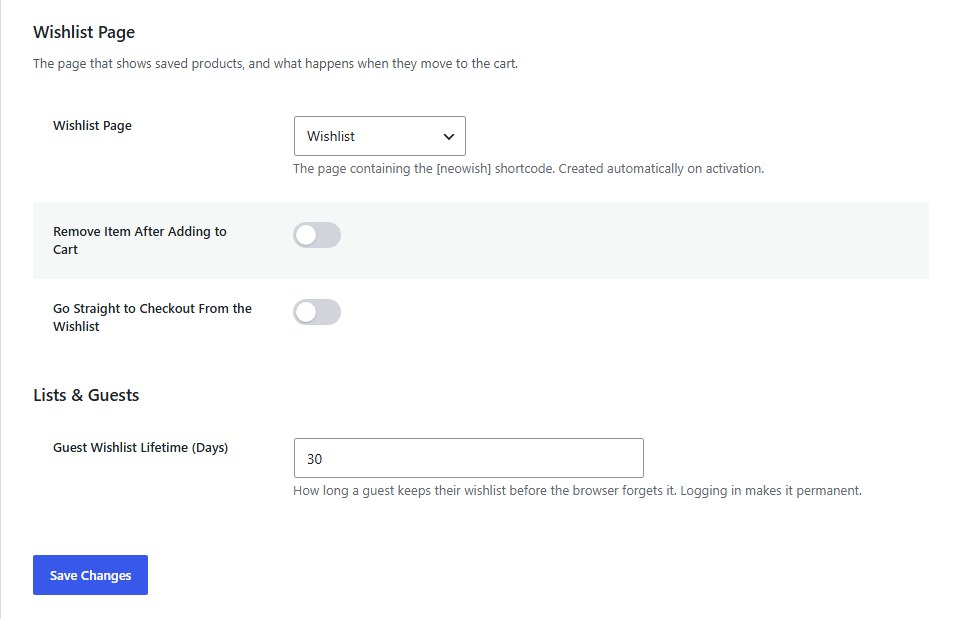
- The list is still there after they log in. A guest saves items today. Later they create an account or sign in, and their list moves across on its own. Nothing is lost, and they never have to start again.
- Works with caching plugins. The button looks the same for every visitor, and each person’s saved items load after the page. A cached page can never show one shopper another shopper’s hearts.
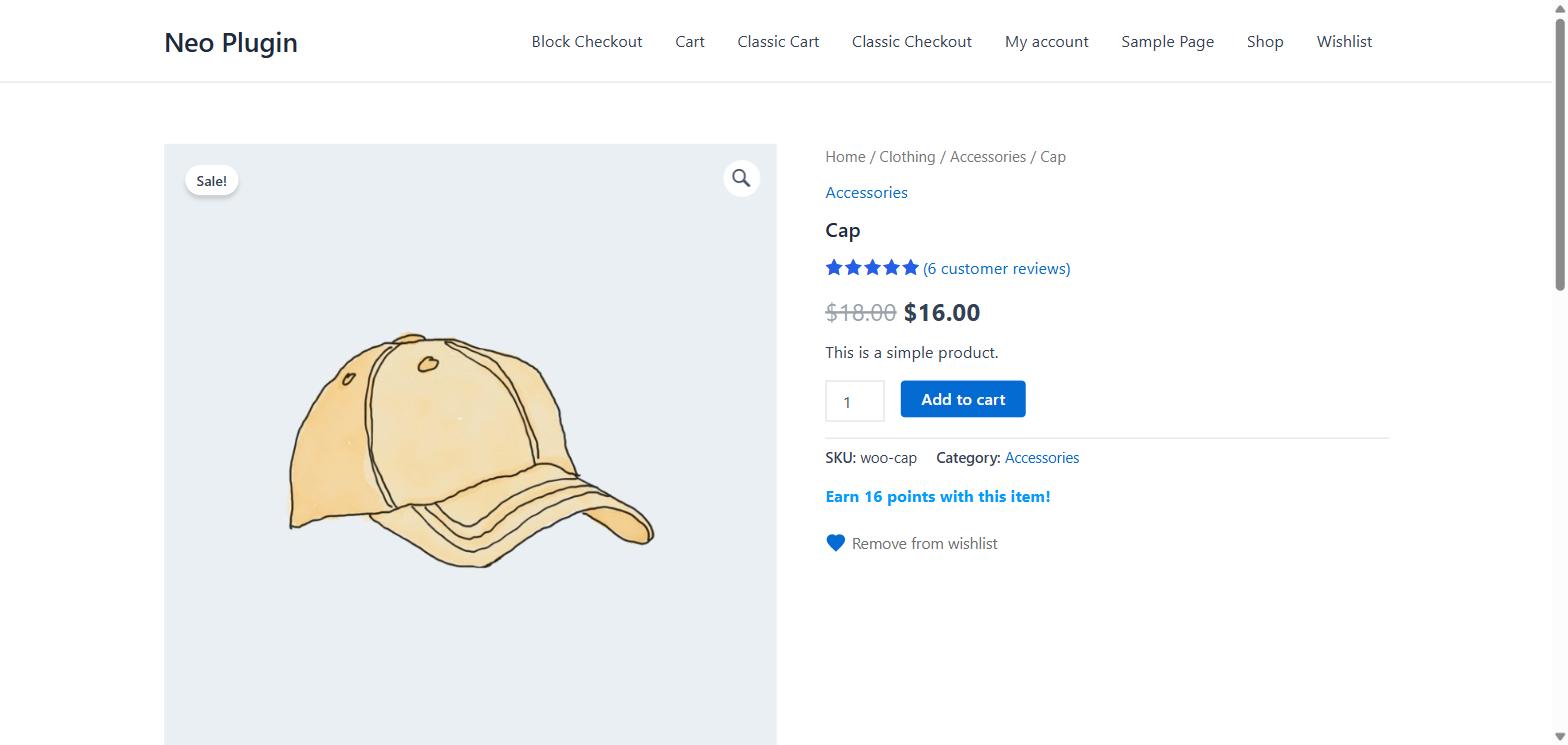
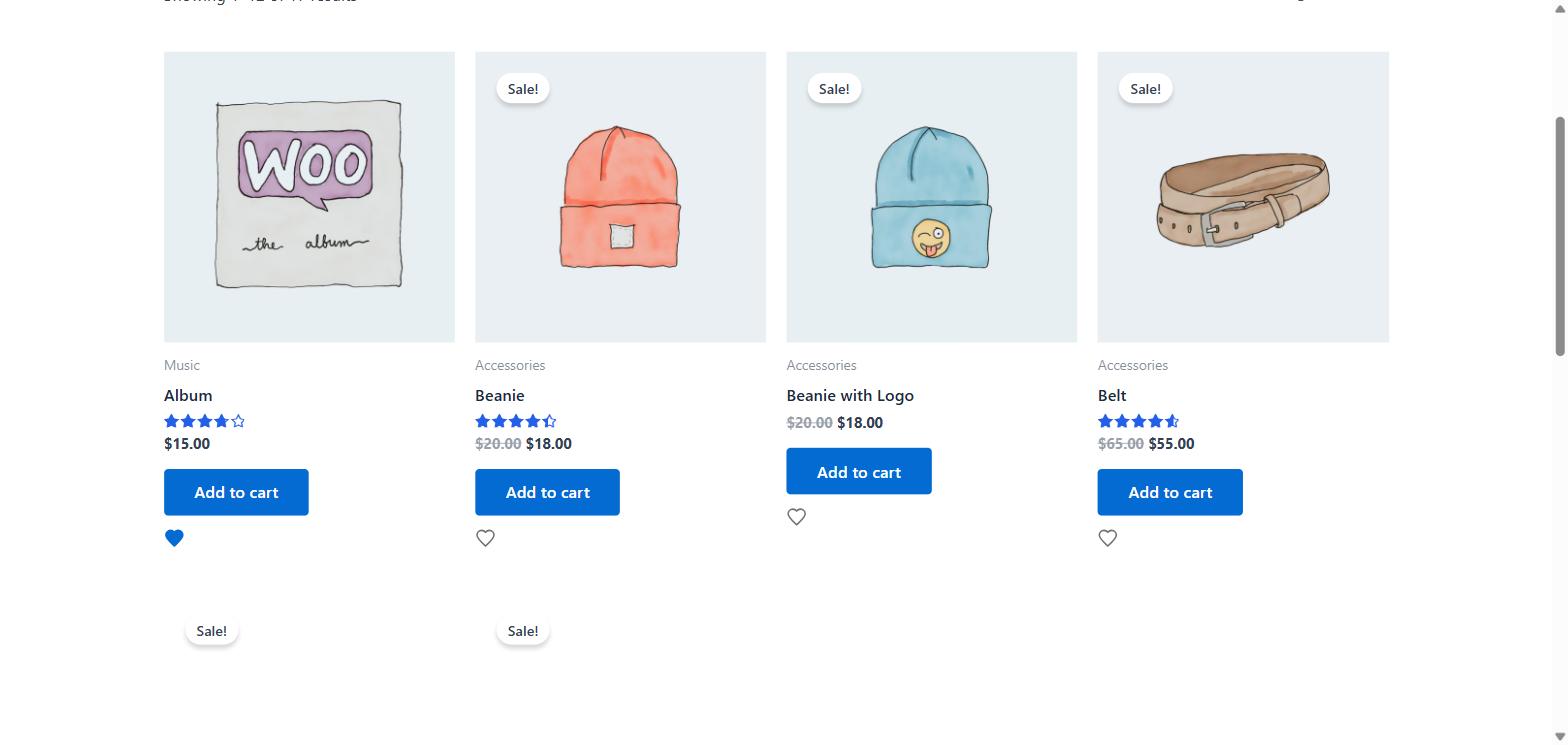
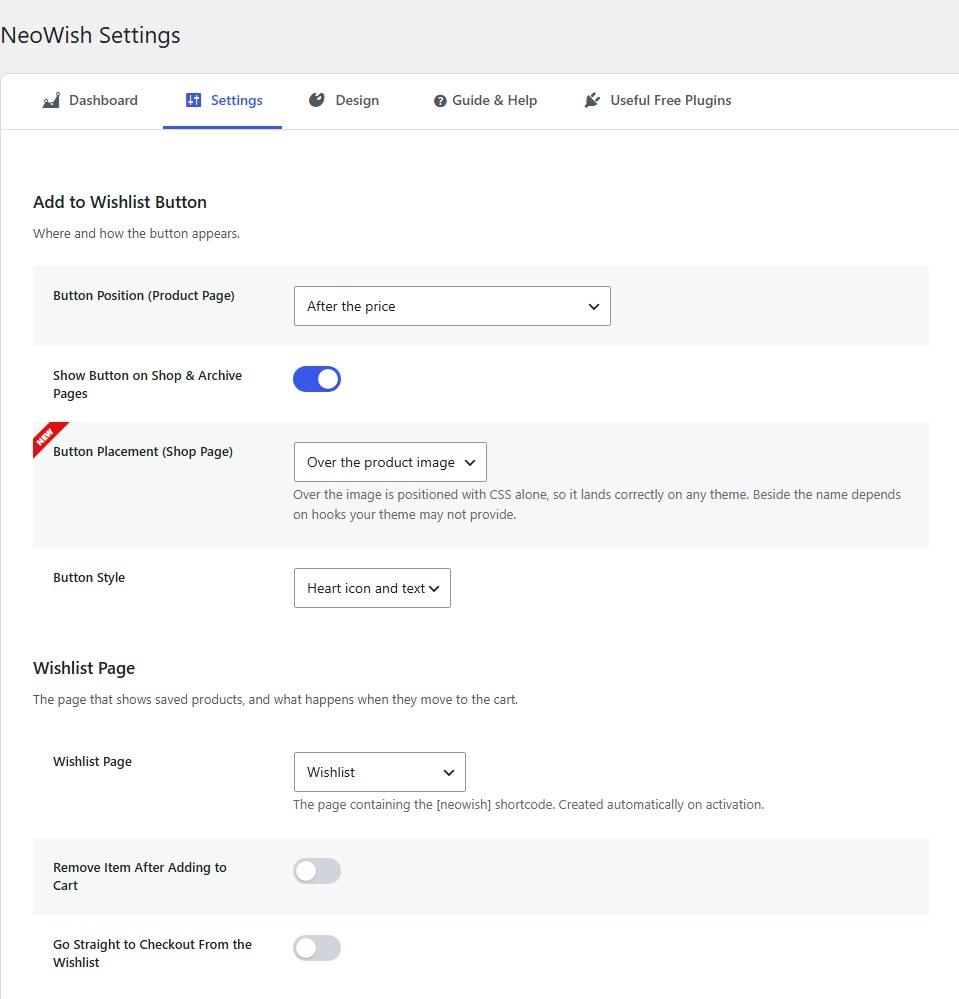
- Put the button where you want. Choose where the heart appears on the product page. On the shop page, put it on the product photo or next to the product name. Show a heart with text, the heart alone or text alone; the heart alone still tells shoppers what it does on hover, and screen readers always hear its label. A shortcode lets you place it anywhere else.
- It remembers the exact choice. If a product has sizes or colours, NeoWish saves the one the shopper picked.
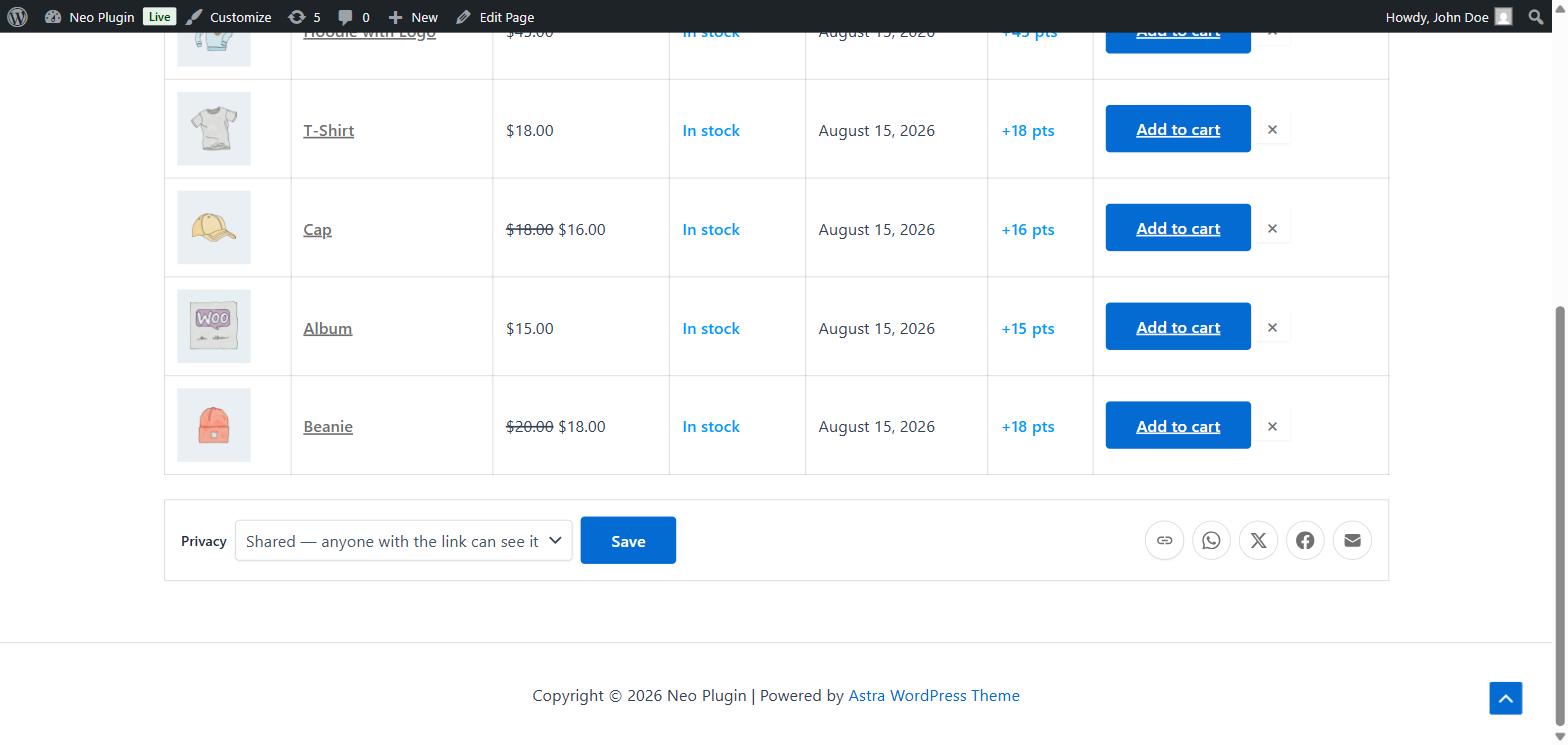
- Shoppers share their list for you. One tap sends the list by WhatsApp, X, Facebook or a copied link. Guests can share too. Their friends arrive at your shop already knowing what to buy.
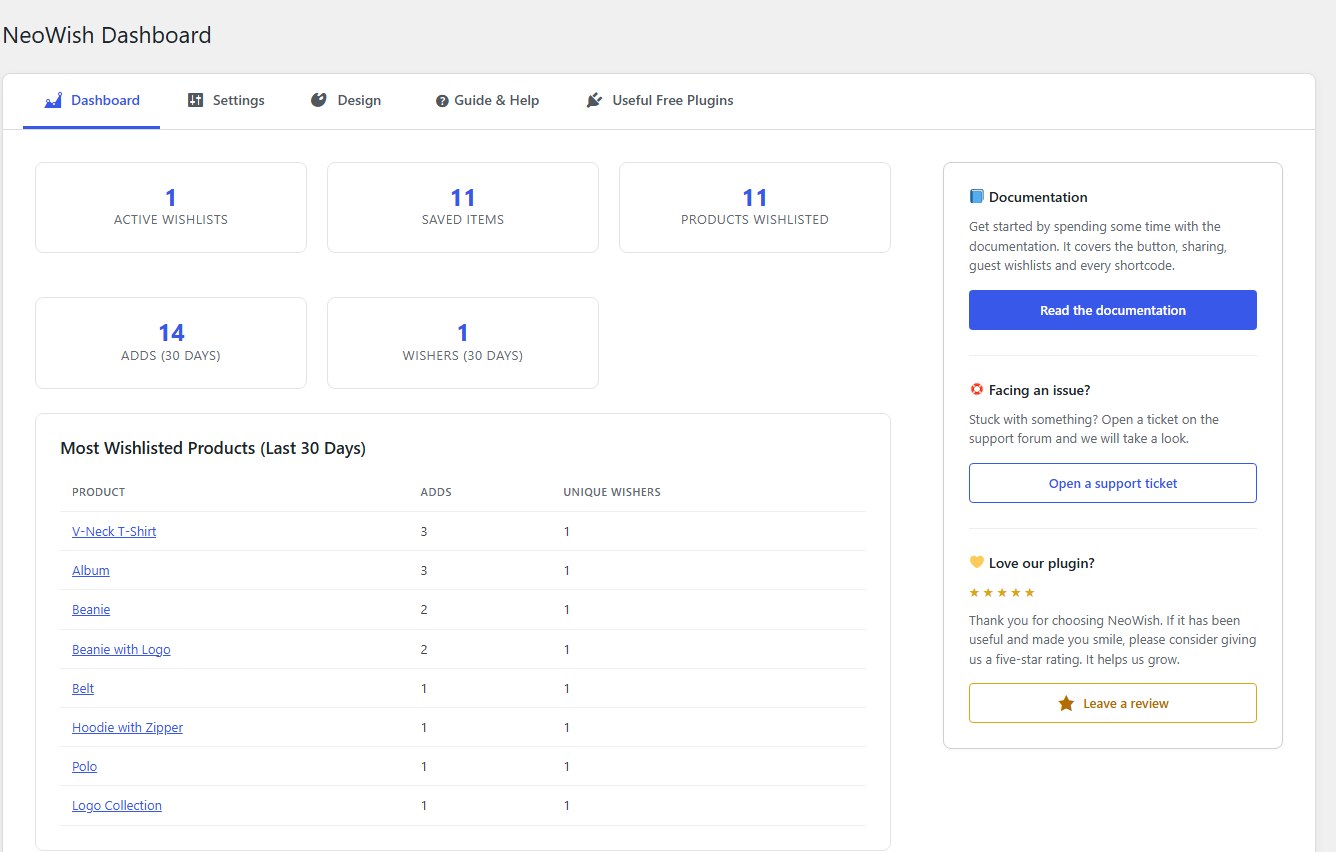
- See what people save most. A simple report shows which products people save, how many lists you have, and how many shoppers saved something in the last 30 days.
- A wishlist page, ready to use. Created for you when you activate the plugin. Shoppers can add items to the cart from it, and you decide what happens next.
- Match your shop. Set the colours and the corner rounding so the button and the wishlist page look like the rest of your site.
Turn saved items into decisions
A sale tells you something worked. A save tells you someone wanted it and stopped. That second one is the one you can still fix.
Compare your saves with your sales:
- Many saves, few sales. People want it but are not paying for it. Look at the price, try a bundle, or offer free shipping.
- Many saves, many sales. This is your top seller, with a queue waiting behind it. Do not let it run out of stock.
- Few saves, many sales. Nobody thinks twice about it. Show it near the checkout.
- Few saves, few sales. Check the photos, the title and the description first. Shoppers may never be finding it.
Without saved items, all four of those products look the same in your reports.
Putting this to work before a sale, step by step: How to use WooCommerce wishlist data to pick your Black Friday discounts.
Built for real shops
- Works on its own. No other plugin from us is needed.
- Wishlists are kept in their own database tables, so a large shop stays fast.
- Old guest lists are cleaned up automatically, so your database does not fill up.
- Bots and scripts cannot fill your wishlist tables. Search engine crawlers are ignored, and saves are rate-limited per visitor, without storing anyone’s IP address.
- The button lands in the right place on classic themes and on block themes.
- Works with a keyboard and with screen readers. Ready for right-to-left languages, and fully translatable.
- It never stores an IP address, a browser name, or anything that identifies a person.
- HPOS compatible.
Works great with NeoGrow
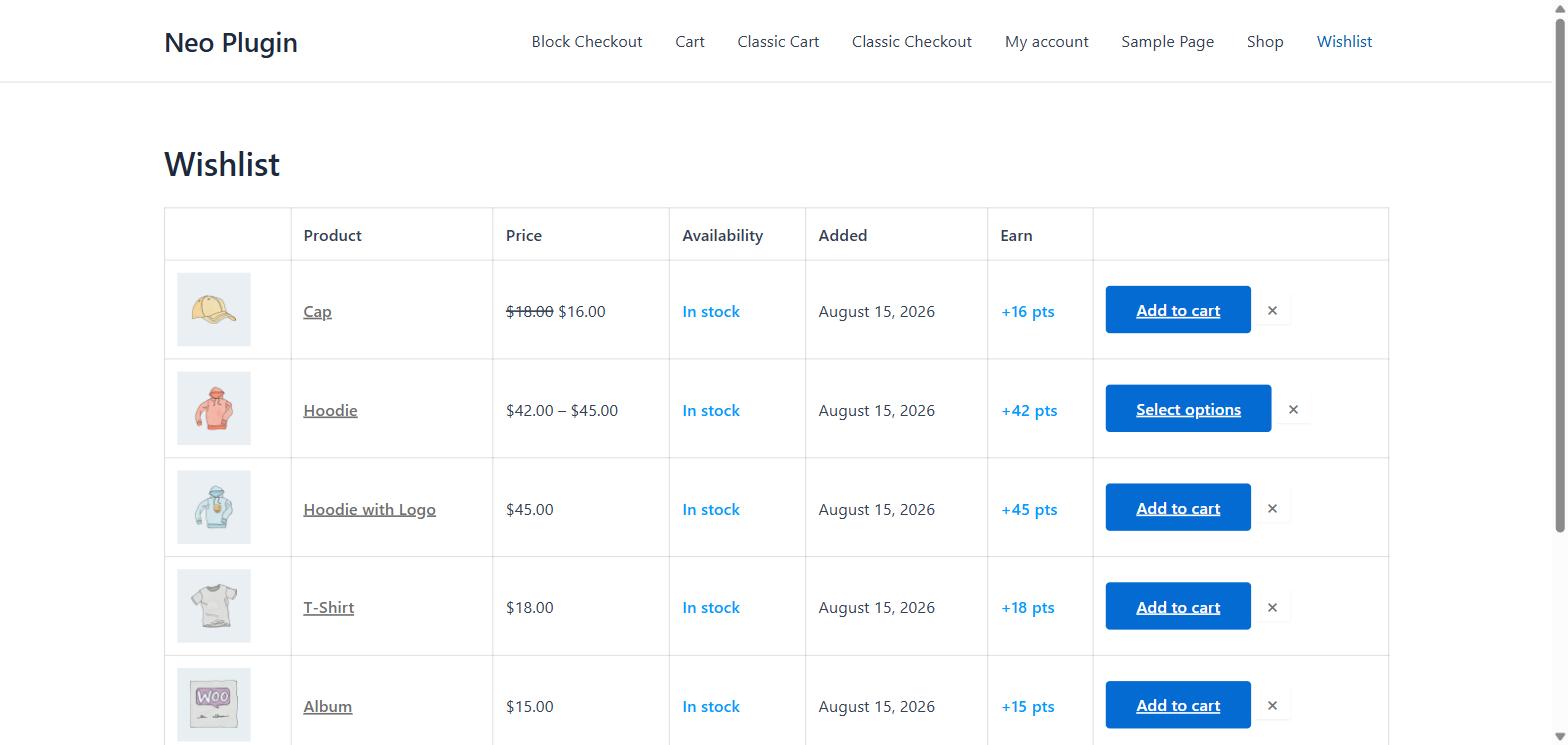
Install NeoGrow: Loyalty Points, Photo Reviews & UGC as well, and every product in the wishlist shows the reward points it would earn. That gives the shopper one more reason to move the list into the cart.
NeoWish works perfectly on its own. This is a bonus when you run both.
Screenshots
Installation
- Go to Plugins > Add New in your WordPress dashboard.
- Search for NeoWish, or upload the plugin files to
/wp-content/plugins/neowish-wishlist. - Click Install Now, then Activate.
- Go to Marketing > NeoWish to choose where the button appears and how it looks.
That is all. The wishlist page is created for you, and the heart button appears on your products straight away.
FAQ
-
NeoWish lives under Marketing > NeoWish, next to the other WooCommerce marketing tools. If the WooCommerce Marketing menu is switched off on your site, you will find it under WooCommerce > NeoWish instead.
-
WooCommerce has its own wishlist experiment. Do I still need this plugin?
-
Newer WooCommerce versions include an experimental wishlist feature that is switched off by default, is available to logged-in customers only, keeps one fixed list, and renders through block templates. NeoWish works for guests from the first click, keeps the list through login, works in classic themes as well as block themes, remembers the exact variation, and adds sharing and the Most Wishlisted report. Both can be installed on the same site without conflict, because they store their data separately.
-
Do shoppers need an account to save something?
-
No. Anyone can save products right away. Their list is kept safely in their browser. When they register or log in, it moves into their account by itself, and nothing is repeated twice.
-
Does it work with caching plugins?
-
Yes. The button looks the same for every visitor, and each person’s saved items are loaded after the page has loaded. So a cached page can never show the wrong hearts.
There is one thing that must never be cached: the address those saved items come from,
/wp-json/neowish/v1/(or?rest_route=/neowish/v1/without pretty permalinks). NeoWish already tells caches not to store it, and the usual caching plugins respect that. Some server caches, CDN “cache everything” rules and “cache the REST API” options do not. To check your store, open Tools > Site Health and look for Wishlist state and caching. It asks your site for a wishlist twice and tells you if an answer came from a cache, and where to look. If it reports a problem, add that address to your cache’s exclusions. Keep your pages themselves cached. -
Can shoppers save a specific size or colour?
-
Yes. When they save from a product page, NeoWish remembers the exact one they chose, and the wishlist shows it.
-
On the shop page, set Button Placement to Over the product image. That option does not depend on your theme. On the product page, try one of the other positions. If none of them fit, set the position to Hidden and place the
[neowish_button]shortcode wherever you like. Addstyle="icon",style="text"orstyle="icon_text"to choose the look of that one button. -
Why do the report numbers not change straight away?
-
They are saved for one hour so your dashboard stays fast. New activity is recorded immediately and appears at the next refresh.
-
Does the wishlist show loyalty points?
-
Only if the NeoGrow plugin is active. Each saved product then shows the points it would earn when bought.
-
What happens if I delete the plugin?
-
Turning the plugin off keeps all your data, so you can switch it on again later. Deleting the plugin removes everything it created, including the wishlists. That cannot be undone.
Reviews
There are no reviews for this plugin.
Contributors & Developers
“NeoWish Wishlist” is open source software. The following people have contributed to this plugin.
Contributors
Translate “NeoWish Wishlist” into your language.
Interested in development?
Browse the code, check out the SVN repository, or subscribe to the development log by RSS.
Changelog
1.0.8
- Improvement: A saved product is easy to tell apart. The button now reads “Saved” next to the filled heart, in your brand colour, instead of “Remove from wishlist”; a text-only button turns your brand colour too. The heart-only tooltip says “Saved” as well.
- Accessibility: Screen readers announce a saved button as “Saved, button, Remove from wishlist” – what is true, then what a click does – instead of saying the state twice.
- Developer: New
neowish_button_labelsfilter to change the button’s three texts. Extension API 1.6.
1.0.7
- Improvement: The “Heart icon only” button style now shows its label (“Add to wishlist” or “Remove from wishlist”) as a tooltip when a shopper hovers over it or reaches it with the keyboard, so the heart is never a mystery. Screen readers announce it as before. The hearts on shop pages get the same tooltip.
- Improvement: Heart-only buttons have a larger tap area (at least 32 by 32 pixels), easier to hit on phones and above the 24-pixel accessibility minimum.
- New: The
[neowish_button]shortcode takes astyleattribute (icon,textoricon_text) to choose the look of one button without changing the setting.
1.0.6
- New: Protection against bots and scripts. Guests can save without an account, so anything that can send a request could create guest wishlists, and on some stores automated traffic creates thousands of them. NeoWish now refuses saves from search engine crawlers and command-line tools, and limits how fast one browser or one address can save, including how many new guest wishlists one address can start in an hour. Real shoppers never come near the limits, and logged-in customers are never limited.
- Privacy: The limits are counted without storing IP addresses. Each counter is keyed by a one-way scrambled value and disappears when its time window ends.
- Tweak: A shopper who does hit the limit sees “You are saving very quickly. Please wait a moment and try again.” instead of a general error.
- Developer: New
neowish_write_limitsandneowish_is_bot_requestfilters. Extension API 1.5.
1.0.5
- New: A Site Health check, “Wishlist state and caching”, under Tools > Site Health. Each shopper’s saved products load from a separate address that must never be cached, and some server caches, CDN rules and “cache the REST API” options cache it anyway, which can show one shopper another’s wishlist. The check asks your site for a wishlist twice and reports whether an answer came from a cache, whether something rewrote NeoWish’s no-cache instruction, and exactly which address to exclude. It runs in the background, so Site Health opens as fast as before.
- Tweak: The caching question in the FAQ now explains what to exclude, and why your pages can stay cached.
- Developer: New
neowish_detected_page_cachesfilter, for naming a host-specific cache in the check’s advice. Extension API 1.4.
1.0.4
- Fix: Products added to the page after it loads now show the right wishlist state. Shop filters, “load more” buttons, infinite scroll, quick views and product sliders insert new products without reloading, and their hearts stayed empty even for products the shopper had saved. They now update on their own, with no extra request to your server.
- Developer: New
neowish:refreshJavaScript event. Dispatch it ondocumentto repaint every wishlist button, or pass{ detail: { refetch: true } }to reload the shopper’s wishlist from the server first. Extension API 1.3.
1.0.3
- Fix: The wishlist button now appears on product pages built with a page builder such as Elementor Pro’s Theme Builder. With the button set to “After the price” it was missing on those pages, because they skip the part of the page WooCommerce normally provides; it now shows after the Add to Cart button there instead. Themes that already showed it are unchanged.
- Fix: Out-of-stock products on page-builder product pages get their wishlist button too. They have no Add to Cart button to sit beside, so the button appears before the product details, or at the end of the product.
- Fix: When WooCommerce’s own experimental Wishlists feature is also switched on, My Account no longer shows two identical “Wishlist” links. NeoWish keeps its own and hides WooCommerce’s menu link; nothing is deleted.
- Developer: New filters
neowish_button_fallback_hooksandneowish_hide_core_wishlist_menu_item. Extension API 1.2. - Tested with WordPress 7.1 and WooCommerce 11.1.
1.0.2
- The settings tabs can now be scrolled sideways on a phone or a narrow browser window, so the later tabs are reachable instead of running off the side of the screen.
- Opening a later tab on a small screen now scrolls that tab into view, so you can see which one you are on.
- Tighter spacing on the tabs and the settings below them on small screens, which leaves more room for the fields themselves.
1.0.1
- Faster wishlist page: all saved products now load in one batch instead of one query each, which matters most on long lists.
- Guest wishlists whose browser cookie expired long ago are now cleaned up automatically, one month after the cookie’s own lifetime has passed. Lists belonging to an account are never touched.
- The nightly analytics cleanup now works in small batches on an indexed column, so it stays light on busy stores.
- Removed a scheduler check that ran a database query on every single page view.
- The Most Wishlisted report cache now simply refreshes every hour instead of being cleared every time a product is saved.
1.0.0
- Add to Wishlist button on the product page and the shop page, with position and placement settings and a shortcode.
- Guest wishlists with no account needed, and an automatic merge into the account on registration or login.
- Saves the exact variation a shopper chooses.
- Wishlist page created on activation, with add to cart, optional remove after adding, and optional go straight to checkout.
- Sharing by copy link, WhatsApp, X and Facebook, with a privacy switch for each list.
- A confirmation message when a product is saved.
- Most Wishlisted report in the dashboard.
- Colour and corner rounding settings.
- Shows the reward points each saved product would earn when NeoGrow is active.
- REST API, keyboard and screen reader support, right-to-left ready, and HPOS compatible.