

Description
Bring AI directly into WordPress with AI Webmaster Studio — a free assistant for creating, improving and managing your website.
Use ChatGPT and AI-powered workflows to create pages and posts, expand or rewrite content, improve SEO and GEO, work with images and media, plan layouts, support internal linking, audit your website and build location-based directory content — all from your WordPress dashboard.
You decide when AI runs, what it can do and what gets published. Review AI-generated results before publication.
Features:
- AI-assisted page and post generation.
- ChatGPT-powered content creation, rewriting, expansion and summarization.
- SEO and GEO checks to help improve content for search engines and AI-powered discovery.
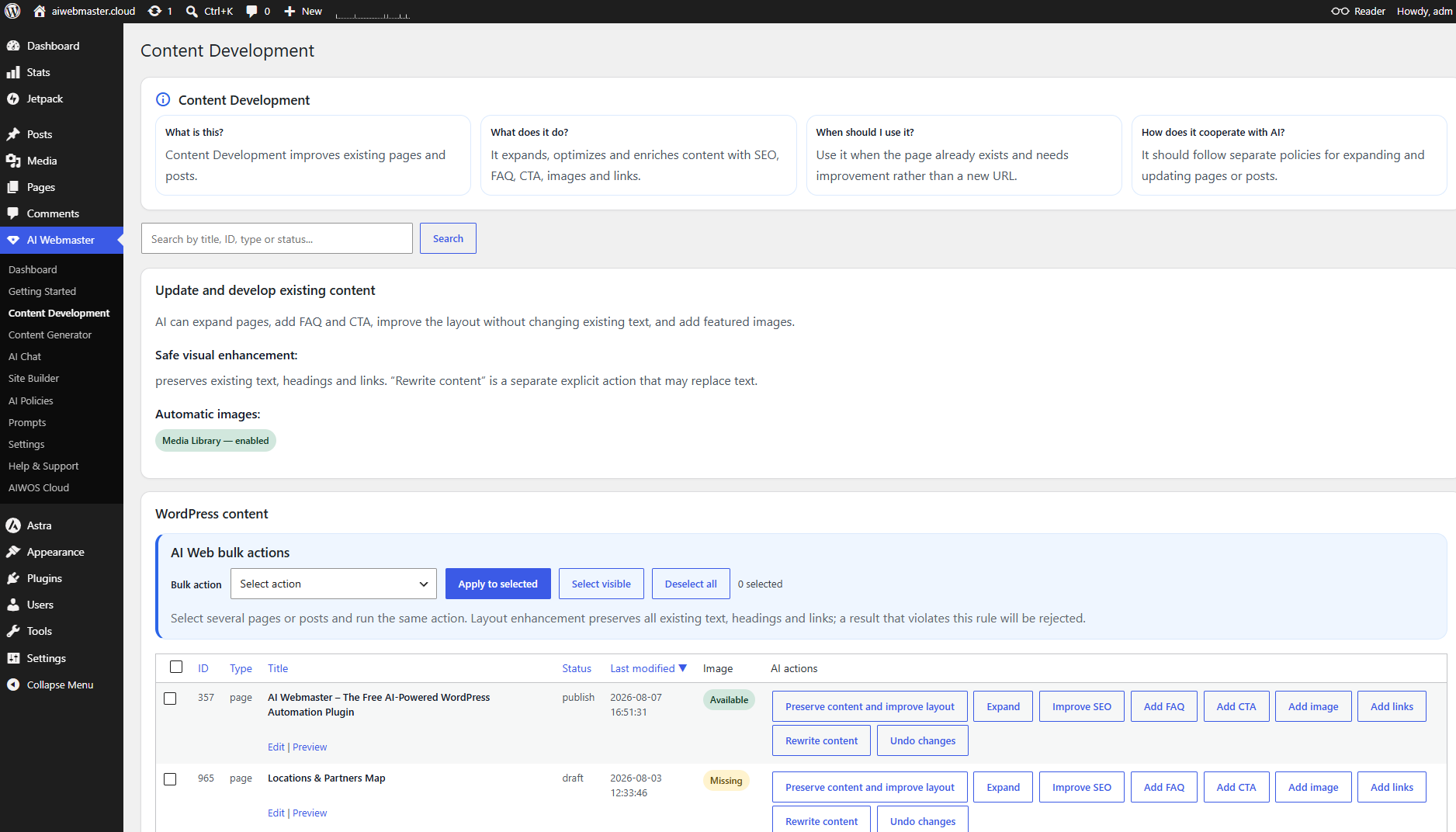
- Administrator-triggered single and bulk content actions.
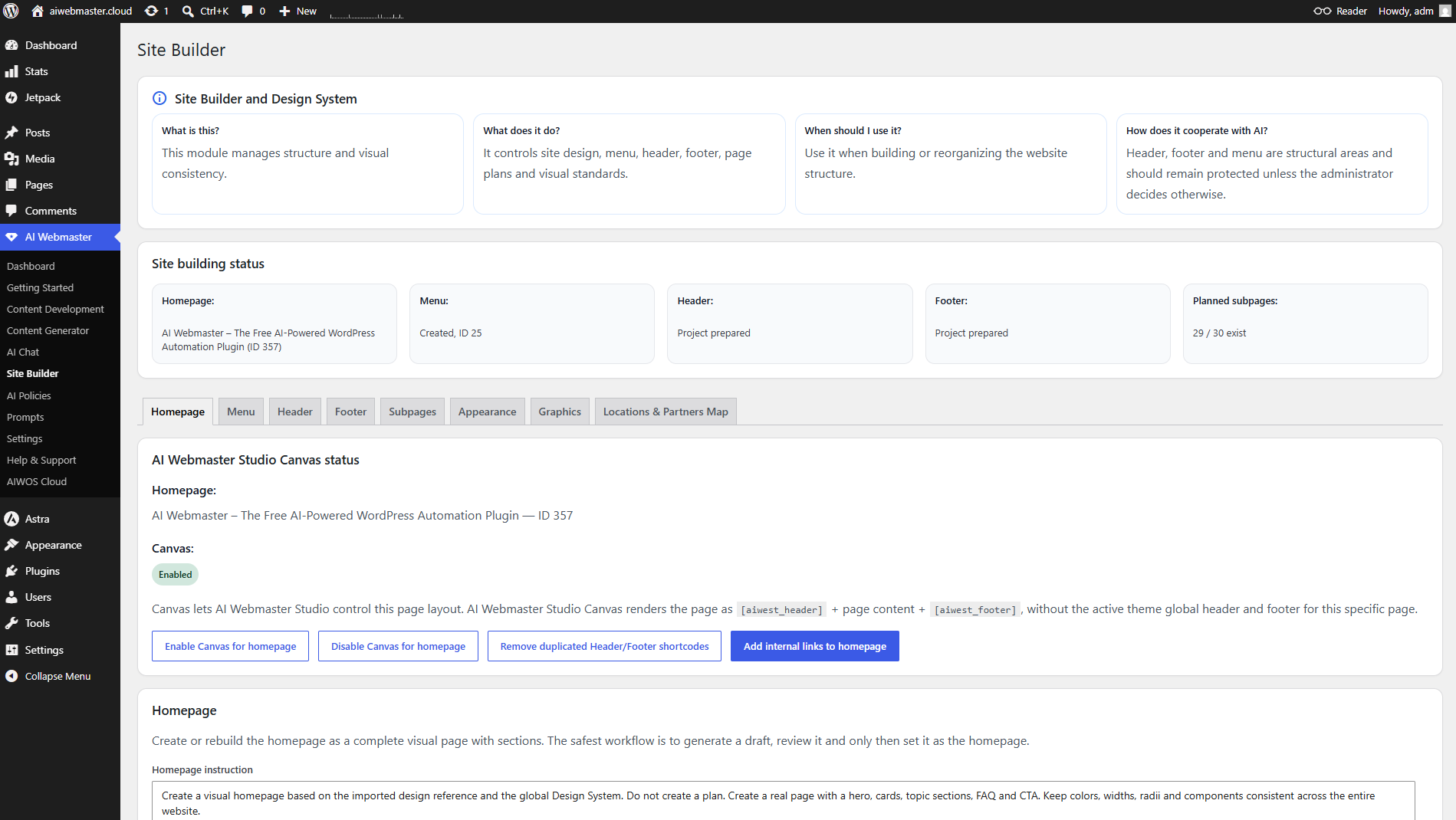
- Site-wide Design System for Site Builder and visual improvement.
- Content-preserving visual enhancement and duplicate H1 prevention.
- Documentation, internal-link suggestions, audits and orphan detection.
- Image generation and Media Library workflows.
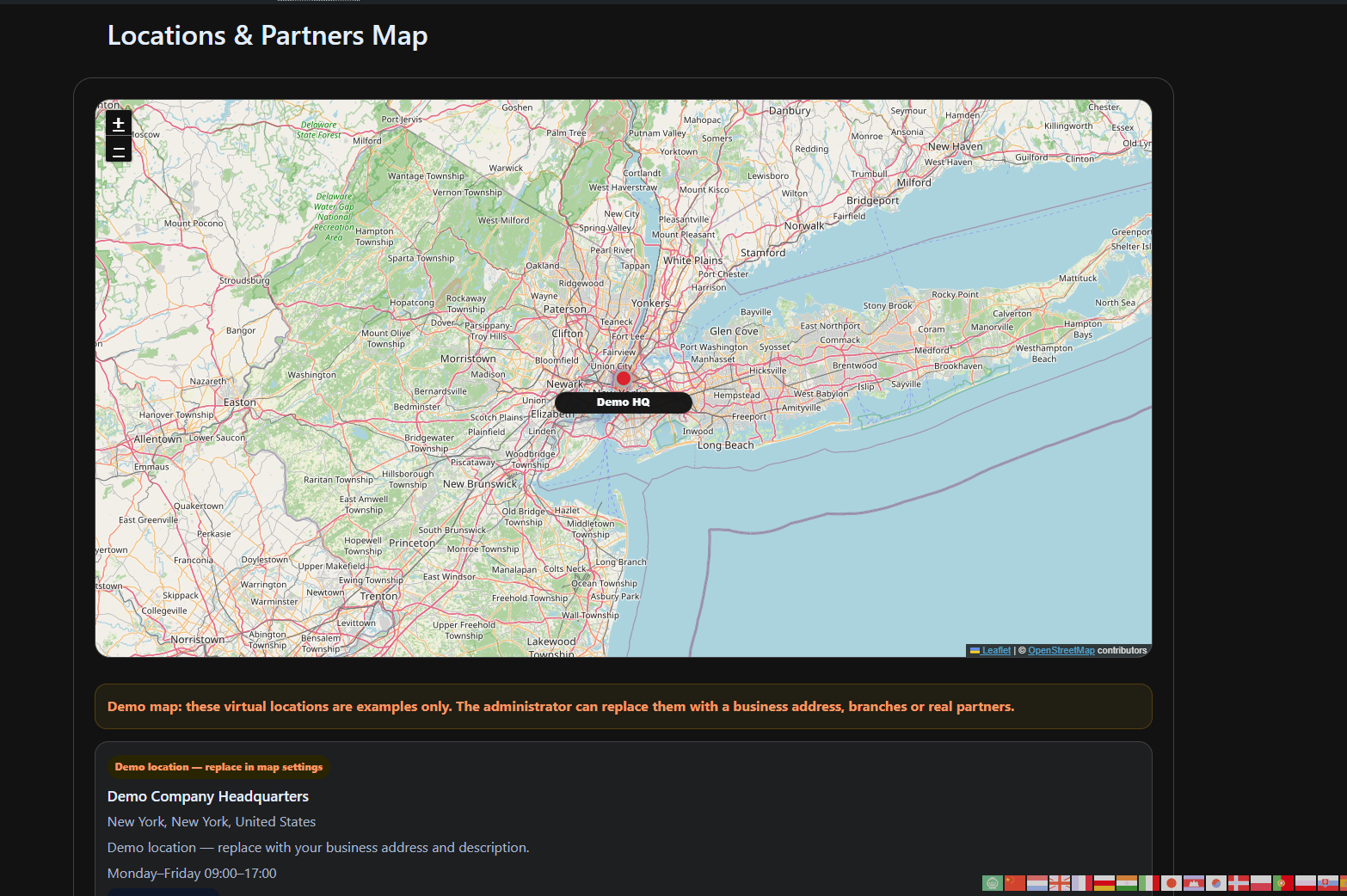
- Directory and map workflows for locations and partners.
- AI Policies, task history and Undo where supported.
- English source strings using native WordPress internationalization, with bundled Polish, German, French, Spanish, Italian and Portuguese translations.
- Automatic WordPress/user-profile interface language and a separate generated-content language.
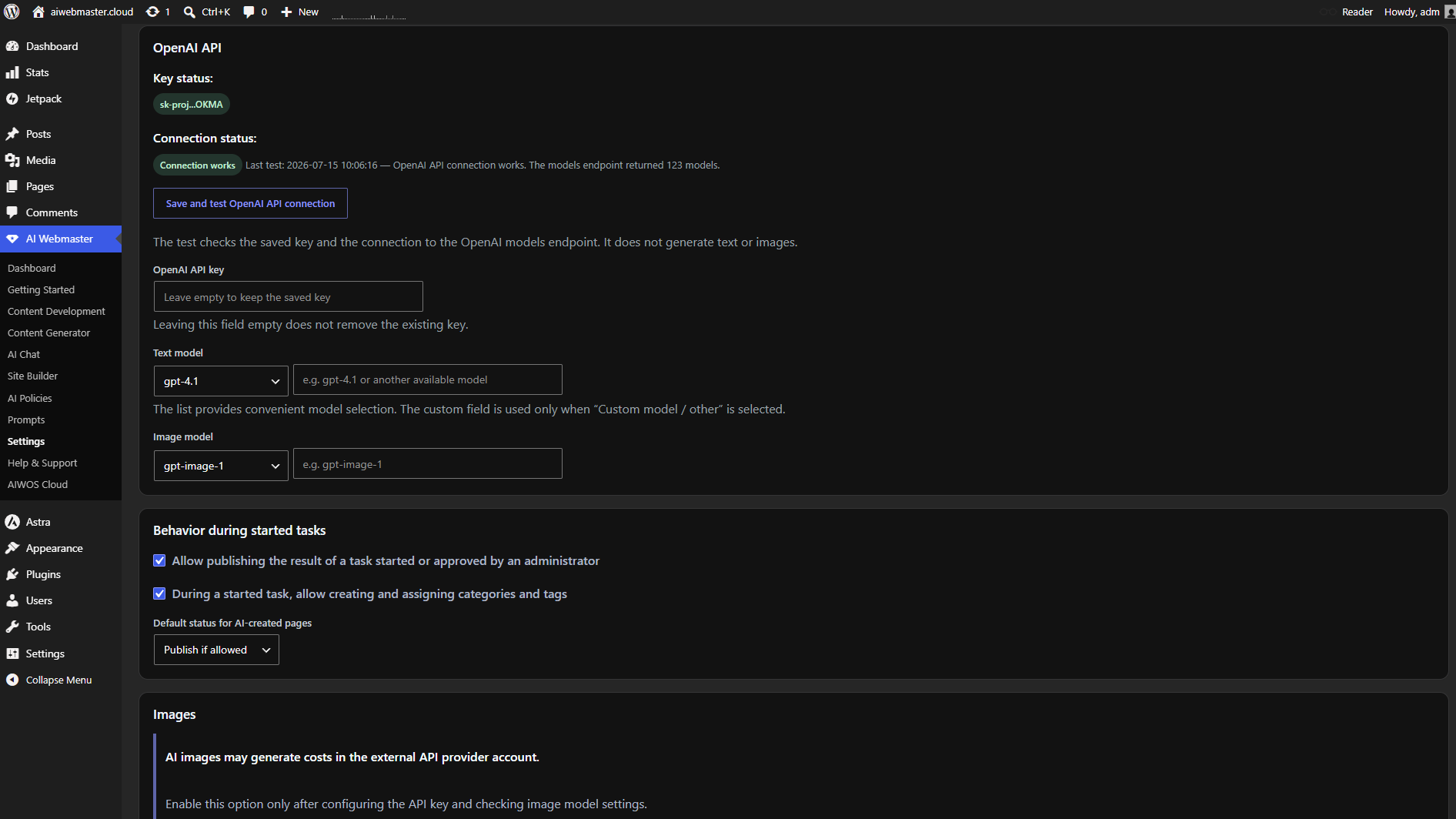
- A shared text-model selector in Settings and AI Chat, including Luna, Sol and Astra, subject to API project availability.
- Chat page targets and explicit content actions, with administrator approval and existing Undo support.
- Per-page Canvas controls, a native color picker and visual presets.
- Optional depth and motion effects that respect reduced-motion preferences.
- Header image and video backgrounds.
- Blog configuration and exact HTTP redirects using complete source and destination URLs.
Administrator control
Review AI output before publication; it may be incomplete or inaccurate. Regulated content requires qualified review.
AI Webmaster Studio Operator is an optional identity for AI actions. It is disabled by default and uses a visible non-Administrator role.
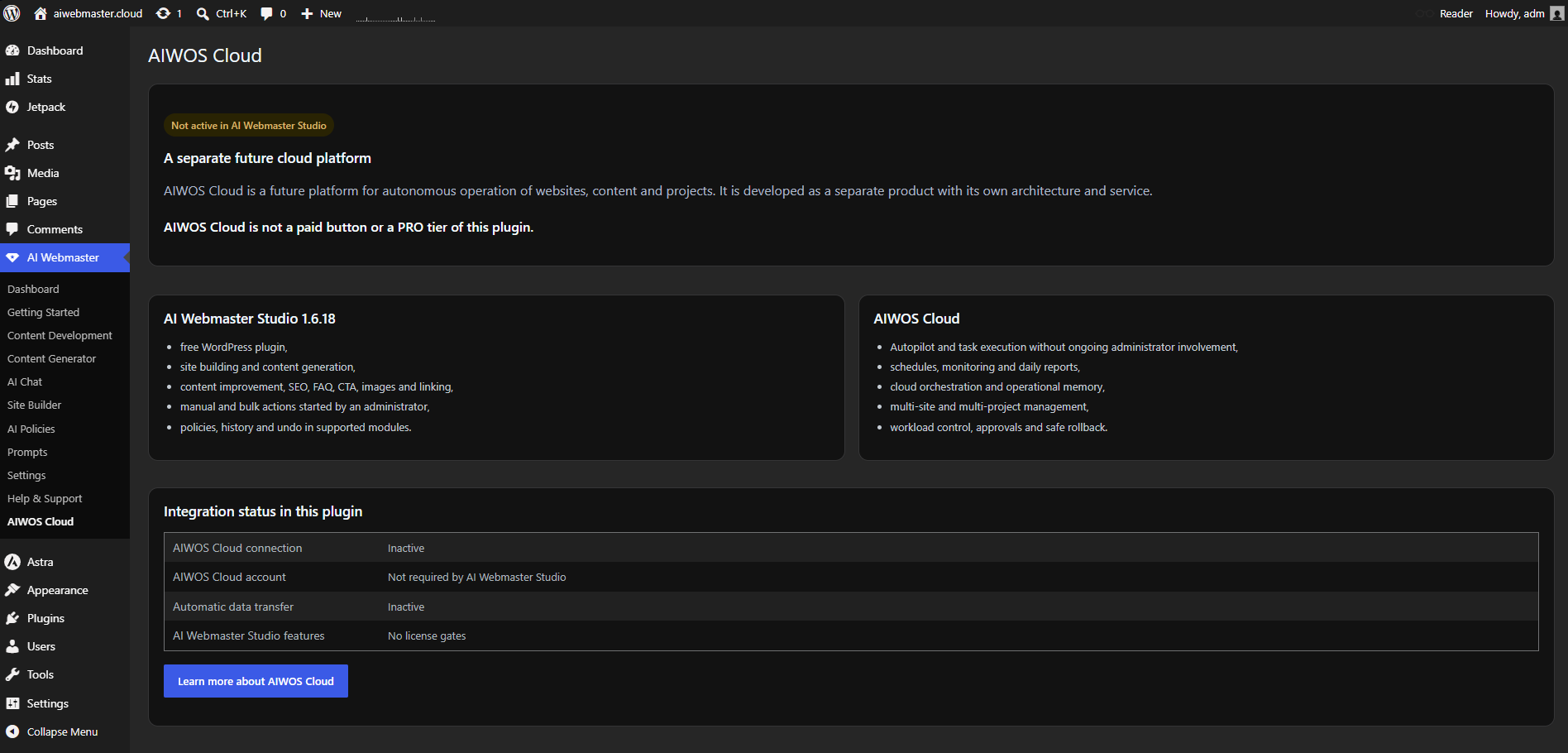
AI Webmaster Studio and AIWOS Cloud
AI Webmaster Studio is free and requires no AIWOS Cloud account.
AIWOS Cloud is a separate platform for autonomous website operation.
The AIWOS screen is informational. It does not automatically connect to AIWOS Cloud, transmit site data to aiwebmaster.cloud or perform license checks.
Donations
Donations are voluntary and do not unlock features or service tiers.
Source code and build
PHP, JavaScript and CSS are editable source. Leaflet 1.9.4 is bundled locally under BSD-2-Clause. Tests are excluded from the production ZIP.
External Services
No telemetry, advertising trackers or automatic license checks are included. The following services are contacted when their related features are configured or used.
OpenAI API
Service: OpenAI API, operated by OpenAI.
Purpose: AI text, planning, task interpretation, SEO/GEO, documentation, internal-link support, layout planning and image generation.
When data is sent: An administrator saves their own key and starts an AI task, diagnostic test or bulk action. Activation alone sends no website content. Administrators may also explicitly enable public AI inquiry drafting in Site Builder > Appearance. This visitor feature is disabled by default, rate limited per IP and limited to 20 AI drafts per UTC day across the site. It uses the saved key and may incur API charges.
Data: Prompts and selected titles, excerpts, page/post content, headings, links, site structure, project profile, goals, design settings, directory context and generation settings. Diagnostics may request models and send a short prompt. Image generation sends a prompt and may download the result. Public inquiry drafting may send the visitor’s needs, location and selected directory partners.
Send credentials, payment data, confidential customer data or protected information only when transmission is authorized and lawful.
Terms: https://openai.com/policies/terms-of-use/
Privacy: https://openai.com/policies/privacy-policy/
Documentation: https://platform.openai.com/docs/
OpenStreetMap
Service: OpenStreetMap website and raster map tiles.
Purpose and transmission: Publishing an OpenStreetMap directory map causes visitors’ browsers to request tiles. A location link opens openstreetmap.org.
Data: Tile coordinates, IP address, user agent and referrer.
Terms: https://osmfoundation.org/wiki/Terms_of_Use
Privacy: https://osmfoundation.org/wiki/Privacy_Policy
Copyright: https://www.openstreetmap.org/copyright
Google Maps JavaScript API
Service: Google Maps JavaScript API, operated by Google.
Purpose and transmission: Interactive maps load when Google Maps is selected and a key is supplied. Directions open after a visitor clicks a directions link.
Data: Browser API key, map settings, coordinates, IP address, user agent, referrer and applicable cookies.
Terms: https://maps.google.com/help/terms_maps/
Privacy: https://policies.google.com/privacy
Documentation: https://developers.google.com/maps/documentation/javascript
Apple Maps directions
Purpose and transmission: When Apple Maps is selected, a visitor’s click opens destination directions. Destination coordinates and browser request data may be sent. The plugin does not request the visitor’s current location.
Terms: https://www.apple.com/legal/internet-services/maps/terms-en.html
Privacy: https://www.apple.com/legal/privacy/
Project website links
Links open aiwebmaster.cloud after an administrator clicks them. No automatic site-content transmission or telemetry is sent there.
Screenshots
Installation
- Install and activate AI Webmaster Studio in Plugins > Add New Plugin.
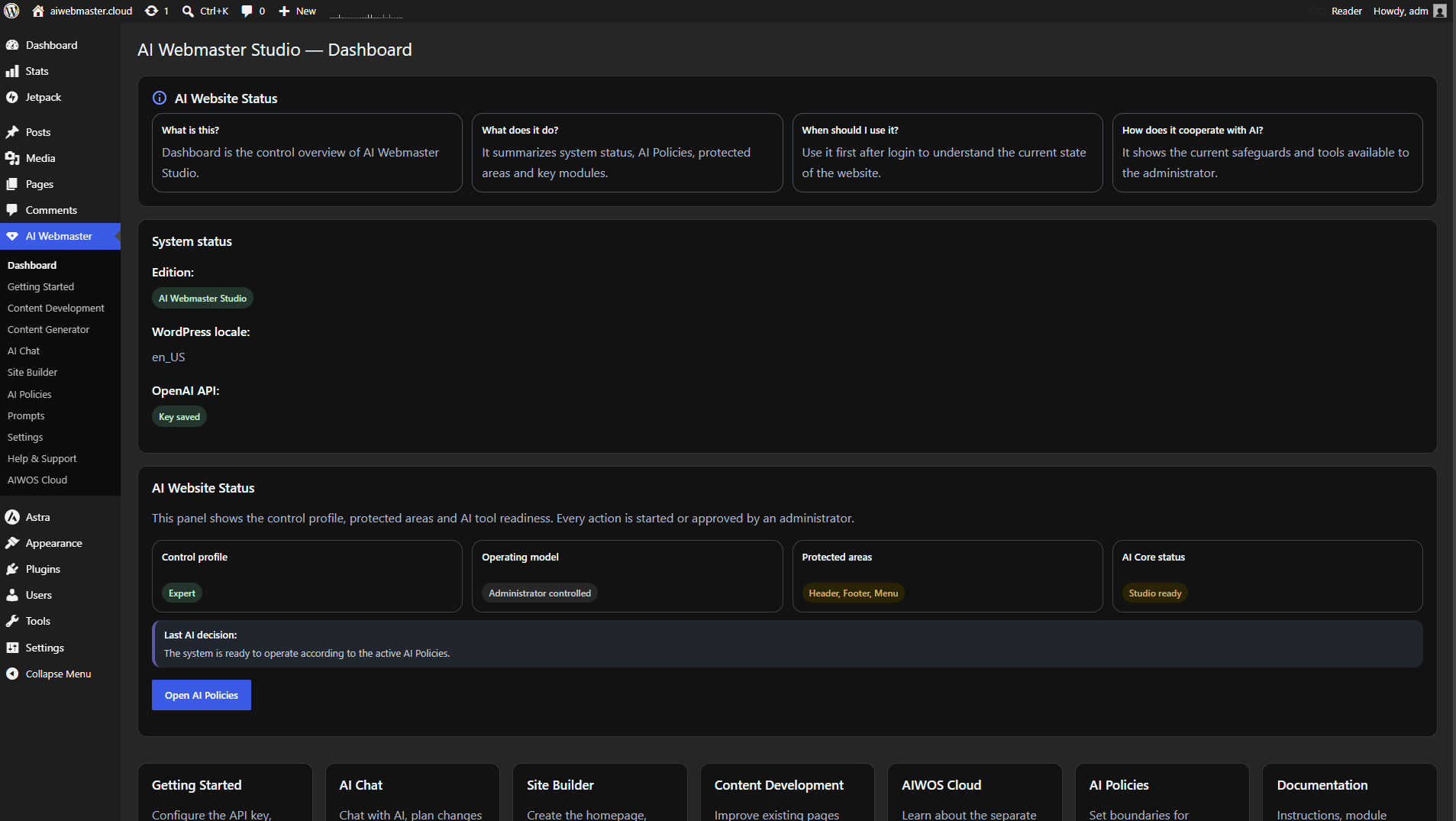
- Open AI Webmaster Studio > Getting Started.
- Save your own OpenAI API key in Settings, select a model and run the API connection test.
- Review AI Policies, languages and publishing settings.
- Start with a draft before using bulk actions.
- Configure a map provider if needed.
Activation needs no key. AI text and images require a valid API key and may create charges in your OpenAI account.
FAQ
-
Is AI Webmaster Studio free?
-
Yes. All included features are free. API usage may cost extra; donations are voluntary.
-
Do I need an AIWOS Cloud subscription?
-
No. AIWOS Cloud is a separate platform and is not required to use AI Webmaster Studio.
-
Do I need an OpenAI API key?
-
AI text and images need your OpenAI API key. Other screens remain available without one.
-
What can I create with AI Webmaster Studio?
-
Create pages/posts, rewrite or expand content, work with images, run SEO/GEO checks, plan layouts, improve internal links and manage directory/map content.
-
Can I change the interface and content languages separately?
-
Yes. Settings > Languages offers EN, PL, DE, FR, ES, IT and PT. The interface follows WordPress/user profile by default; new content follows the site language. Both can be selected separately. Task instructions may request another language. Existing pages and history remain unchanged. Local translations are machine-assisted, with primary controls reviewed; editable PO files are included.
-
Yes. Both selectors update the same global text model for subsequent tasks. The key and image model stay unchanged. Access and costs depend on your OpenAI API project; ChatGPT subscriptions do not supply API credits.
-
Can AI Chat apply changes to a selected page?
-
Select Command for approval, choose a page/action and review the proposal in history before Approve and apply. Supported actions retain preservation and Undo controls; appearance applies the current Design System.
-
What information is sent to OpenAI?
-
Selected prompts, context and website content; see External Services, including the optional public drafting feature.
-
Does AI Webmaster Studio change the site by itself?
-
No. This plugin does not include full Autopilot or unattended scheduled website changes. The administrator starts, configures or approves tasks.
-
Should I publish generated legal or privacy content without review?
-
No. AI output is not legal advice. Have legal, privacy, security and compliance content reviewed by a qualified person.
-
Where can I get help?
-
See https://aiwebmaster.cloud/documentation/ and https://aiwebmaster.cloud/support/. Never send private keys, passwords or confidential data to support.
Reviews
There are no reviews for this plugin.
Contributors & Developers
“AI Webmaster Studio – All-in-One AI Content, SEO & Website Builder.” is open source software. The following people have contributed to this plugin.
Contributors
Translate “AI Webmaster Studio – All-in-One AI Content, SEO & Website Builder.” into your language.
Interested in development?
Browse the code, check out the SVN repository, or subscribe to the development log by RSS.
Changelog
1.7.0
- Share the text-model setting between Settings and AI Chat; add Luna.
- Add seven interface languages and a separate content language.
- Add Chat page targets, explicit actions and approval/replay checks.
- Reject empty/truncated responses and keep diagnostics from changing the global model.
Earlier releases: see changelog.txt.