
Description
SmartyParcel helps your WooCommerce store grow by taking shipping routine off your hands. Connect your carriers and automate shipping from checkout to delivery: pickup points at checkout, one-click shipping labels, order tracking and customer notifications — all from one platform. Trusted by 7,000+ WooCommerce stores.
Product Overview
Supported carriers
Documentation
Example: setting up PostNord pickup points in the WooCommerce checkout.
Features
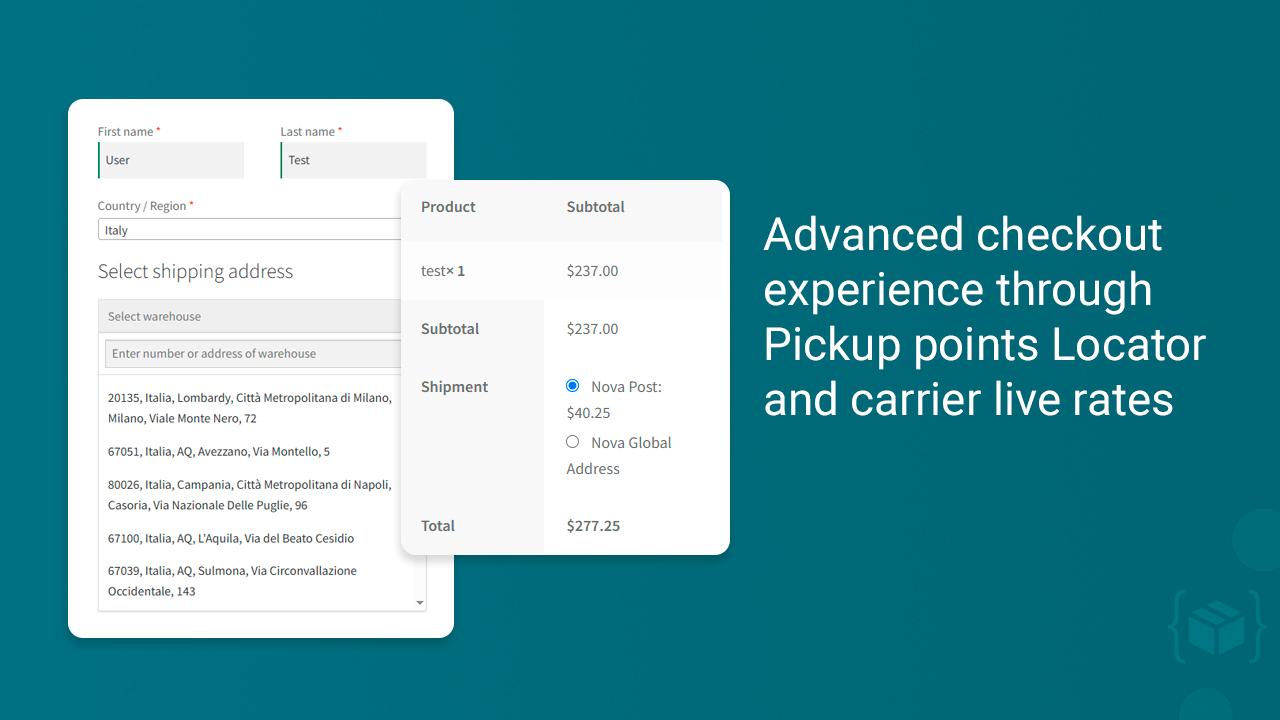
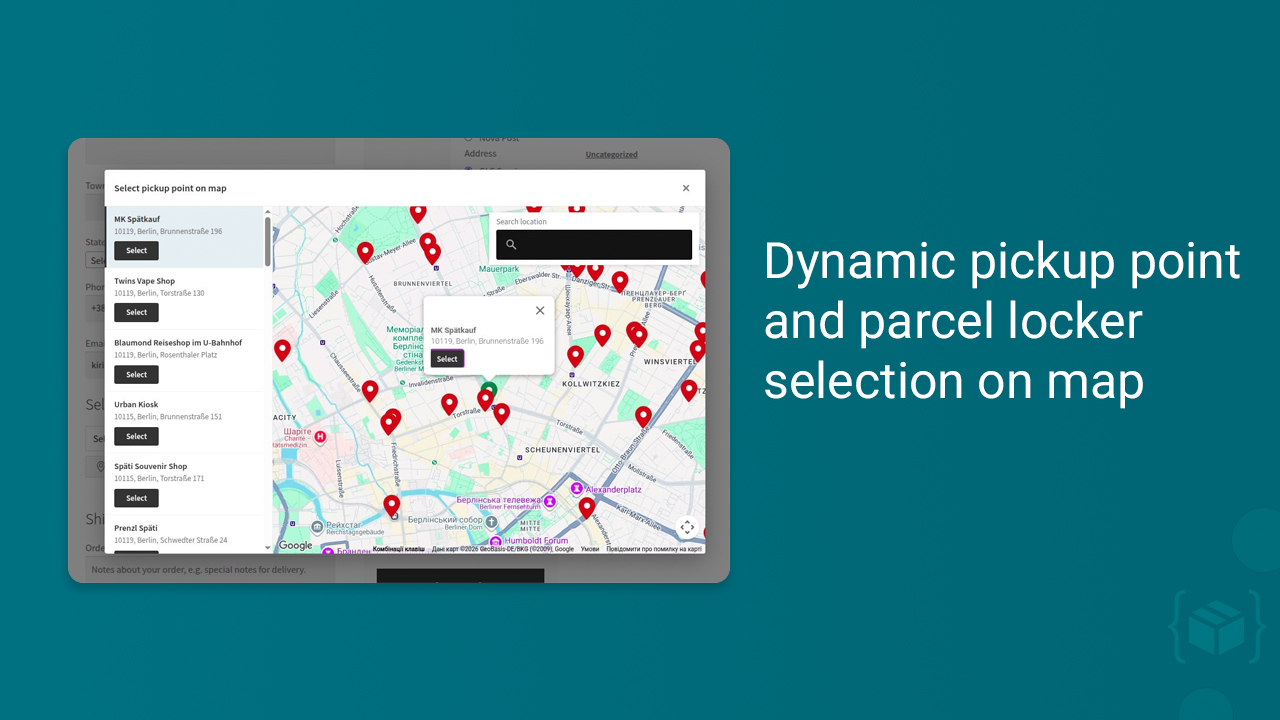
- Pickup point selection built into the WooCommerce checkout — a searchable list, plus an optional Google map view.
- Separate shipping methods per delivery type, so “To pickup point” and “Courier to address” are two distinct options in the WooCommerce shipping zone.
- Points are loaded live from the carrier network, with opening hours, addresses and parcel size limits where the carrier provides them.
- Works with WooCommerce shipping zones, so each country gets exactly the carriers you ship there with.
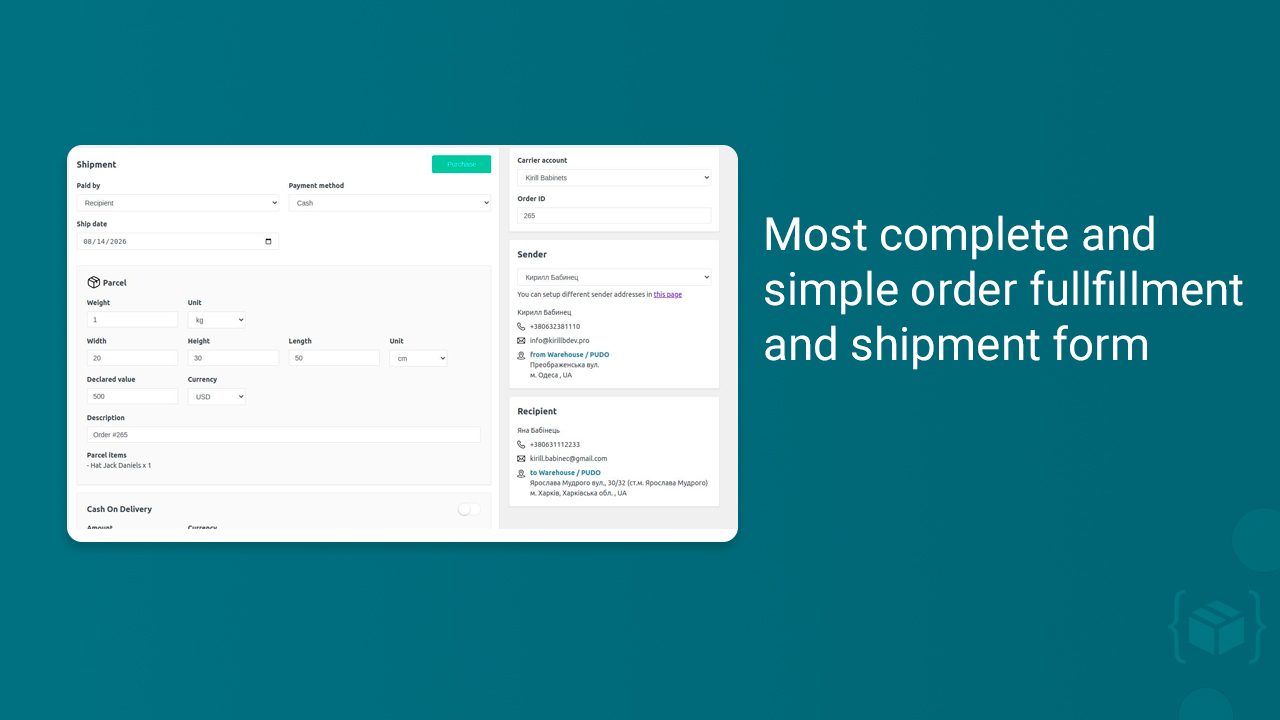
- Create domestic and international shipping labels in a few clicks.
- Bulk label creation and printing (paid plans).
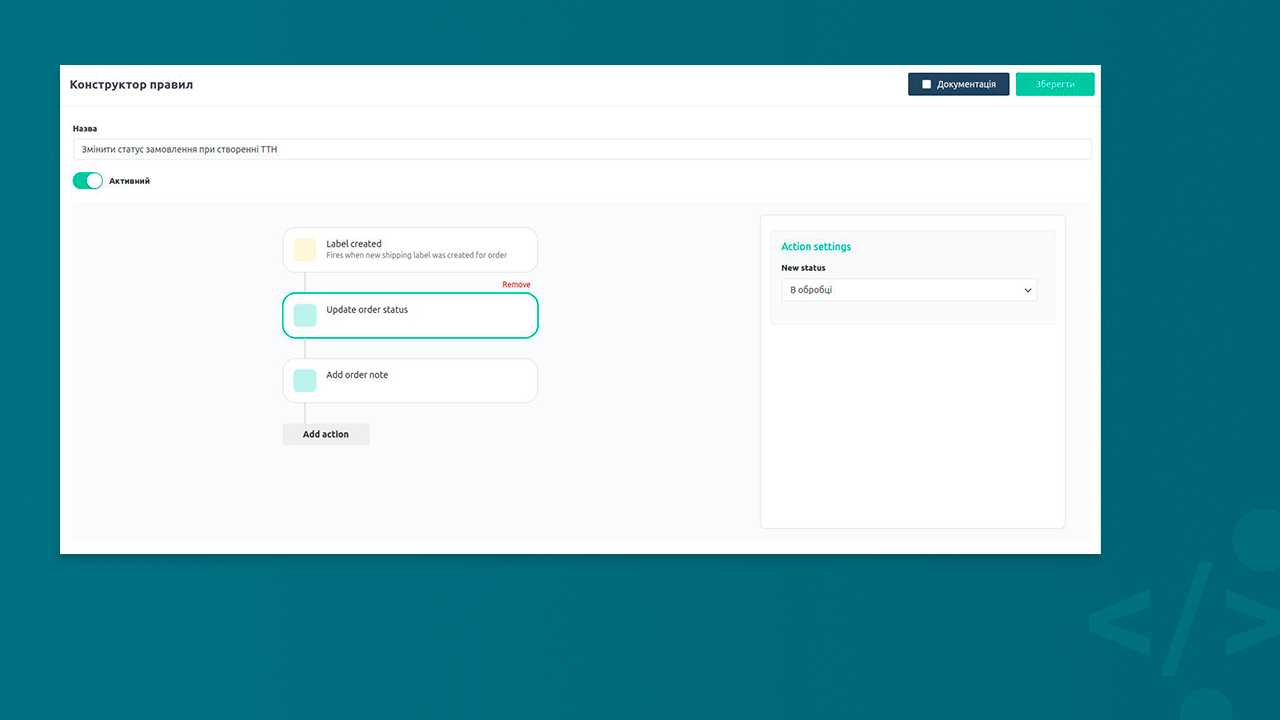
- Rule-based automation: create labels automatically on order status change, on payment, or on your own conditions.
- Shipping rules: prepare shipments automatically by your criteria (for example, choose the carrier by parcel weight or add extra services and more).
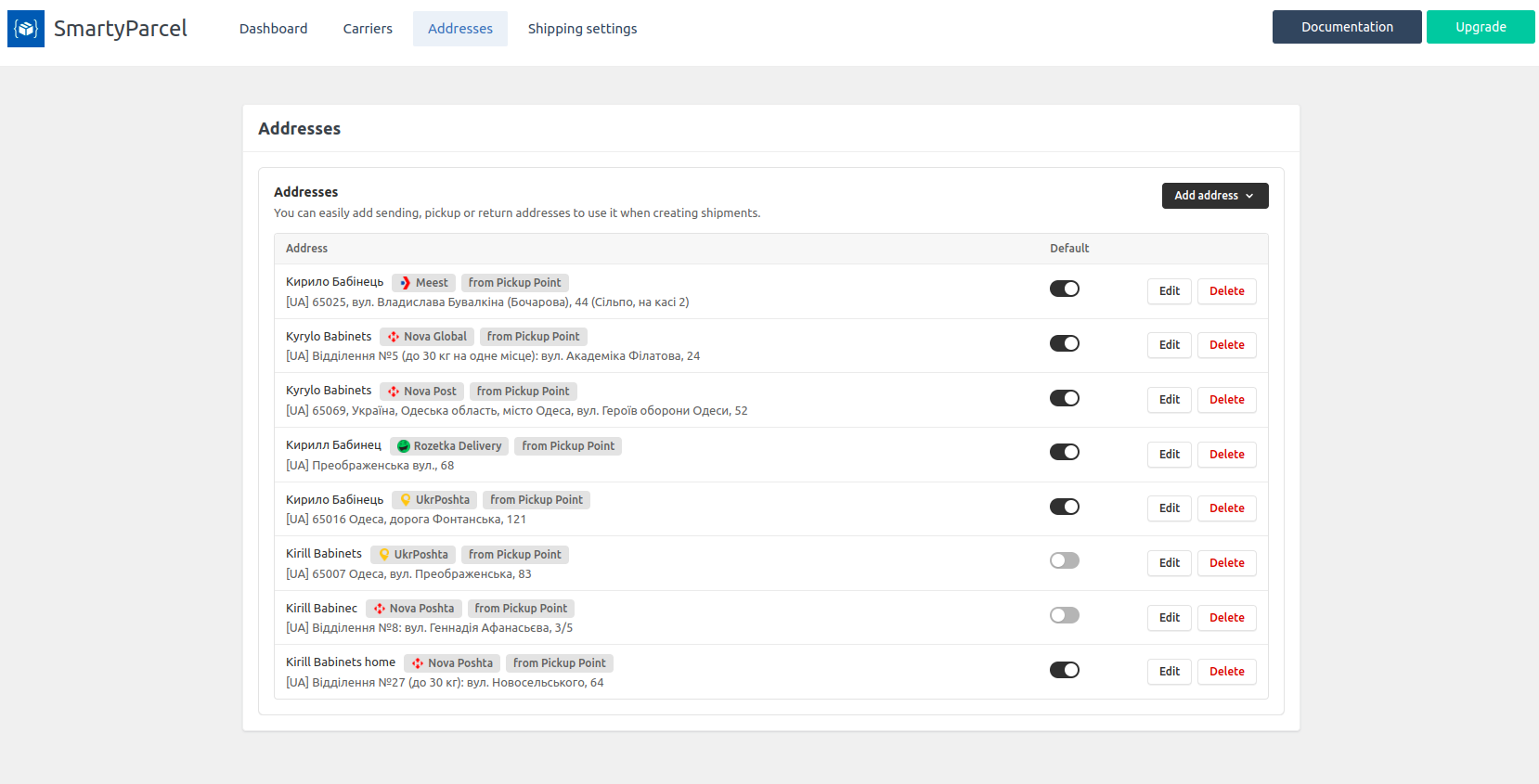
- Easy to ship from multiple sender addresses.
- Provide carrier live-rates at checkout for your customers (paid plans).
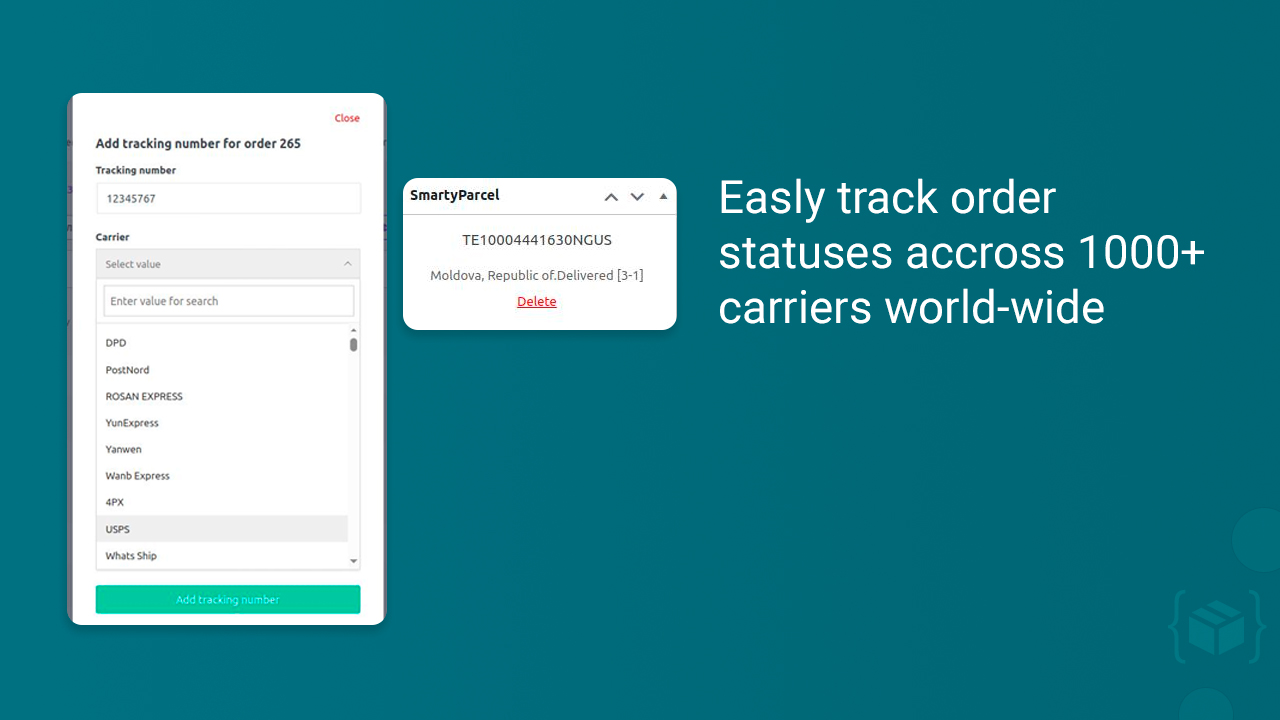
- Advanced order tracking with real-time status sync and customer notifications (Email and SMS).
Supported carriers
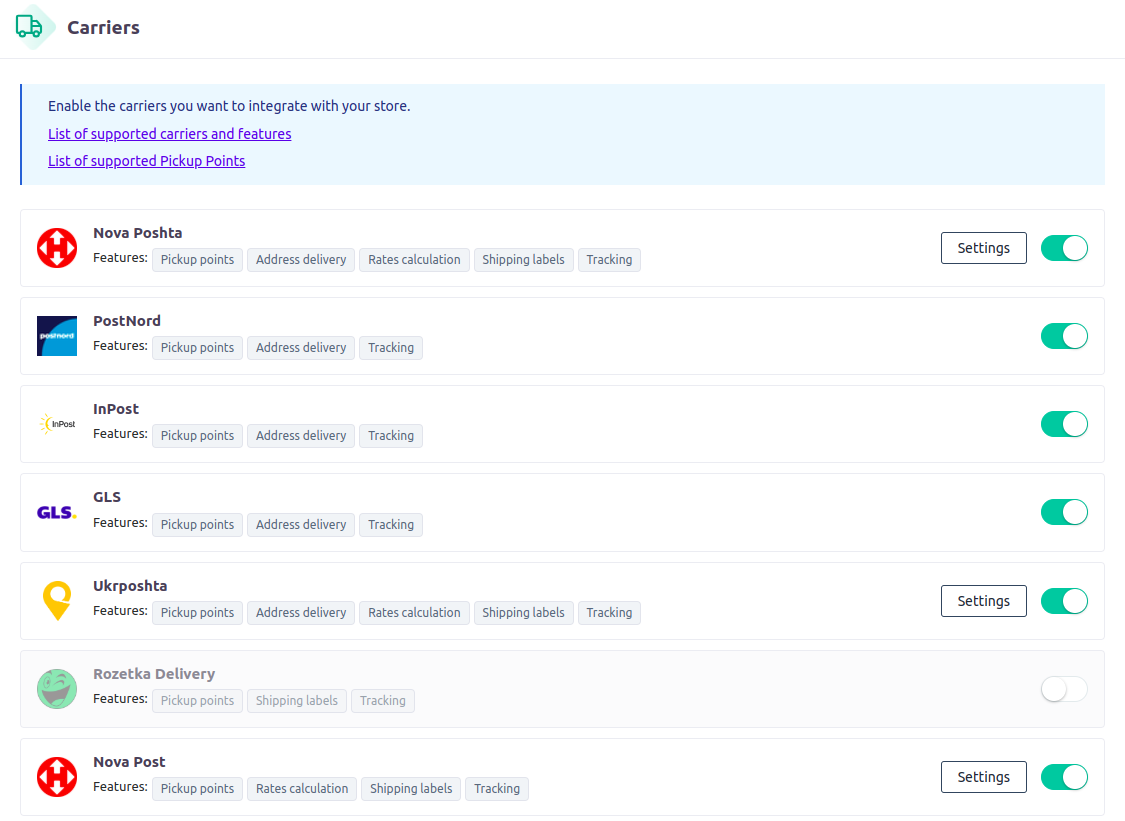
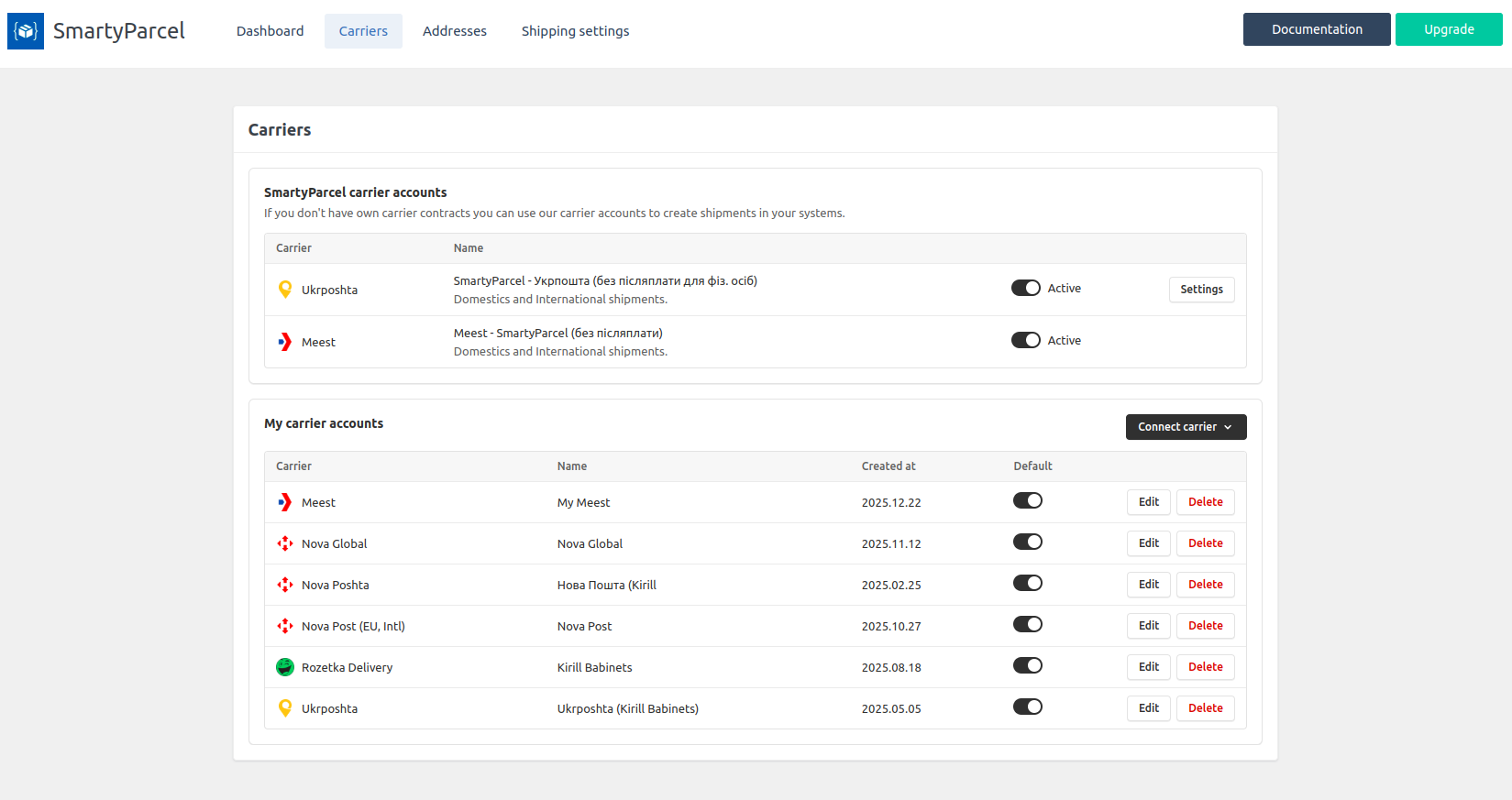
Nova Post, Нова Пошта, DHL Express, GLS, InPost, Meest, PostNord, Nova Global, Rozetka Delivery, Ukrposhta and many more. We’re continuously integrating new carriers and features!
Pickup point selector at checkout (ParcelShops, Parcel Lockers, Service Points)
- GLS (Europe)
- InPost (Poland only, for now)
- PostNord
- Nova Post
- Nova Poshta (Ukraine)
- Ukrposhta
- Meest
- Rozetka Delivery
Showing pickup points at checkout requires no API keys or carrier contracts.
DHL Express shipping
Ship worldwide with DHL Express straight from WooCommerce. Add the DHL Express shipping method to any shipping zone, pick the service type and show the shipping price at checkout — a fixed price or live DHL Express rates (paid plans), with an optional free shipping threshold. DHL Express labels and tracking are handled in SmartyParcel like for any other carrier; creating labels requires your own DHL Express account.
Supported DHL Express service types:
- DHL Express Worldwide
- DHL Express 9:00
- DHL Express 12:00
- DHL Economy Select
- DHL Express Domestic
Compatibility
- WooCommerce HPOS (High-Performance Order Storage) and legacy order storage.
- WPML, Polylang and multi-currency stores.
- PHP 8.0+, tested with the latest WordPress and WooCommerce releases.
External services
This plugin uses SmartyParcel API to provide advanced logistic functions (like create labels, tracking etc.) and also external API to collect user feedbacks and installation telemetry, which includes the store URL and the WordPress administrator email address (Privacy Policy).
Screenshots
Installation
Minimum Requirements
- PHP 8.0 or greater is recommended
- MySQL 5.7 or greater is recommended
Automatic installation
Automatic installation is the easiest option as WordPress handles the file transfers itself and you don’t need to leave your web browser. To do an automatic install of plugin, log in to your WordPress dashboard, navigate to the Plugins menu, and click Add New.
In the search field type “SmartyParcel” and click Search Plugins. Once you’ve found it you can view details about it such as the point release, rating, and description. Most importantly of course, you can install it by simply clicking “Install Now”.
Manual installation
The manual installation method involves downloading this plugin and uploading it to your webserver via your favourite FTP application. The WordPress codex contains instructions on how to do this here.
Updating
Automatic updates should work like a charm; as always though, ensure you backup your site just in case.
FAQ
-
Which carriers does SmartyParcel support?
-
SmartyParcel natively integrates DHL Express, GLS, InPost, PostNord, Nova Post, Нова Пошта, Ukrposhta, Rozetka Delivery, Meest and Nova Global.
-
How do customers choose a pickup point or parcel locker at checkout?
-
The plugin adds a pickup point selector to the WooCommerce checkout for every enabled carrier. Customers search the carrier network by city or address and pick a pickup point, parcel locker or service point; the selected point is saved with the order and used when the shipping label is created.
-
Can customers select a pickup point on a map?
-
Yes. Besides the searchable list, the pickup point selector has a Google Maps mode with search by city and street. It requires a Google Maps API key, which is set in the plugin settings.
-
Can I create and print shipping labels in bulk?
-
Yes, on paid plans. Select any number of WooCommerce orders and create and print their shipping labels in one run, instead of opening orders one by one. Labels can also be generated automatically by rules — on order status change, on payment, or on your own conditions.
-
Does the plugin support cash on delivery (COD)?
-
Yes. COD is supported for Nova Poshta, Ukrposhta, Meest and Rozetka Delivery. We are working on extending cash on delivery support to more carriers.
-
Can I use SmartyParcel solely for order tracking?
-
Yes. If you already create shipping labels in other tools or directly with carriers, SmartyParcel can run as a centralized tracking engine only: real-time status updates, automated status syncing in WooCommerce and customer notifications.
-
Does the plugin support WooCommerce HPOS?
-
Yes. The plugin is fully compatible with WooCommerce High-Performance Order Storage (custom order tables) and with the legacy order storage.
-
Does the plugin work with WPML, Polylang and multi-currency stores?
-
Yes. The plugin is compatible with WPML and Polylang, and works in multi-currency stores. Carrier data at checkout is shown in the language configured for the carrier.
-
Does the plugin support WooCommerce checkout blocks?
-
Unfortunately, the plugin doesn’t support checkout blocks yet, but we are working on it.
Reviews


Contributors & Developers
“SmartyParcel – DHL Express, GLS, InPost & Nova Post for WooCommerce” is open source software. The following people have contributed to this plugin.
Contributors
“SmartyParcel – DHL Express, GLS, InPost & Nova Post for WooCommerce” has been translated into 2 locales. Thank you to the translators for their contributions.
Translate “SmartyParcel – DHL Express, GLS, InPost & Nova Post for WooCommerce” into your language.
Interested in development?
Browse the code, check out the SVN repository, or subscribe to the development log by RSS.
Changelog
Version 1.23.6 / (16.10.2026)
- Added DHL Express Address delivery shipping method.
- NovaPoshta label creation switched to the SmartyParcel elements sdk (with temporally fallback option).
- Added support of the SmartyParcel access keys. This feature allows you to configure access to the platform features inside plugin for different wp users.
- Added support of the SmartyParcel shipping rules inside the plugin. Feature allows you to set up different scenarios for the shipment preparation.
Version 1.23.5 / (13.10.2026)
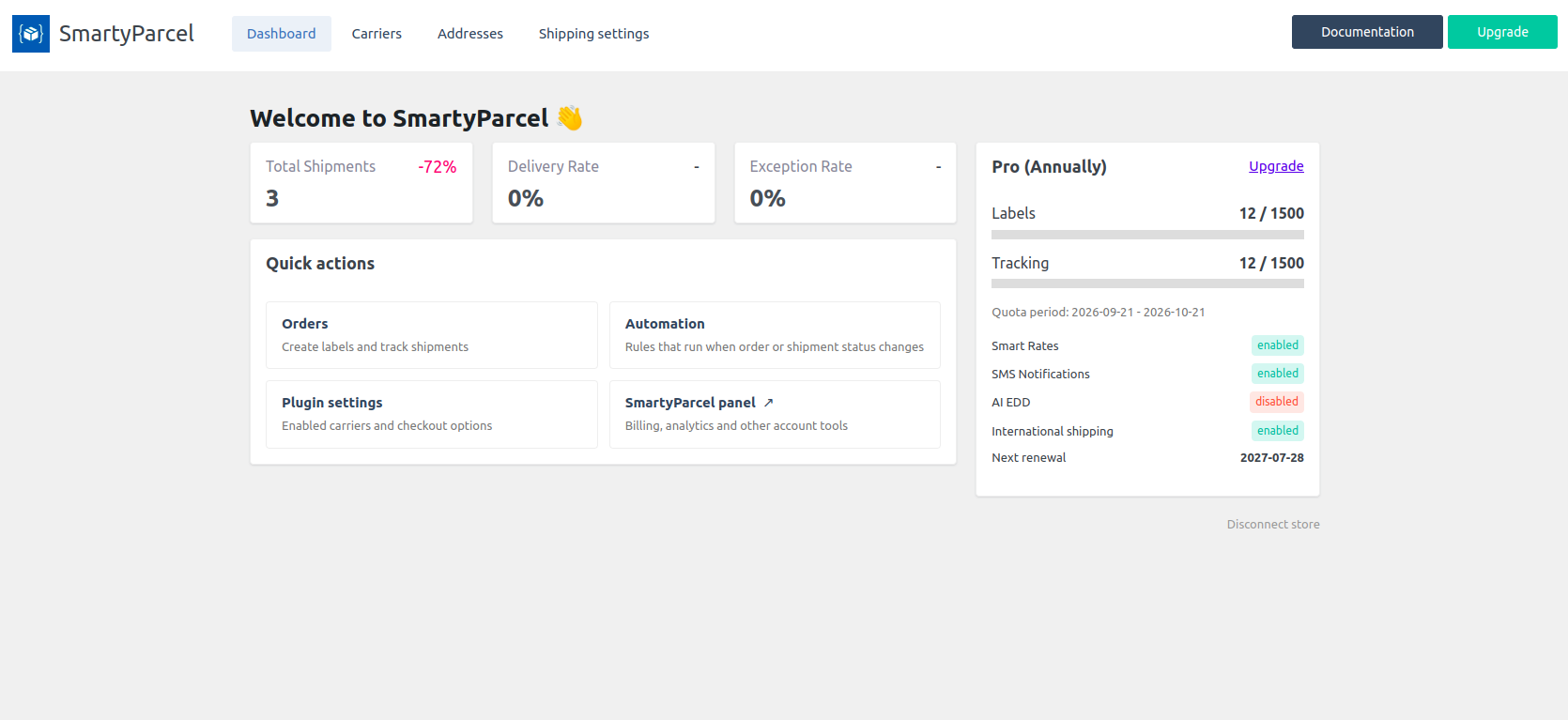
- Improved usability for plugin dashboard page.
Version 1.23.4 / (10.10.2026)
- Fixed known issues from Patchstack.
- Improved security.
- The plugin now requires connecting your store to the SmartyParcel platform. Backward compatibility is preserved: checkout in stores that are not connected yet keeps working.
Version 1.23.3 / (01.10.2026)
- UkrPoshta label creation switched to the SmartyParcel elements sdk.
- Removed legacy order collectors.
Version 1.23.2 / (27.09.2026)
- Changed dimension ordering in label form (to L x W x H).
Version 1.23.1 / (25.09.2026)
- Added GLS Service Point delivery shipping method.
- Added GLS Address delivery shipping method.
- Added GLS to pickup point selection from Google Map.
- Added Nova Post Address delivery shipping method.
- Added rates calculation for Nova Post address delivery.
- Changed api endpoint for batch and auto label creation.
Version 1.23.0 / (19.09.2026)
- Introduced Pickup point selection from Google Map. Supported carriers: Nova Poshta, InPost and PostNord. Requires SmartyParcel Locator API.
- Added checking for manage_woocommerce permissions for admin routes (Patchstack issue).
- Remove legacy Tools page.
Version 1.22.5 / (07.09.2026)
- Restored default value for the active carriers option.
Version 1.22.4 / (07.09.2026)
- Added InPost Service Point delivery shipping method.
- Added InPost Address delivery shipping method.
- Implemented Pickup Points selection for InPost (Poland).
Version 1.22.3 / (01.09.2026)
- Improved order sync mechanism.
Version 1.22.2 / (28.08.2026)
- Added PostNord Service Point delivery shipping method.
- Added PostNord Address delivery shipping method.
- Implemented SmartyParcel Locator (PUDO search) for PostNord carrier.
Version 1.22.1 / (26.08.2026)
- Improved telemetry data.
- Improved translations for a feedback form.
Version 1.22.0 / (23.08.2026)
- Improved and refactored options UI.
- Legacy plugin settings are now migrated to platform shipping rules.
- Improved bulk label creation.
- Fixed checkout js issue.